Log in
Linked Applications
Loading…
Infosysta Confluence
Spaces
Blogs
Hit enter to search
Help
Online Help
Keyboard Shortcuts
Feed Builder
What’s new
Available Gadgets
About Confluence
Log in
Google To Jira - GTJ
Blog
Page tree
Browse pages
Configure
Space tools
View Page
Page History
Page Information
View in Hierarchy
View Source
Export to PDF
Pages
…
Google to Jira - GTJ
GTJ Jira Connector (Google Workspace Add-on)
Administration Guide - GTJ Jira Connector (Google Workspace Add-on)
How to Remove Access for GTJ Jira Connector (Google Workspace Add-on)
Page History
Versions Compared
Old Version
5
changes.mady.by.user
Souad Azoury
Saved on
Sept 22, 2022
compared with
New Version
6
changes.mady.by.user
Souad Azoury
Saved on
Sept 22, 2022
Previous Change: Difference between versions 4 and 5
Next Change: Difference between versions 6 and 7
View Page History
Key
This line was added.
This line was removed.
Formatting was changed.
Quick Steps
Expand
title
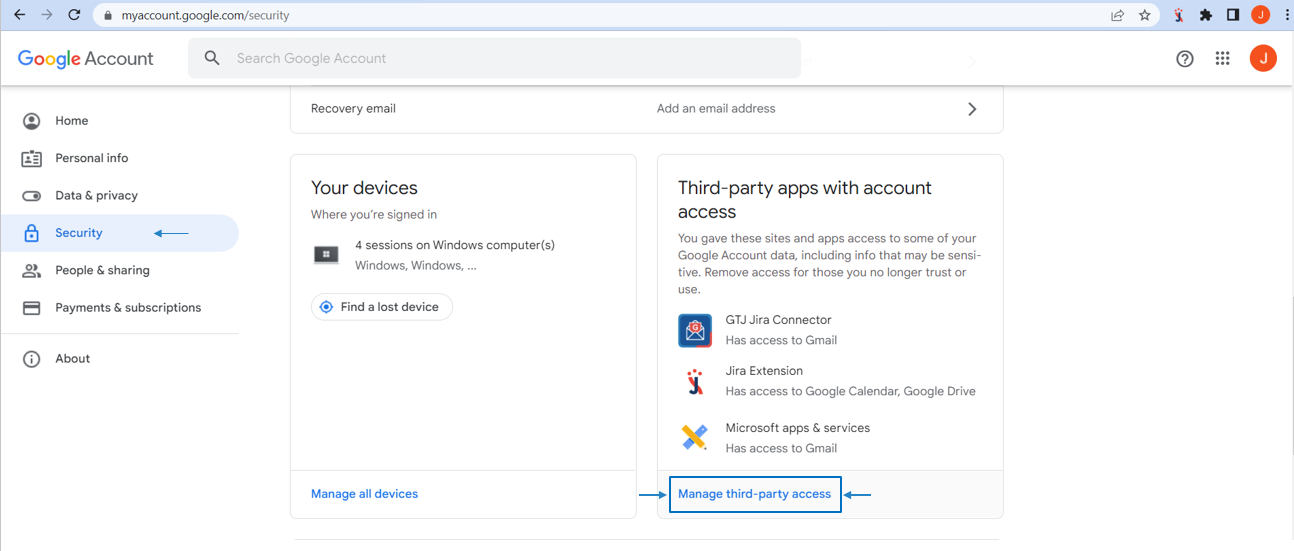
1. Remove access from your Google Account
Go to your google account
--> security --> manage third party access --> remove GTJ access
Go to -->
Security
-->
Manage third-party access
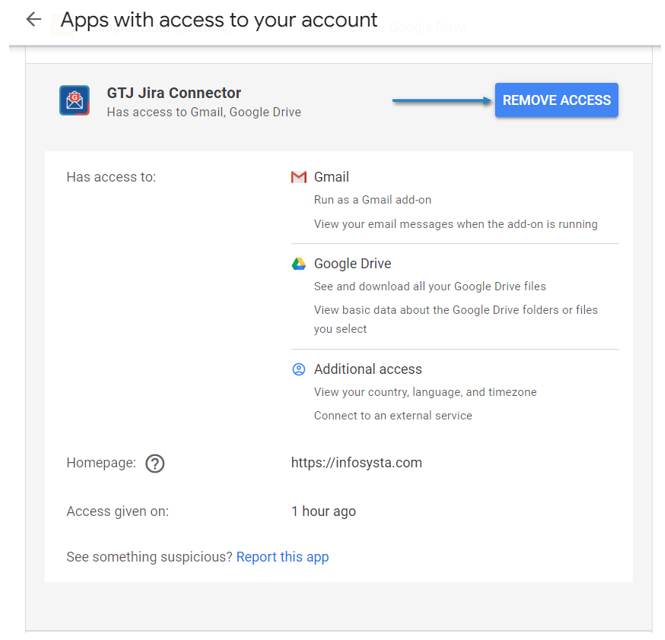
Go to GTJ Jira Connector, and click on →
Remove access
Expand
title
2. Remove access from your id.atlassian.com
Go to
https://
id.atlassian.com
/manage-profile/apps
Go to
Connected apps
Go to GTJ Jira Connector, and click on →
Remove access
Overview
Content Tools
{"serverDuration": 110, "requestCorrelationId": "4ac9602bb5dbdef6"}