changes.mady.by.user Souad Azoury
Saved on Sept 28, 2022
Saved on Sept 29, 2022
...
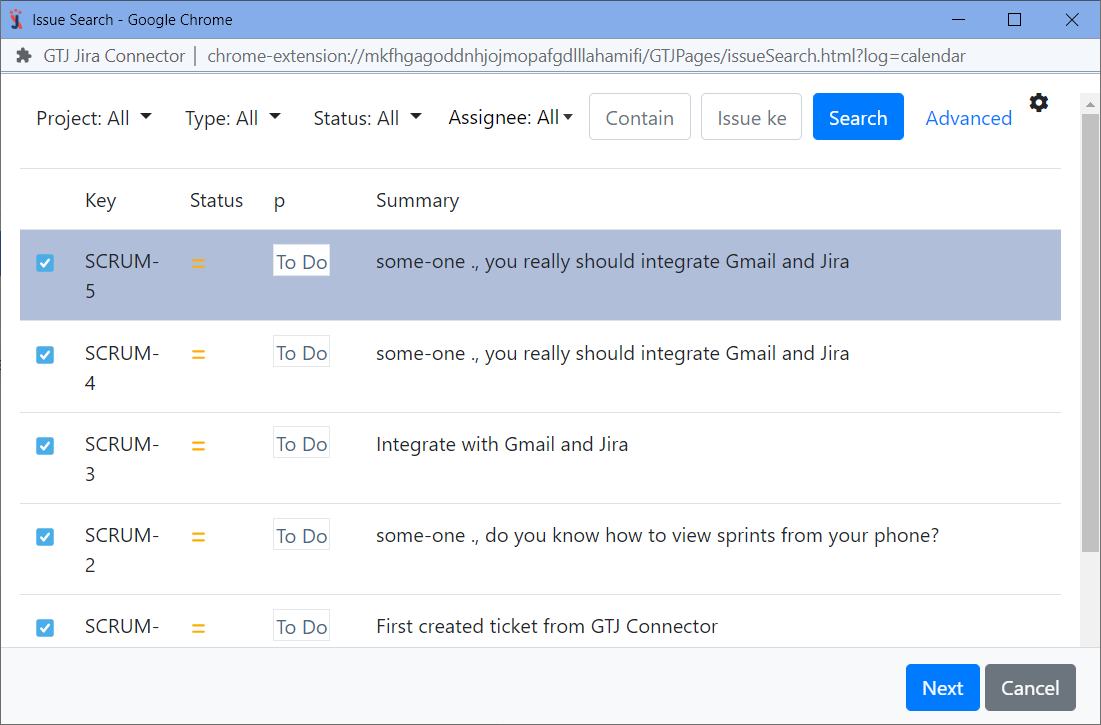
Search, and select your issue, then click next