...
Edit issue allows you to easily add new comments, upload attachments, edit assignee, log work, and more directly from your Gmail or Calendar
Quick Steps
| Expand |
|---|
| title | Comment Edit From GmailE-mail |
|---|
|
- Select an e-mail → open GTJ Chrome Extension → select 'Edit from e-mail'

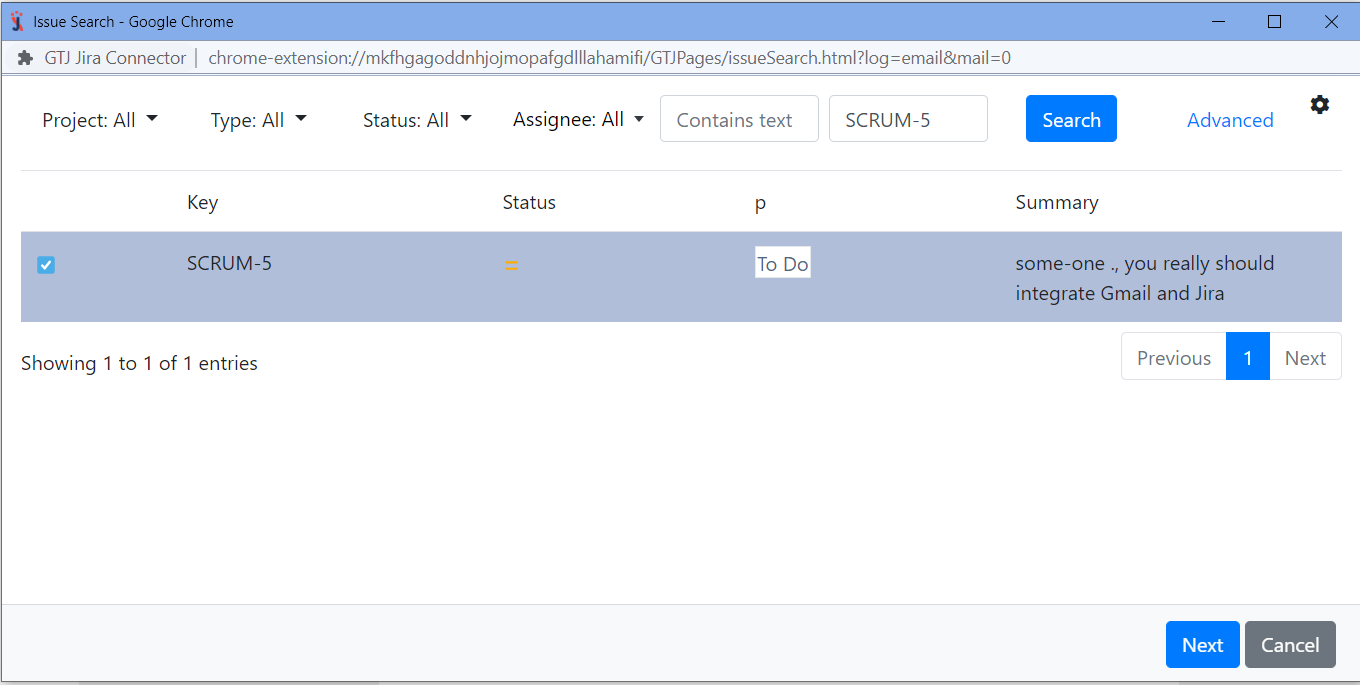
- By editing your issue you can:
- Edit the 'summary', the 'description', 'assignee', 'labels', also you can include the 'email attachments', 'inline images', or include the 'email as attachment'
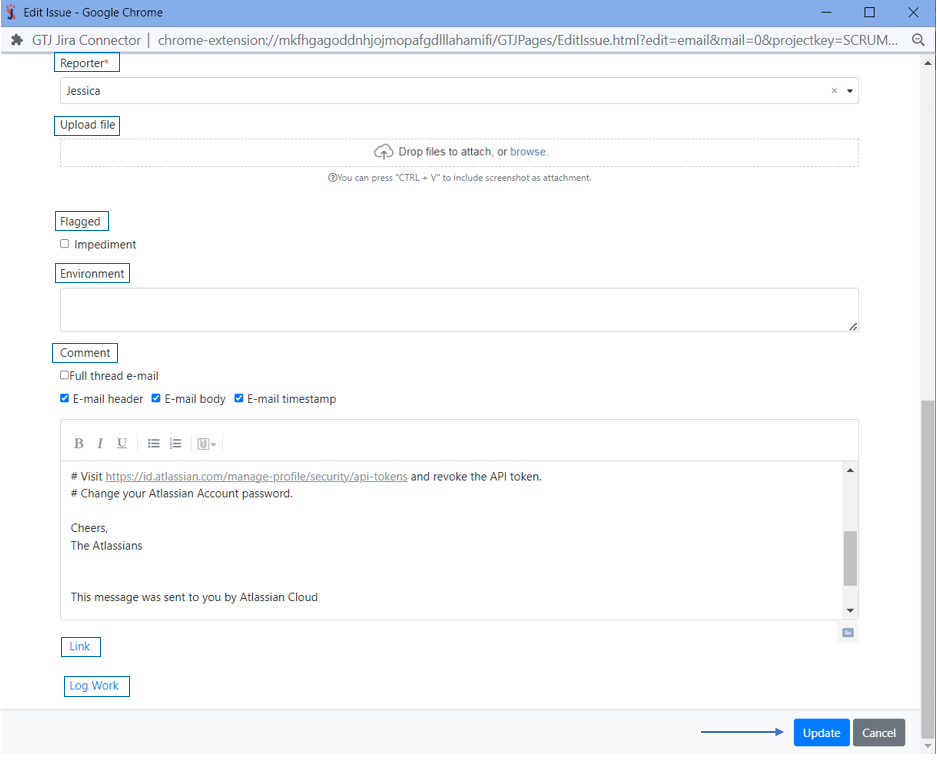
- All you need to do is to edit the fields you want and select from the checkboxes the options you'd like to include

- You can also 'edit the reporter', 'upload files', 'add a flag', 'environment', 'add a comment', 'Link this issue', and 'log work'
- Once done click on 'Update' button
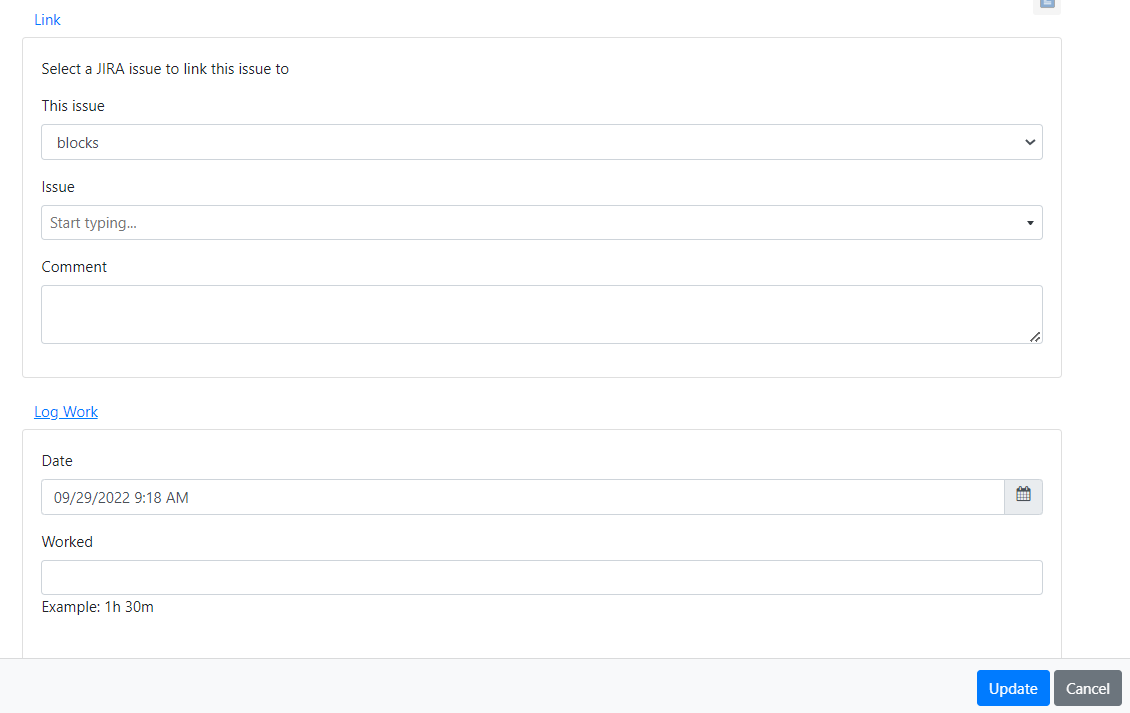
 - You can 'Link this issue', and 'log work', by clicking on link or log work button
 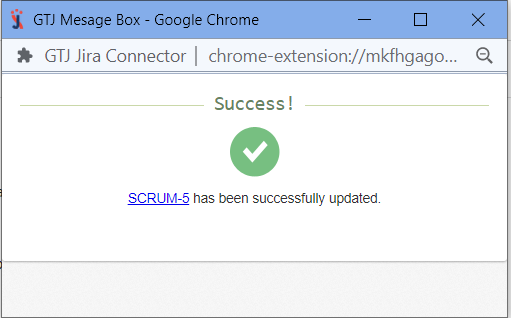 - You have edited your issue successfully!
|
| Expand |
|---|
| title | Comment Edit From Calendar |
|---|
|
- Go to your Google Calendar, select an event and click to edit it
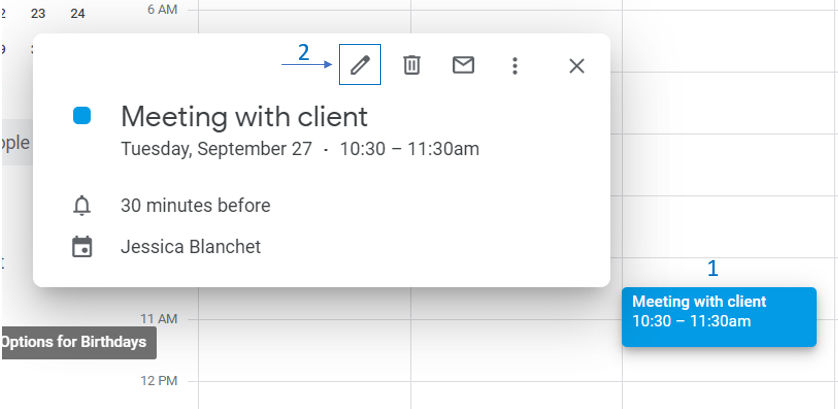
- Open GTJ Chrome Extension → select 'Edit from Calendar'

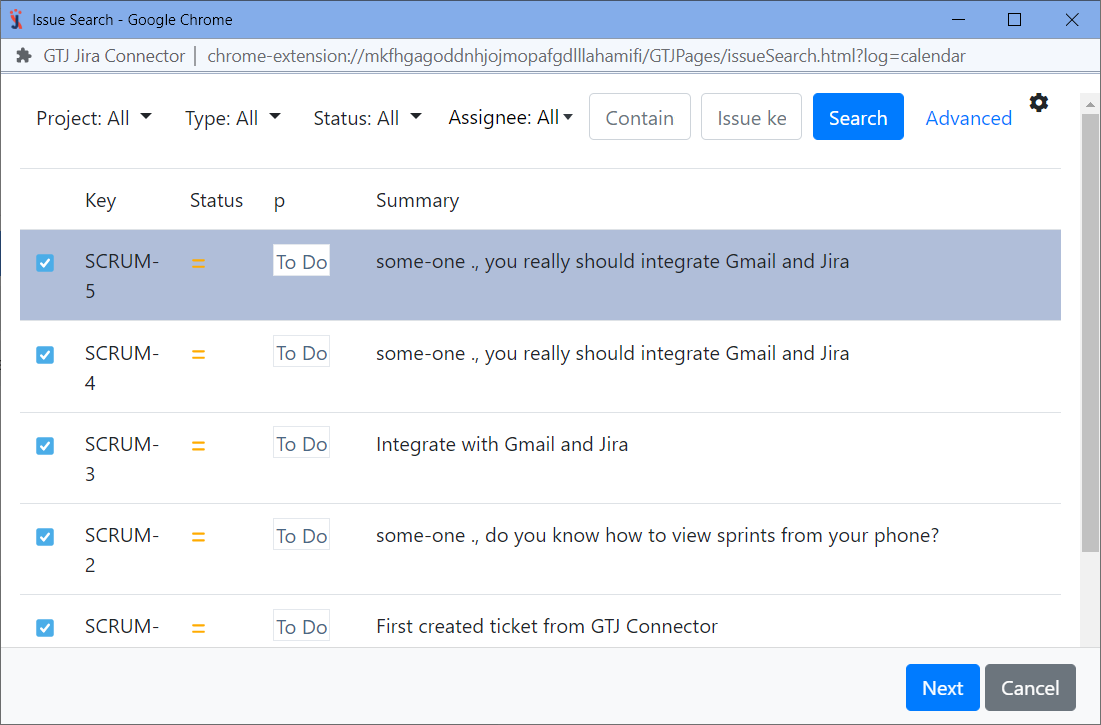
- By editing your issue you can:
- Edit the 'summary', the 'description', 'assignee', 'labels', 'reporter', and 'upload files'

- You can also 'add a flag', 'environment', 'add a comment', 'Link this issue', and 'log work'
- To 'Link this issue', and 'log work', just click on 'link' or 'log work' button
- Once done click on 'Update' button
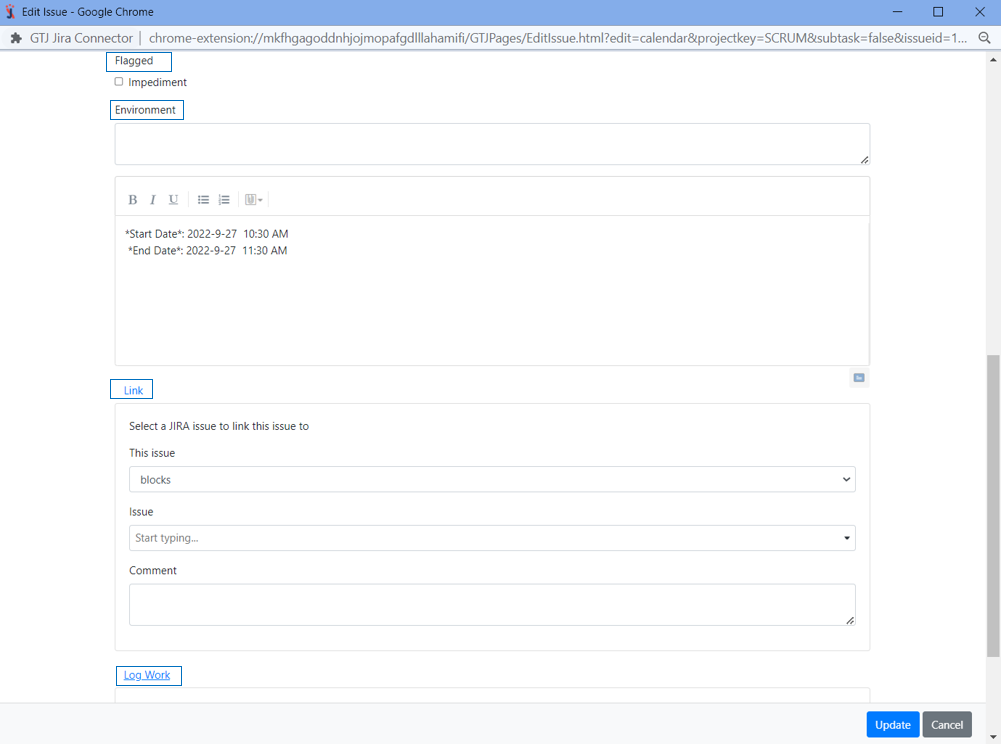 - You have edited your issue successfully!
|
...