Versions Compared

Key

  • This line was added.
  • This line was removed.
  • Formatting was changed.

...

Expand
titleEdit From Email
  • Select an e-mail
  • Open the GTJ Chrome Extension
  • Select Edit from e-mail


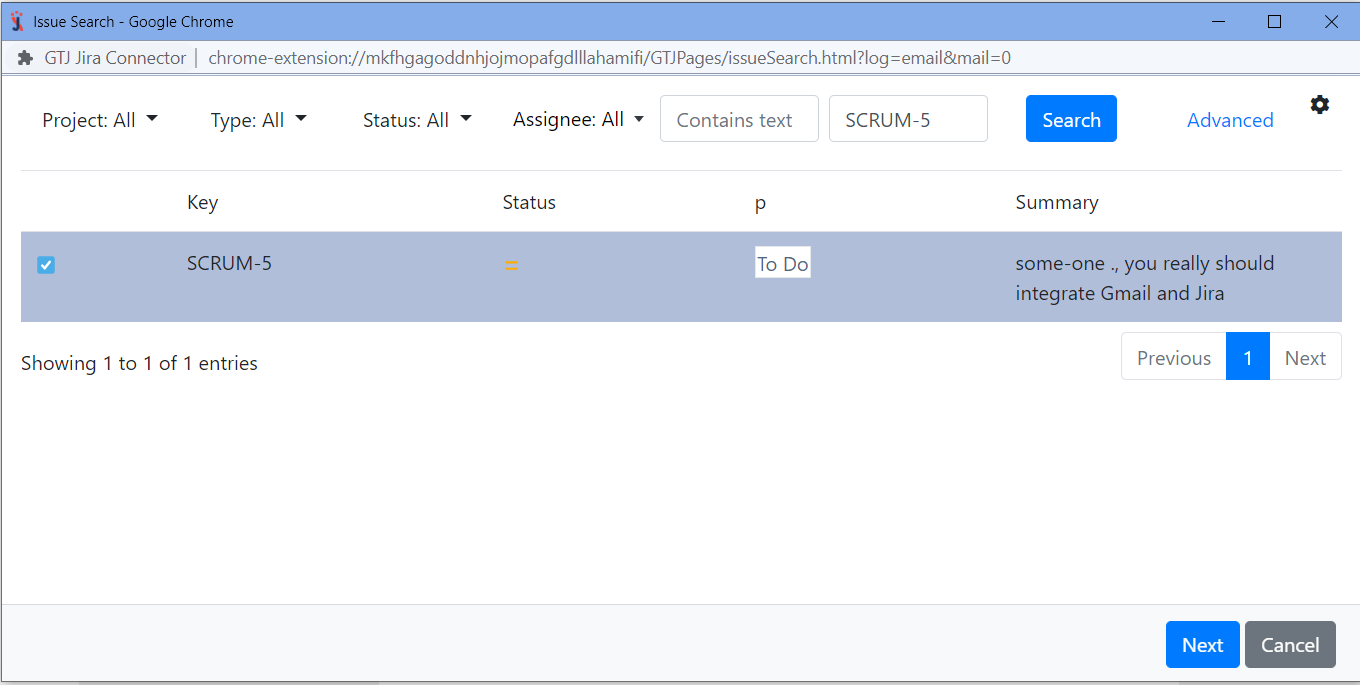
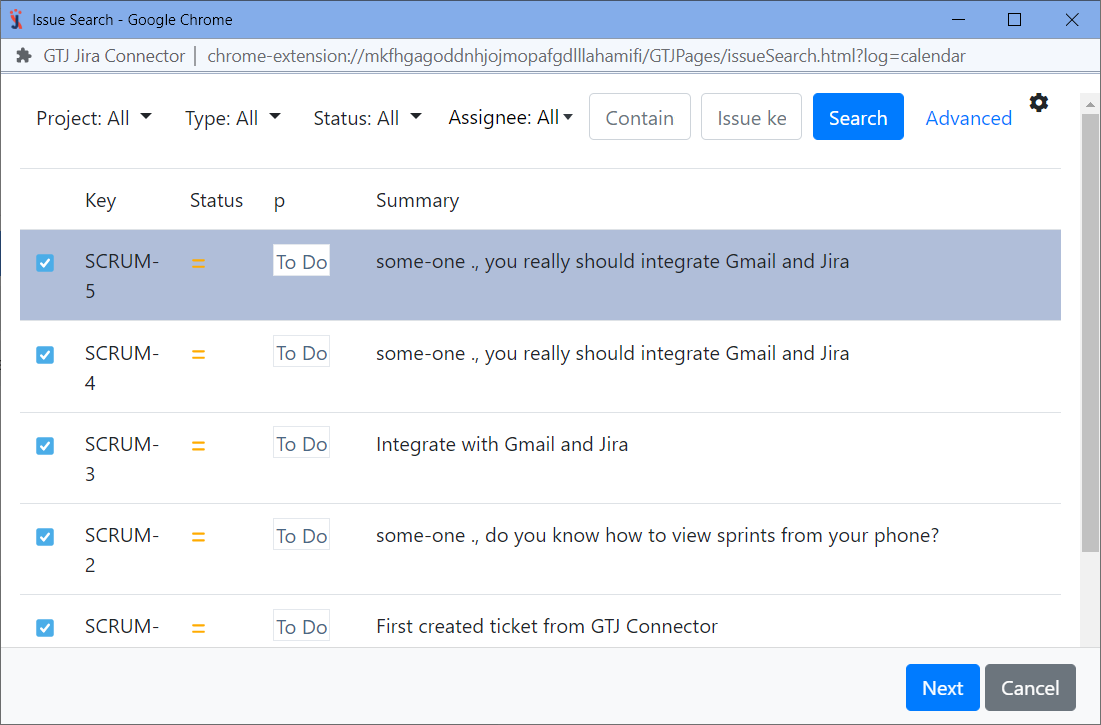
  • Search, and select your issue, then click Next

    Note
    If you didn't find your desired issue in the table, you can follow this link and check how to search for an issue.


By editing your issue you can:

  • Edit the Summary, the Description, Assignee, Labels
  • Include Email attachments, Include inline images, or Include the email as attachment
  • All you need to do is to edit the fields you want and select the check boxes that include the options you'd like to include


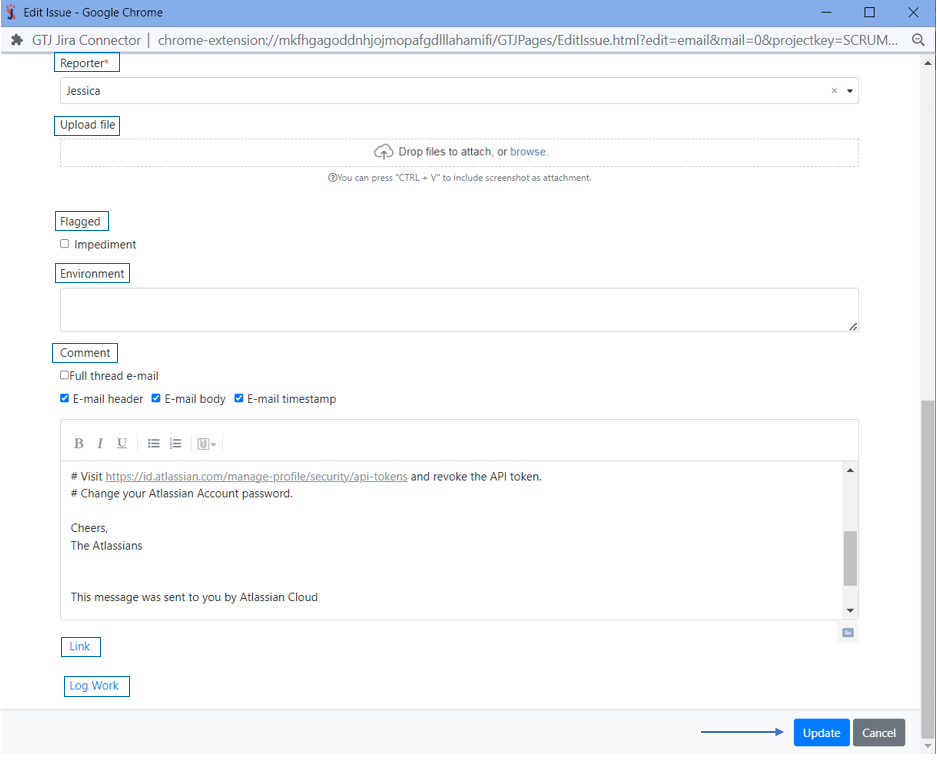
  • You can also edit the Reporter, Upload files, Add a flag, Environment, Add a comment
  • Once done click on the Update button


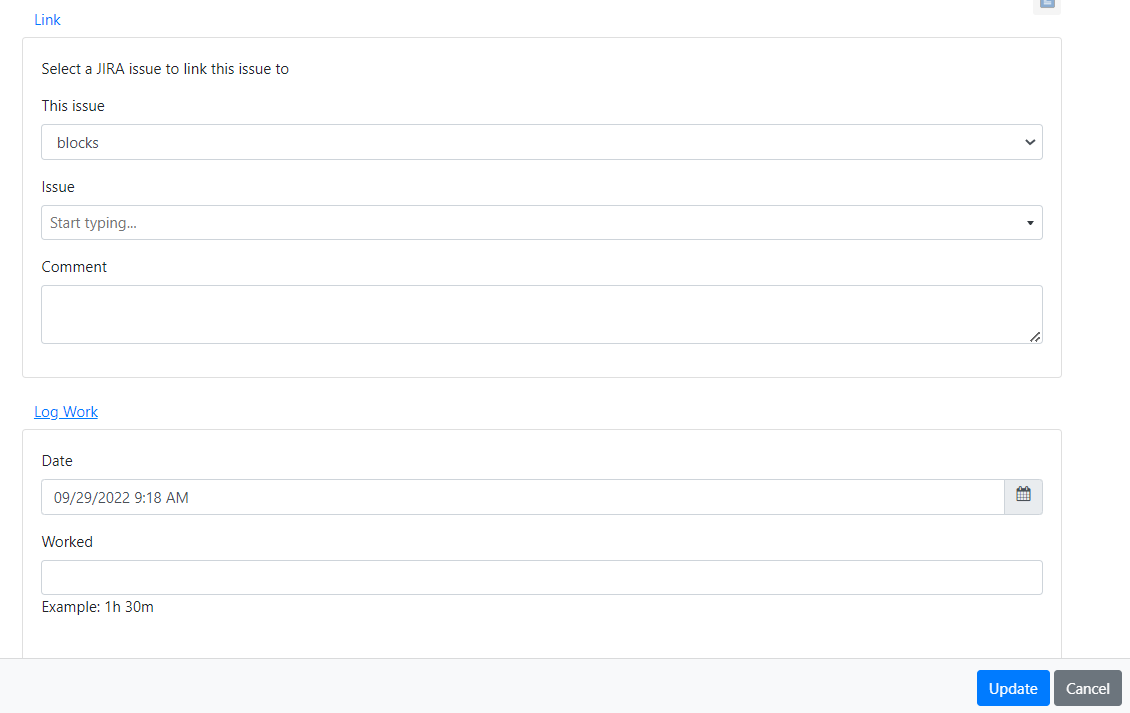
  • You can Link this issue,and Log work


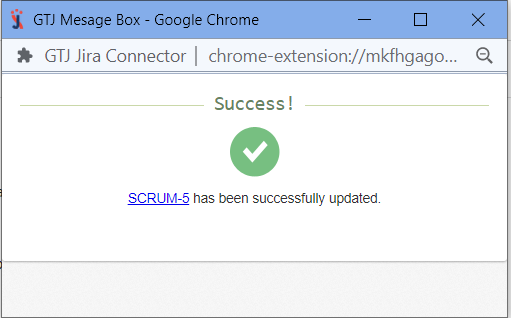
  • You have successfully edited your issue!


Expand
titleEdit From Calendar
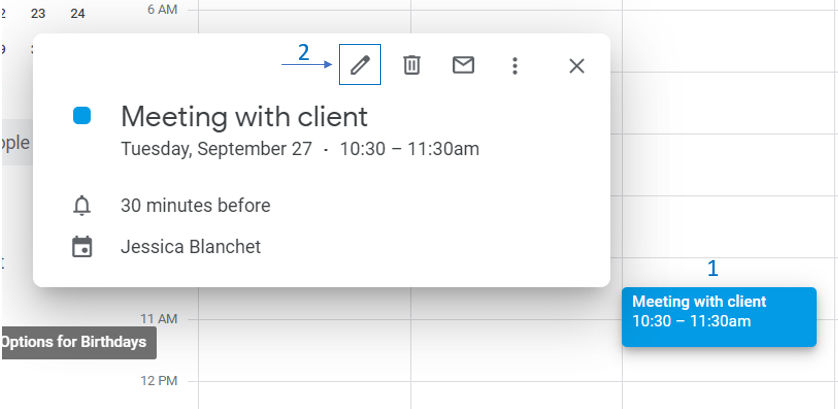
  • Go to your Google Calendar
  • Select an event and click on it to edit it


  •  GTJ Chrome Extension
  • Select Edit from Calendar


  • Search, and select your issue, then click Next

    Note
    If you didn't find your desired issue in the table, you can follow this link and check how to search for an issue.


By editing your issue you can:

  • Edit the Summary, the Description, Assignee, Labels,Reporter, and Upload files


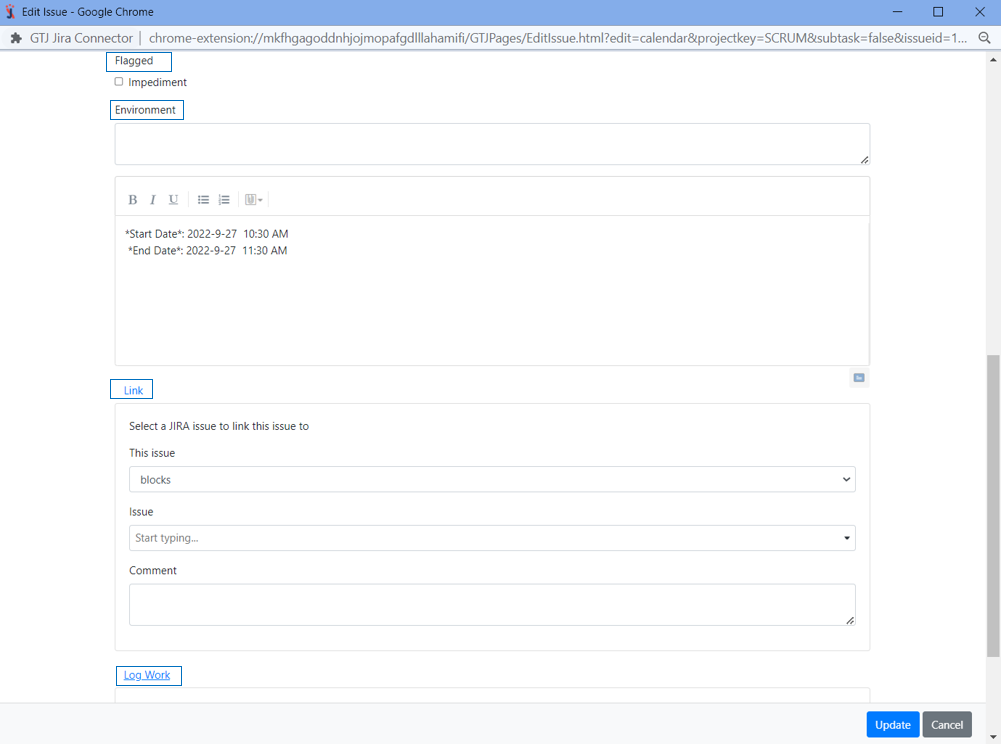
  • You can also  Add a flag, Environment, Add a comment, Link this issue,and Log work
  • Once done click on the Update button


  • You have successfully edited your issue!


...