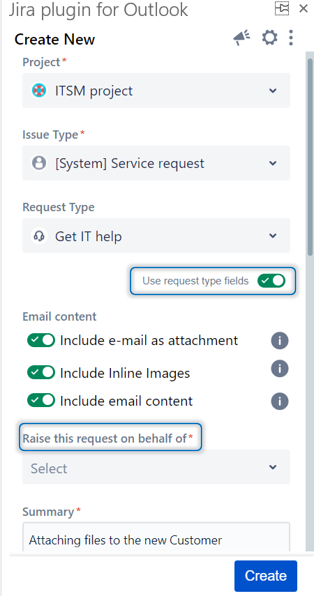
...
| Note |
|---|
The 'Use request type fields' toggle is only available for Service Desk Projects on Cloud when you are logged in as an agent. |
- Go to the Create Screen
- Select a Service Desk Project
- Click on the 'Use request type fields' Toggle
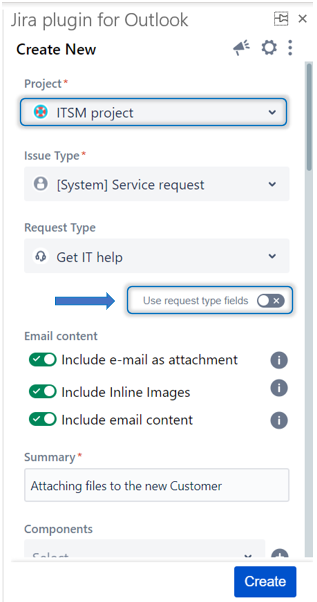
- When the toggle is checked, the view will be directly switched to the service desk portal view, and the fields will be updated