Feature Overview
Assets in Jira Service Management is a Premium and Enterprise only feature. It is compatible only with company-managed projects.
...
| Expand |
|---|
| title | Configure insight on your Jira cloud instance |
|---|
|
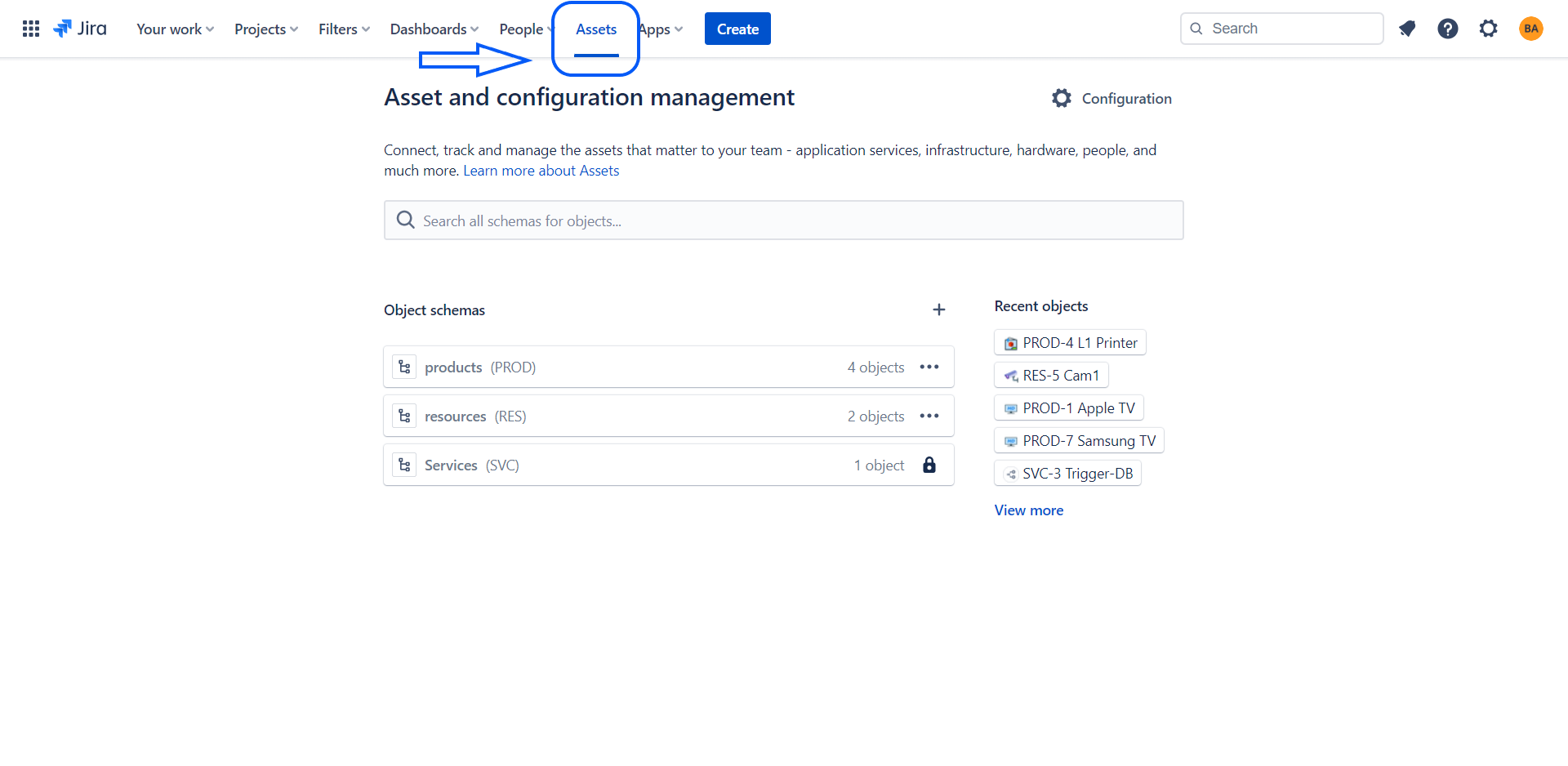
- Click on Assets in the menu
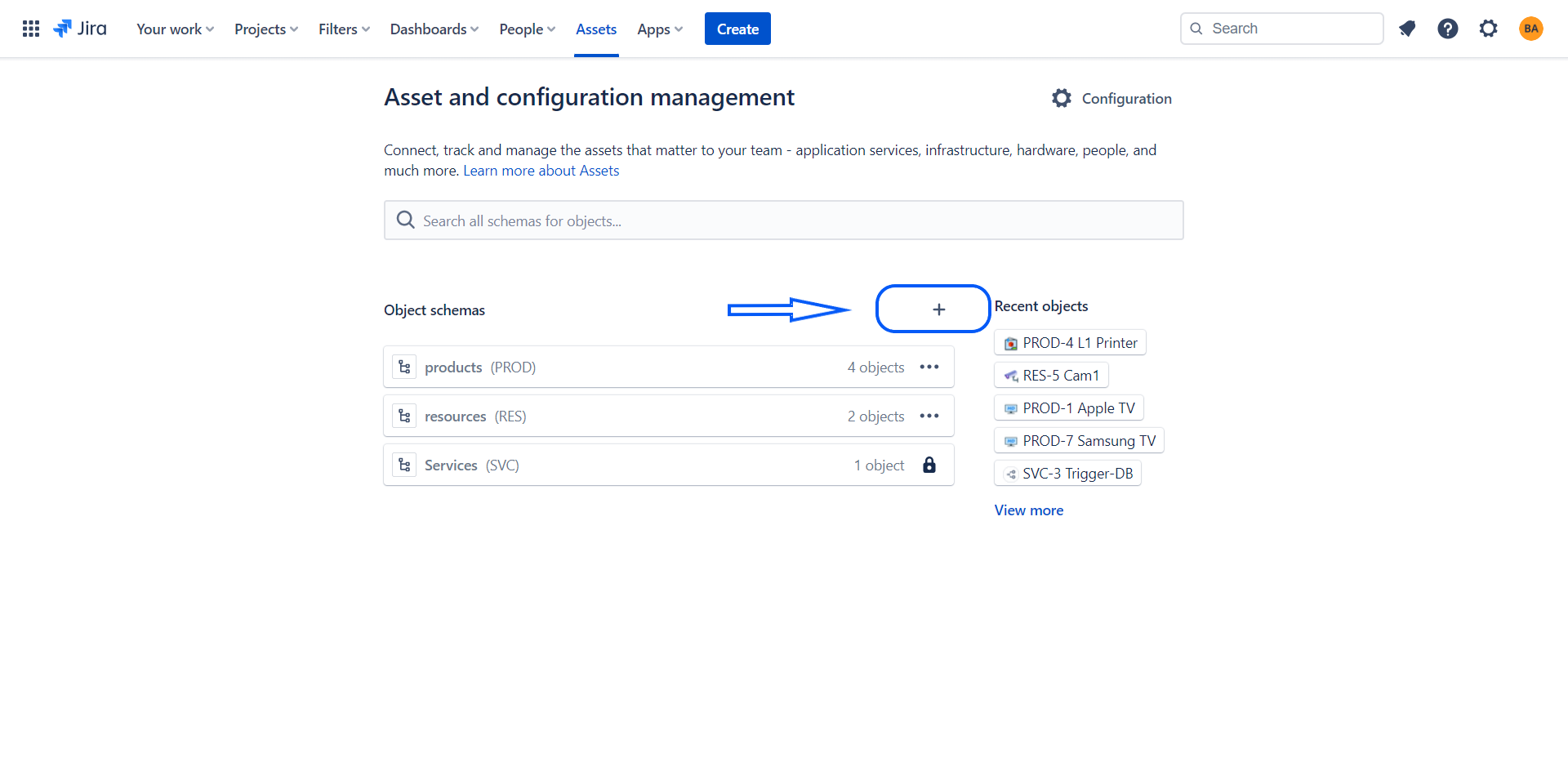
- Click on the + icon to create an Object schema
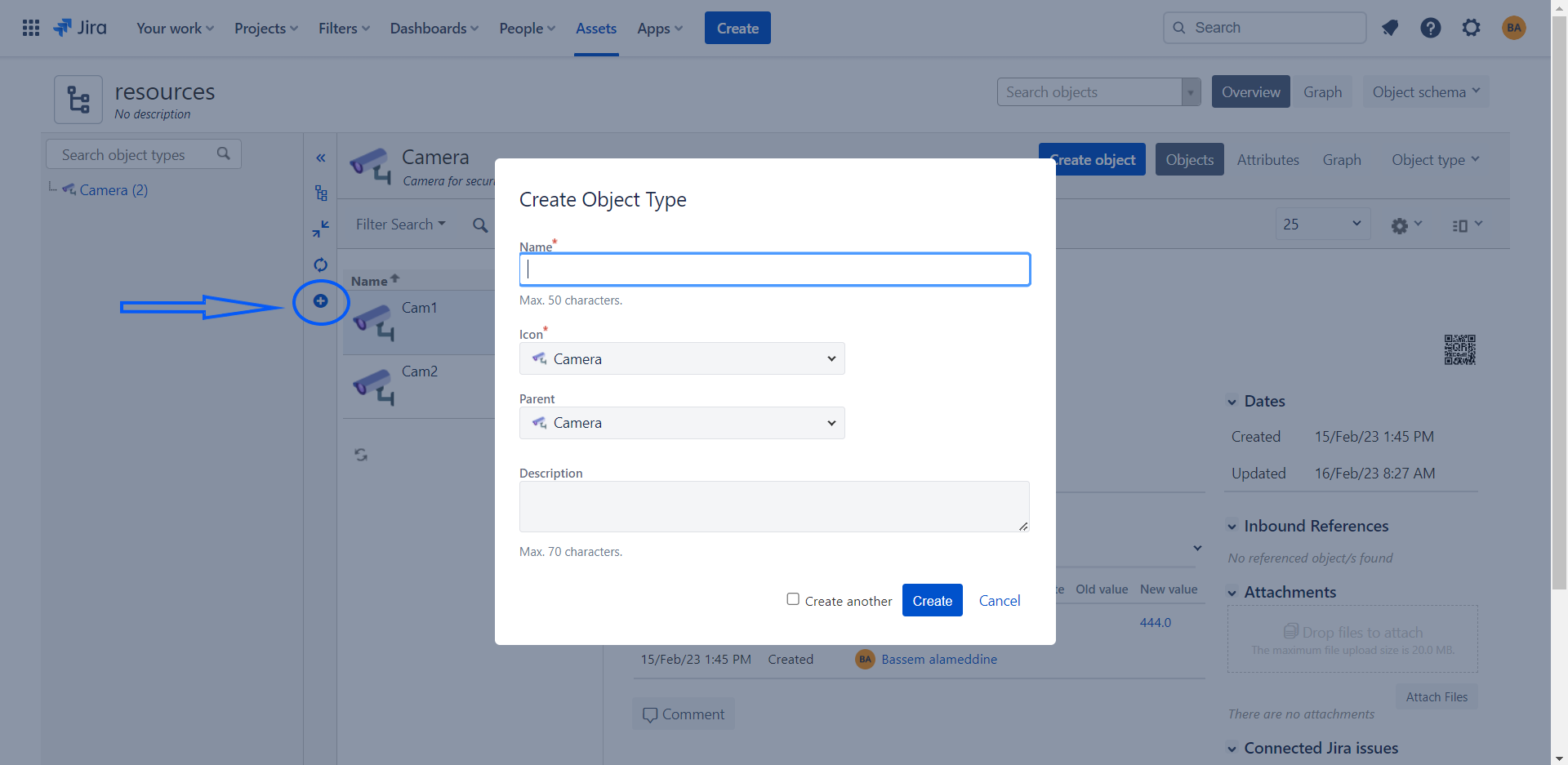
- Click on the created Object schema, and then you can create object type
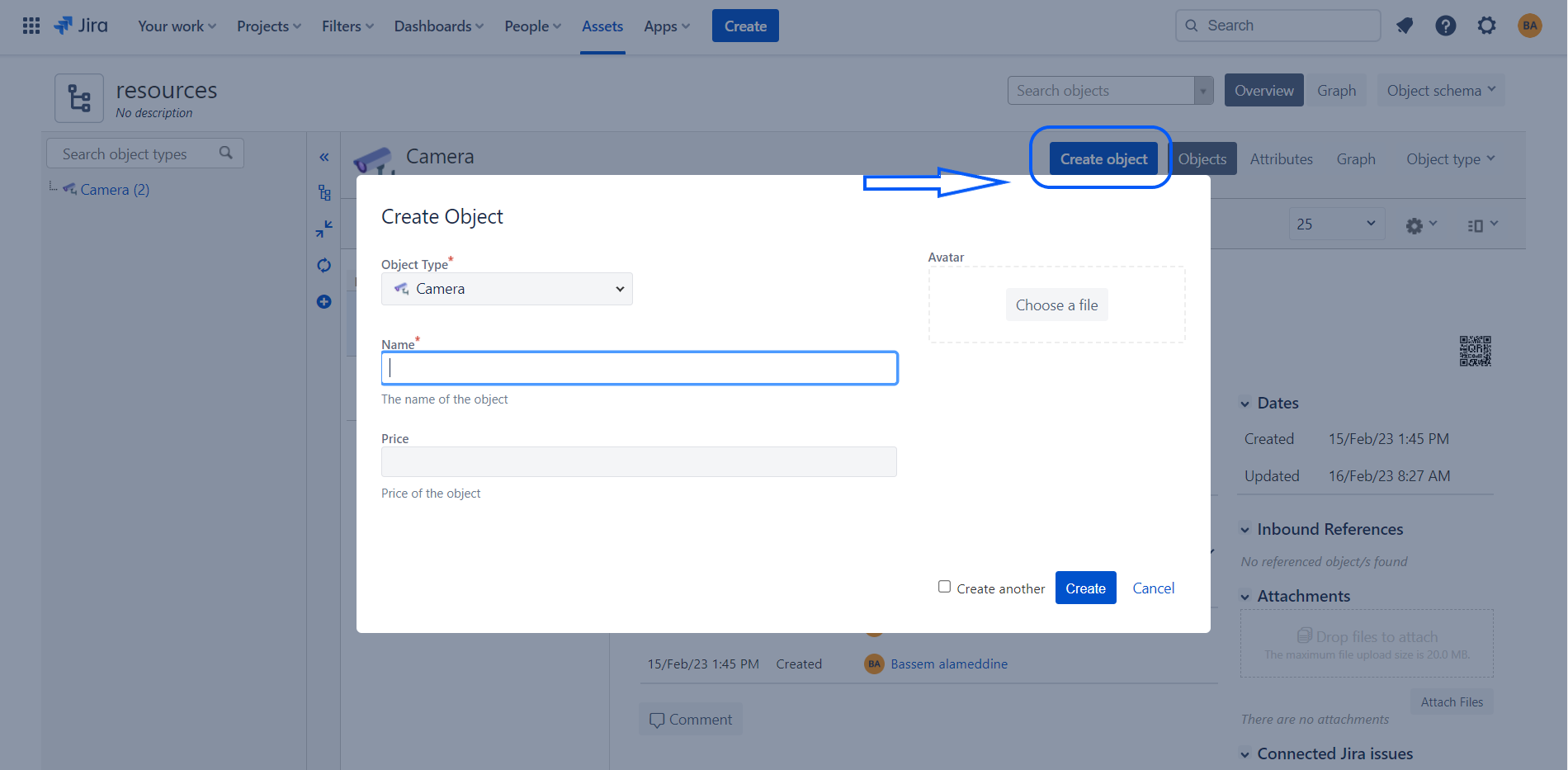
- Create object under the object type that you have created
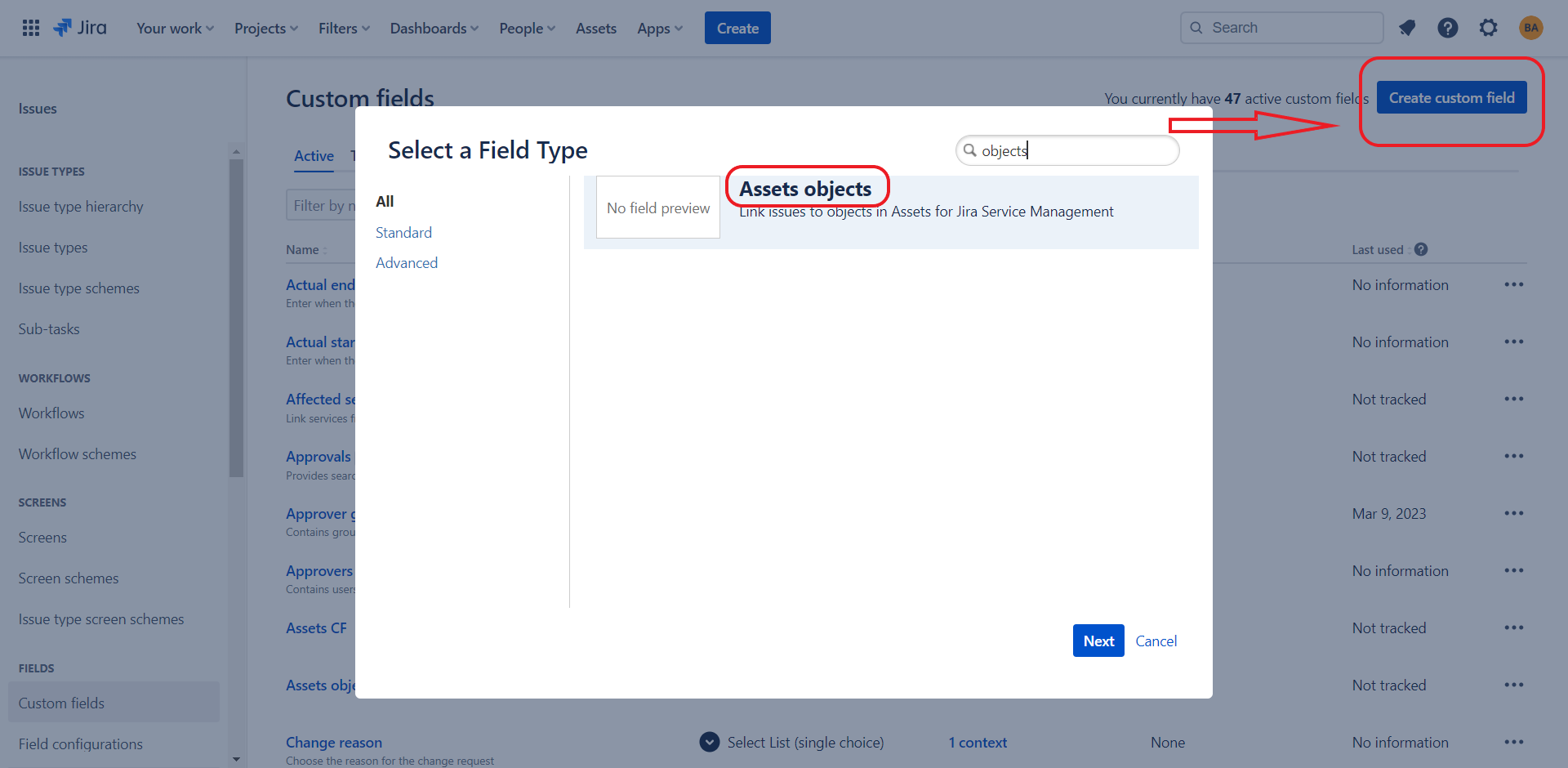
 - Go to Custom fields and click on create custom field, and search for Assets objects
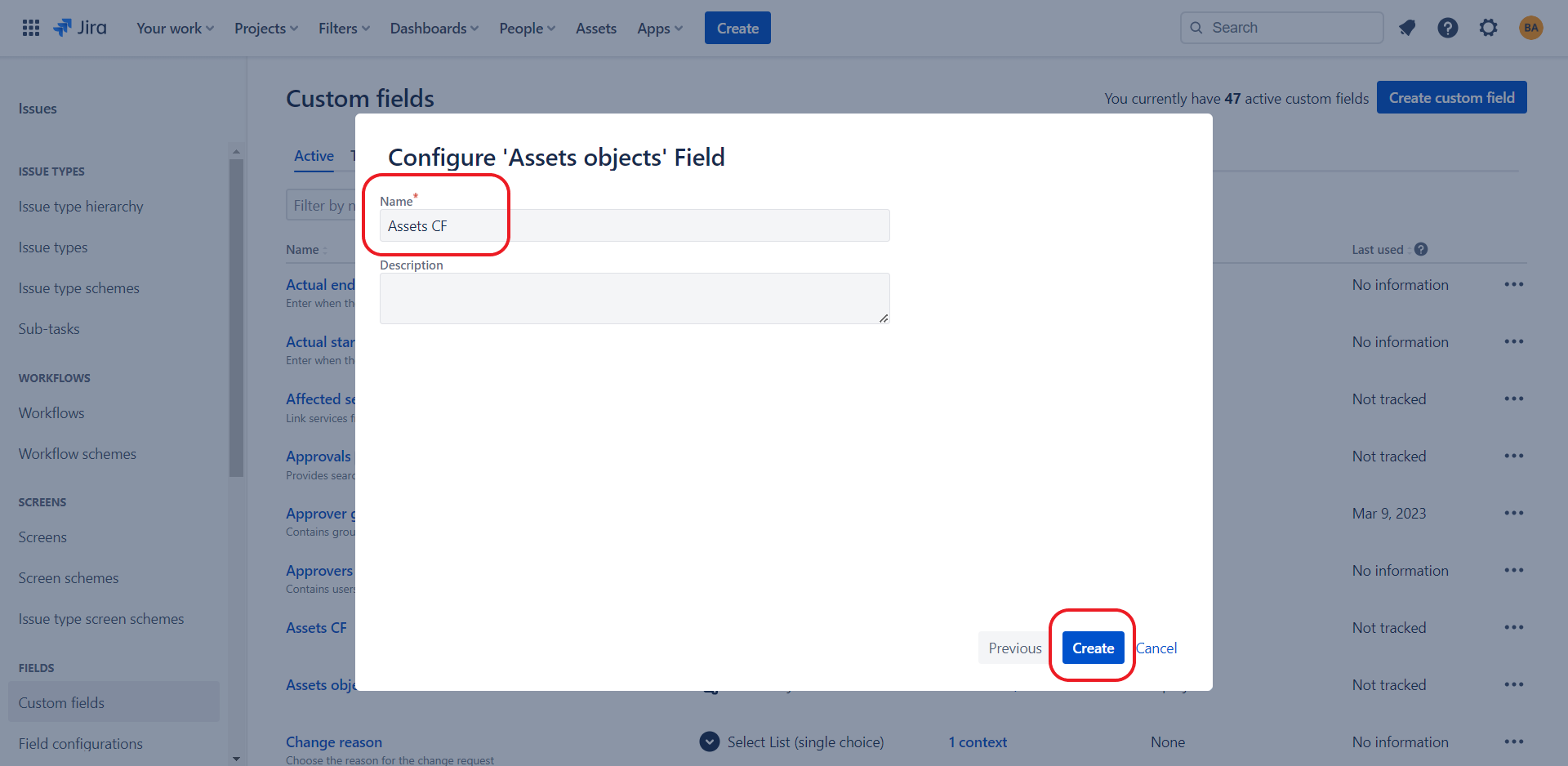
- Name your Asset custom field and click on create button
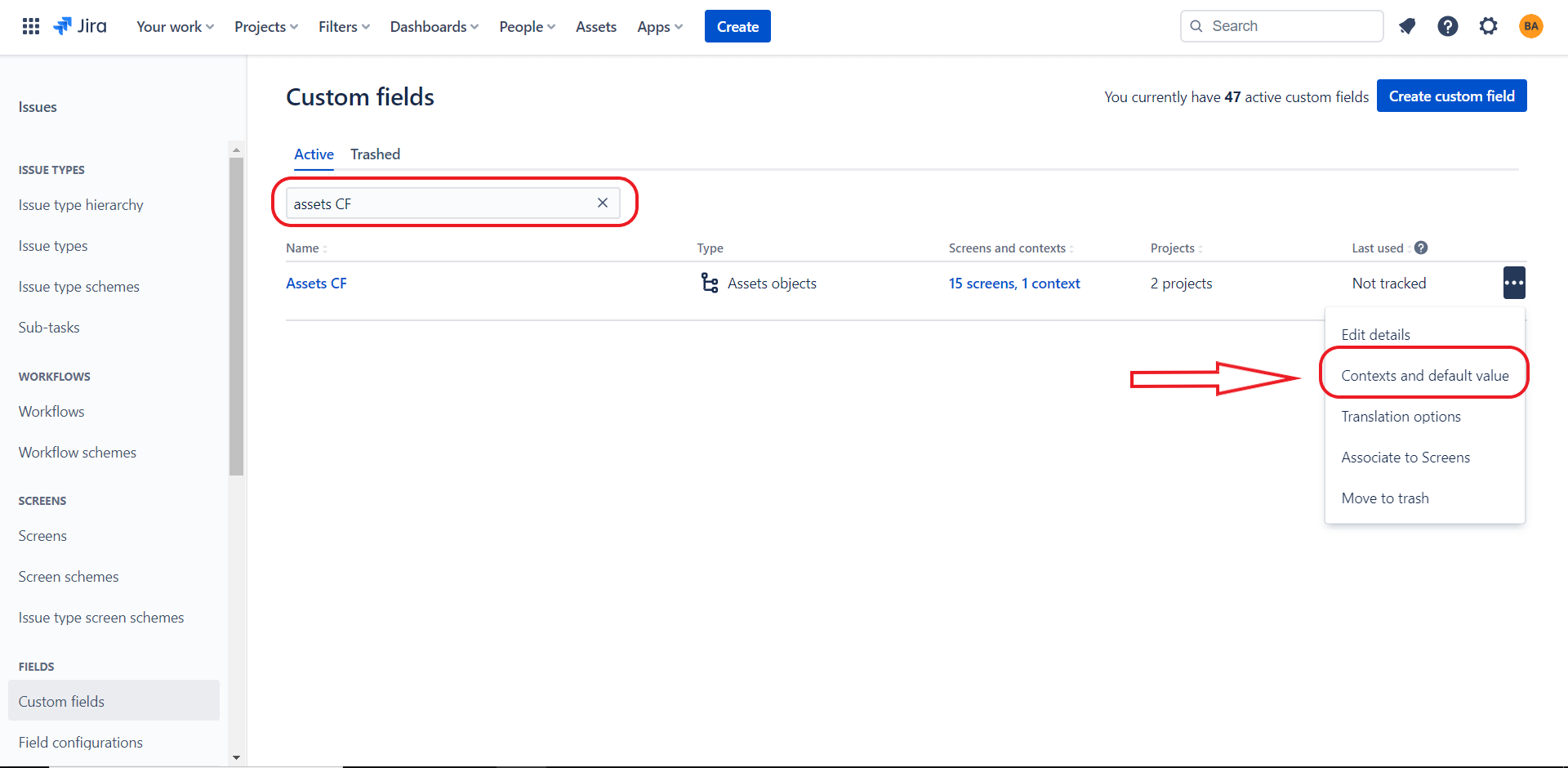
- Click on Custom fields in the left menu, search for the Asset field that you have created before and then click on context and default value
- Click on Edit Assets object/s field configuration
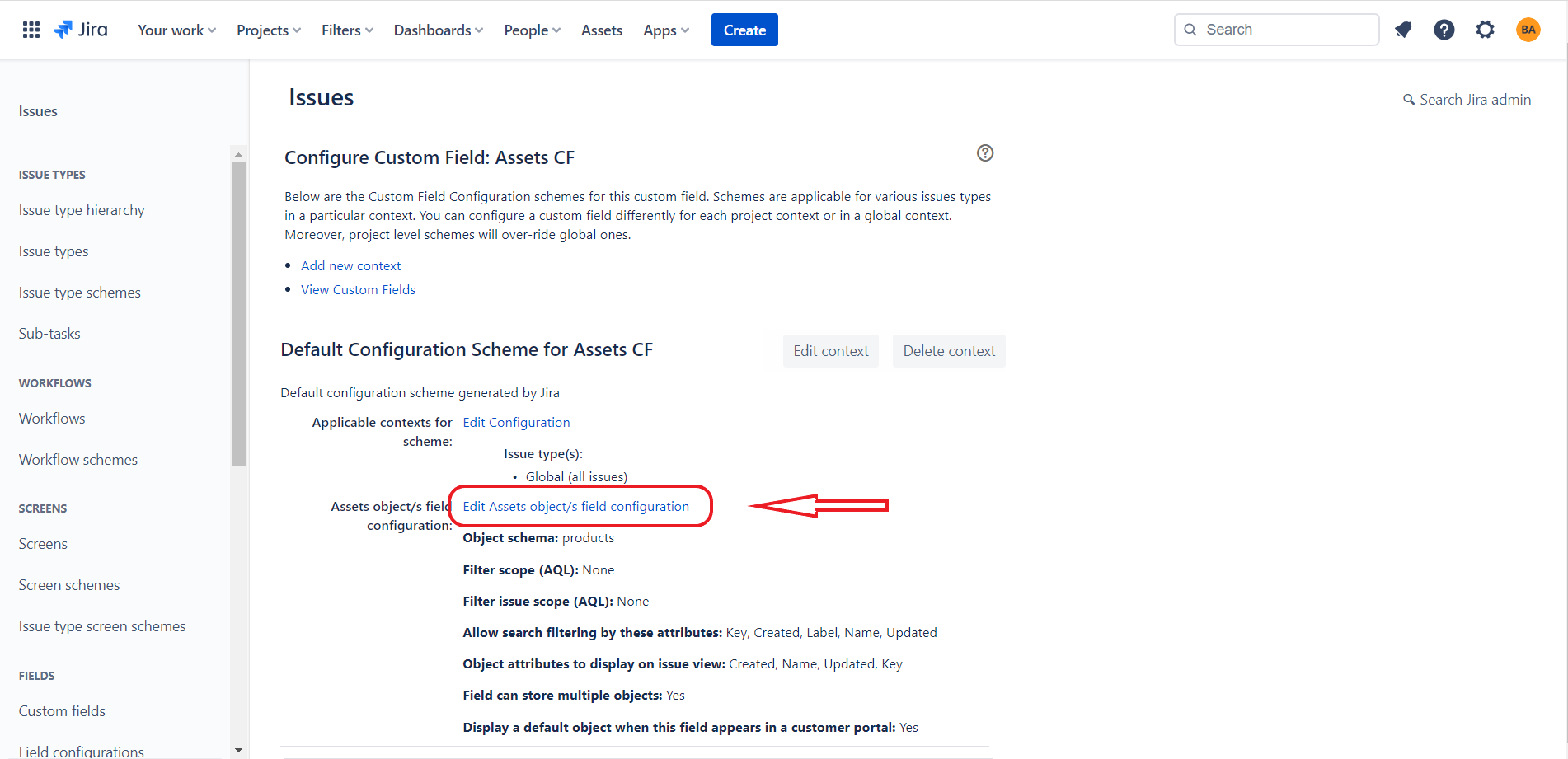
- Choose which object schema to use, and what filters to apply on the results shown when searching for objects in the field.
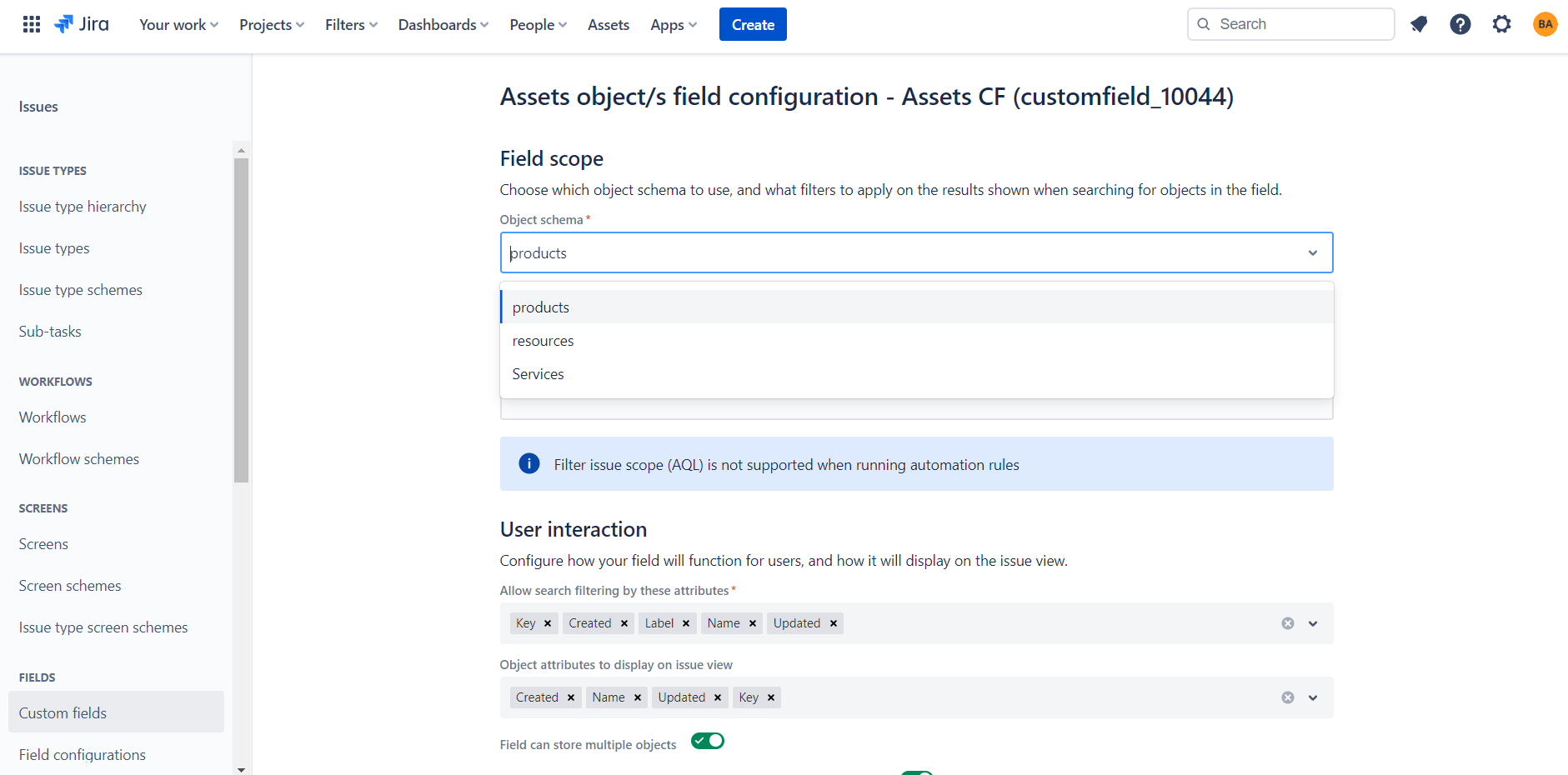
- Click on Create to create a new issue, you can find the Asset field and it's data
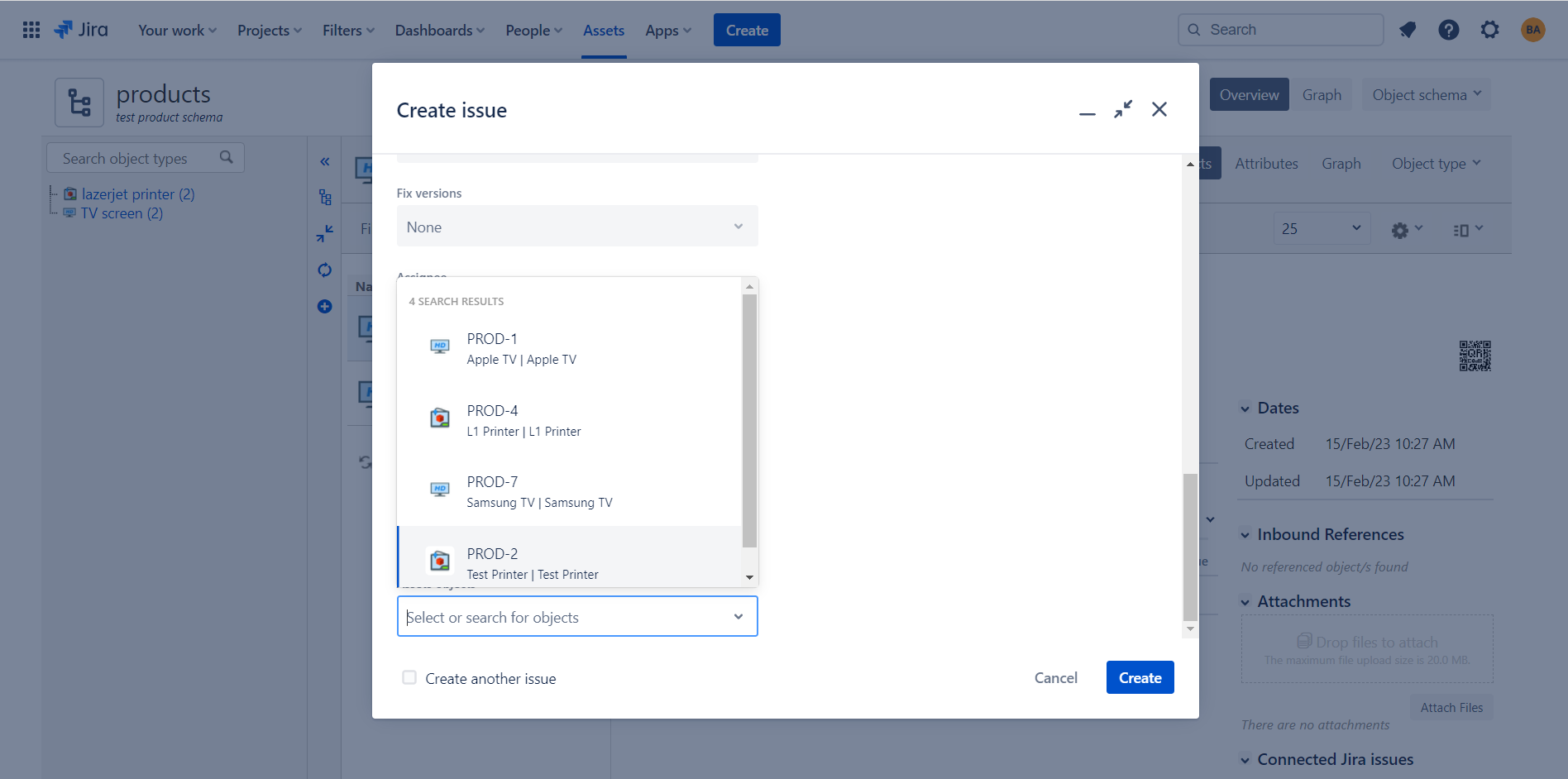
|
| Expand |
|---|
| title | Use Insight field in Microsoft Outlook for Jira |
|---|
|
| Expand |
|---|
| title | Login in with a Cloud Instance |
|---|
| - you can create issue and add Assets objects to it
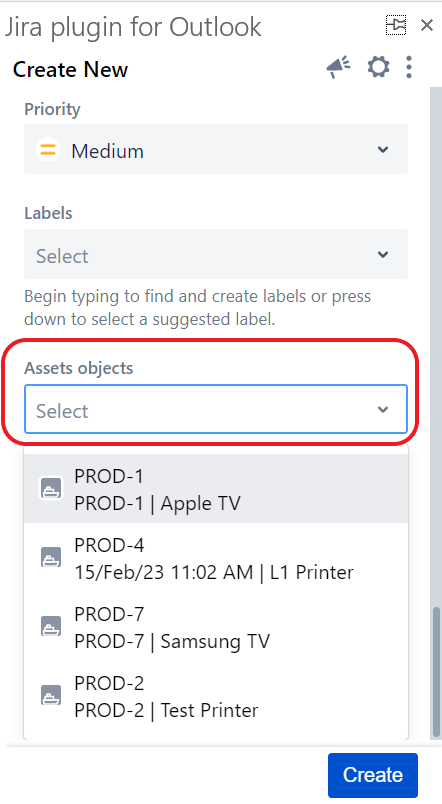 Image Added Image Added |
|
