Quick Steps
You can remove GTJ's access by following the below two sections.
| Expand |
|---|
| title | 1. Remove authorization access from your Google Account |
|---|
|
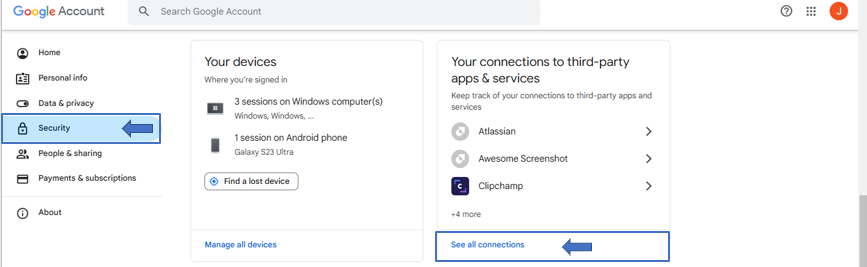
- Go to your Google accountÂ
     Image Added - Go to Security
- Click on 'See all connections' from 'Your connections to third-party apps & services' sectionÂ
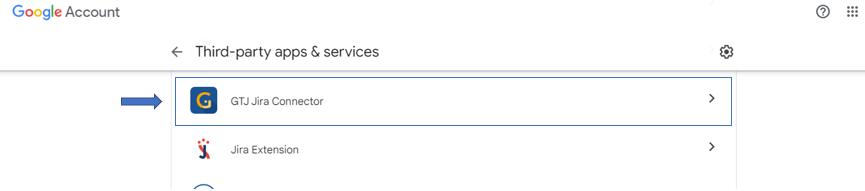
     Image Added - Click on GTJ Jira ConnectorÂ
     Image Added
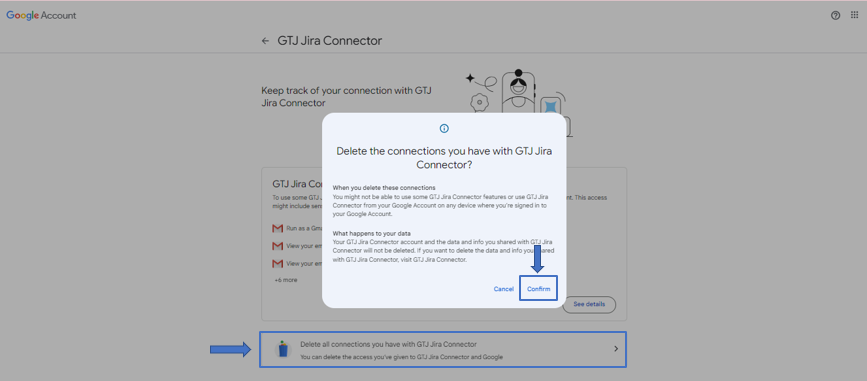
- Click on 'Delete all connections you have with GTJ Jira Connector'
     Image Added |
| Expand |
|---|
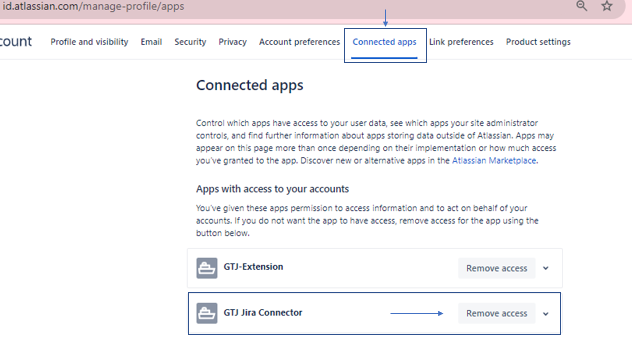
| title | 2. Remove access from your id.atlassian.com - Connected apps |
|---|
|
     Image Added |