Overview
Learn how to upload files as attachments to Jira tickets directly from your Google Drive.
| Note |
|---|
| You can also add attachments by adding a comment or editing an issue. |
Quick Steps
Step # | Action |
|---|---|
| 1 | Go to your Google Drive account |
| 2 | Select the files you want to attach |
| 3 | Click on GTJ Chrome Extension icon |
| 4 | Search and select the issue you need to attach the files to |
| 5 | Click on the Upload attachment button Add button |
Select the files you want to attach
- Click on GTJ Chrome Extension icon
- Search and select the issue you need to attach the files to
- Click on the Upload attachment Add button
Note If you didn't find your desired issue in the table, you can follow this link and check how to search for an issue there.
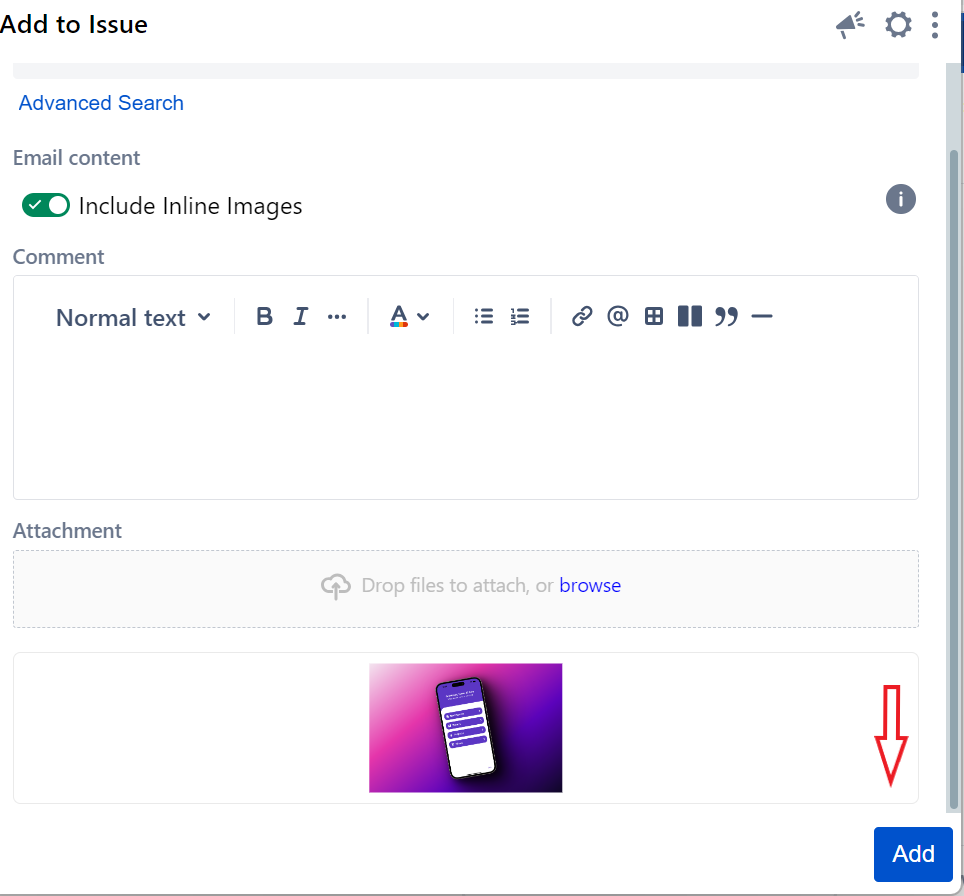
- You have now successfully attached your file to the ticket!

| Content by Label | ||||||
|---|---|---|---|---|---|---|
|
...