Try the New Chrome Extension Design
...
Overview
This page will guide you on Learn how to log work directly from Gmail or Calendar.
| Note |
|---|
| You can also log work from edit using the editing issue option. |
Quick Steps
Step # | Action |
|---|---|
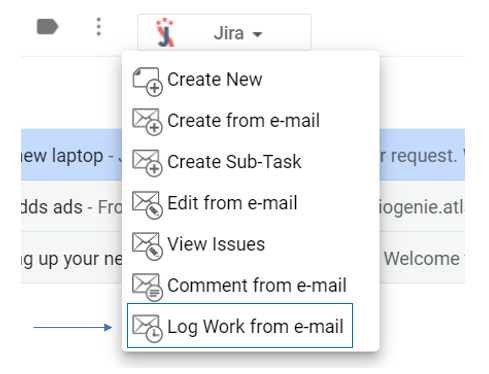
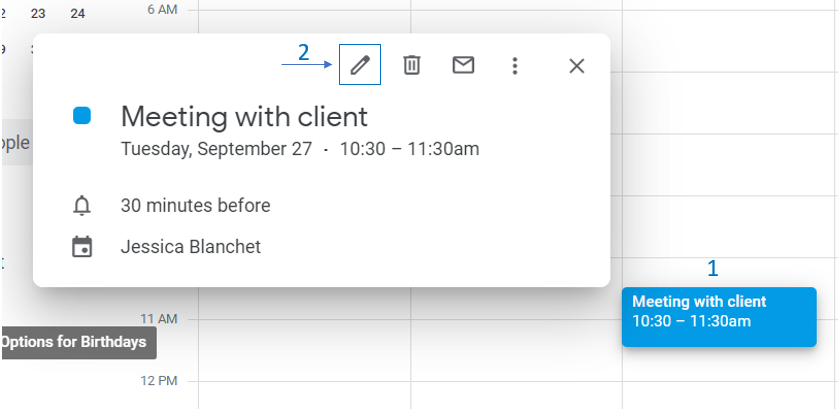
| 1 | Go to your Gmail or Calendar |
| 2 | Select an email or edit a Calendar event you wish to add a comment using |
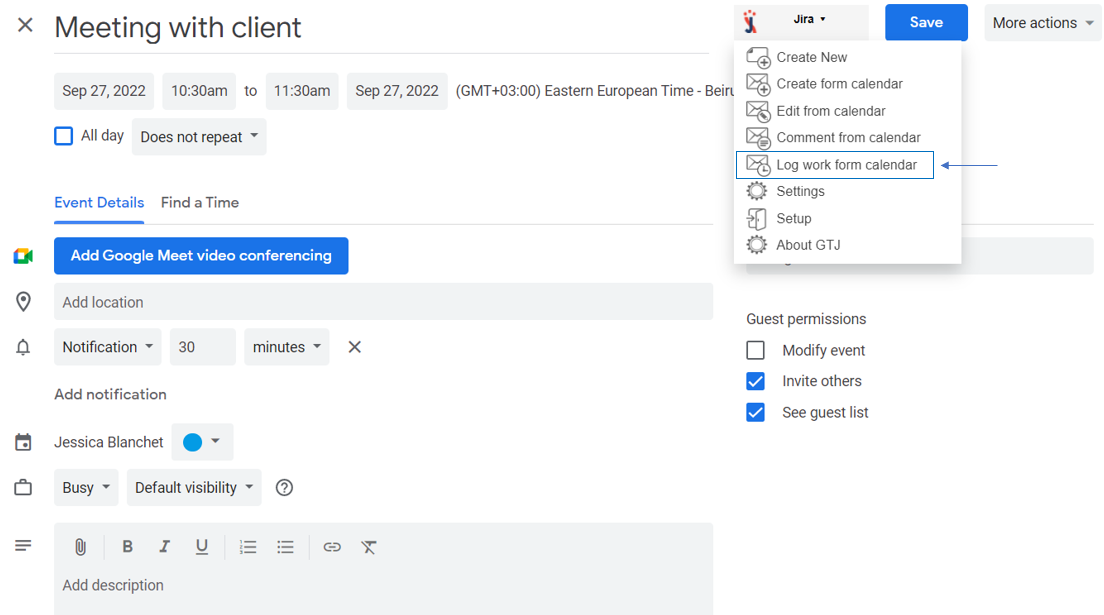
| 3 | Go to the Jira Extension in Chrome extension and select Log work from e-mail or Log work from Calendar |
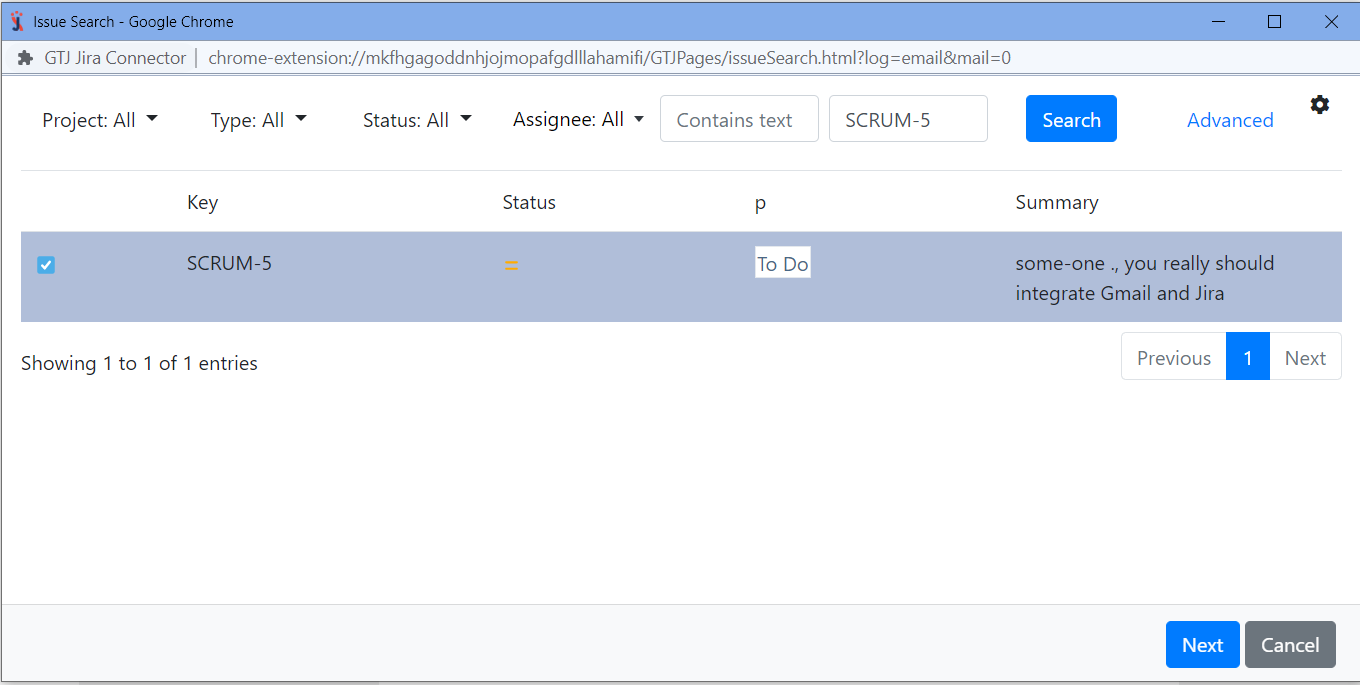
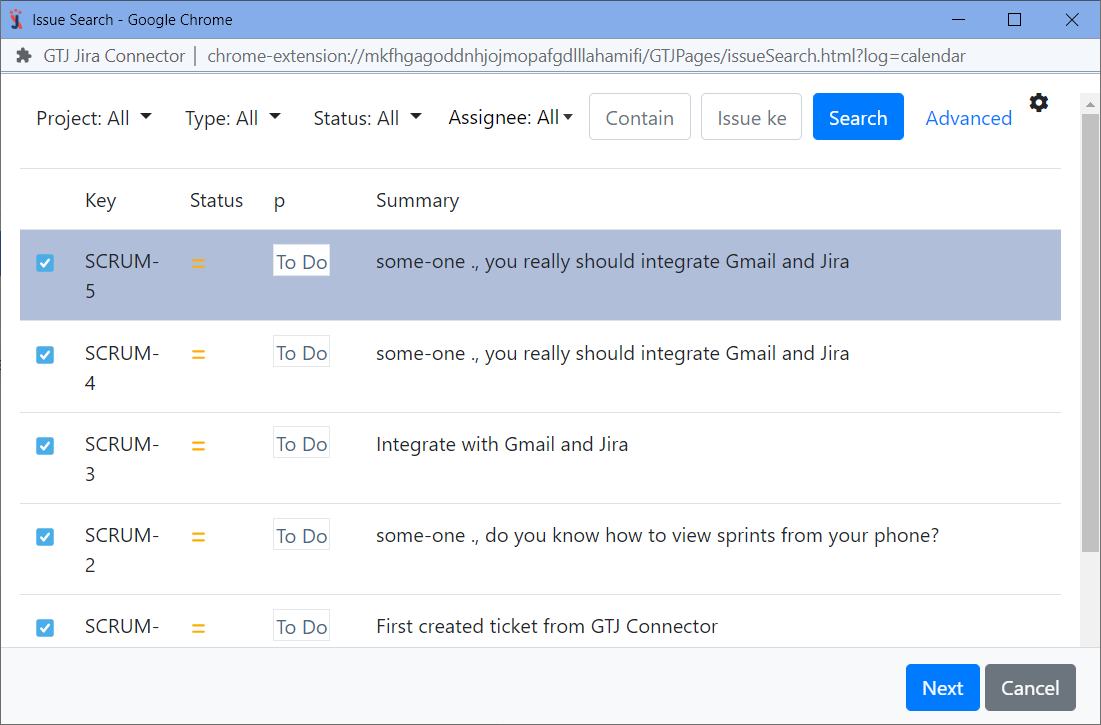
| 4 | Search for and select the Jira issue you want |
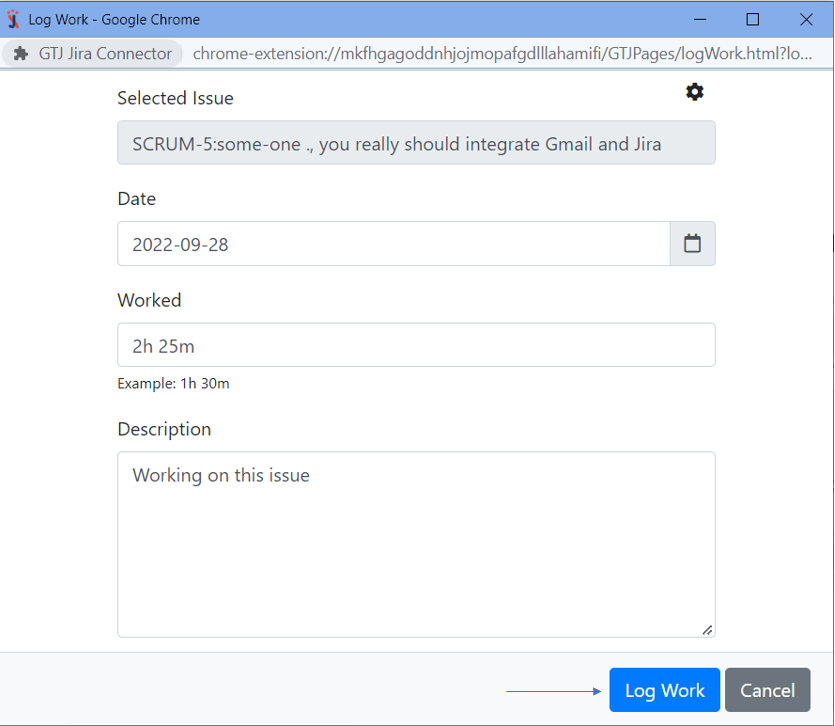
| 5 | Fill in the requested fields, such as time spent, date, and description |
| 6 | Click on Log Work |
For more details, you can follow these steps:
| Expand | ||
|---|---|---|
| ||
|
| Expand | ||
|---|---|---|
| ||
|
| Tip |
|---|
After you follow these steps, you'll be able to log work on Jira issues, and you'll be ready to explore more features! |
| Content by Label | ||||||
|---|---|---|---|---|---|---|
|