Feature Overview
In this guide, you will learn how to connect to your Jira instance and login as a Jira Service Desk Customer into the app.
Quick Steps
| Note |
|---|
The login steps will differ for the different hosting types: Cloud and Server. |
| Expand |
|---|
| title | Customer Login on Cloud |
|---|
|
- Enter your Jira URL
- Click on Continue
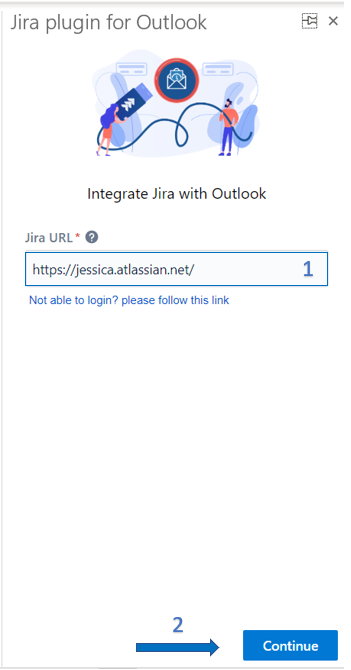 Image Added Image Added
- Enter your Email Address - Username
- Click on Continue
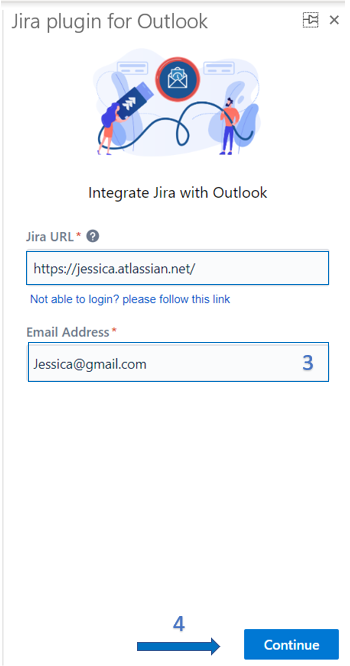 Image Added Image Added
- Enter your Password
- Click on Continue
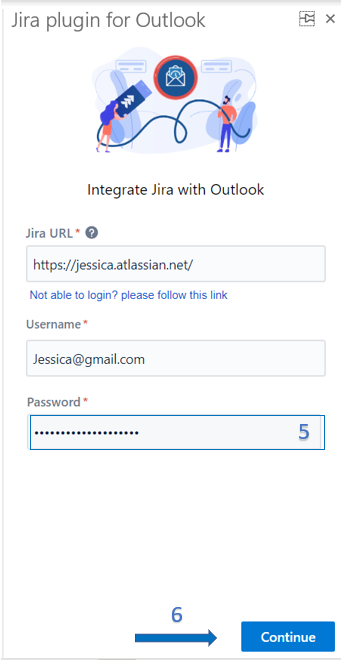 Image Added Image Added |
| Expand |
|---|
| title | Customer Login on Server |
|---|
|
- Enter your Jira URL
- Click on Continue
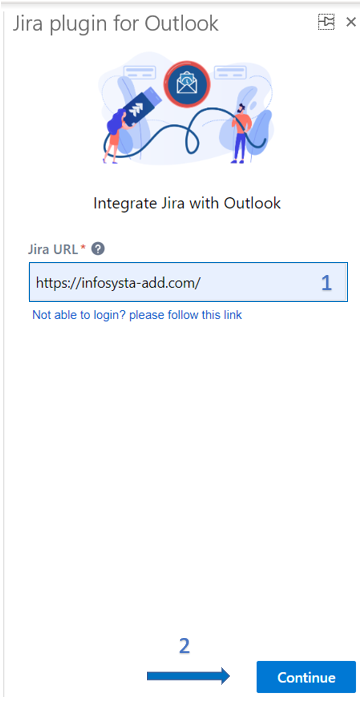 - Click on Continue as Customer
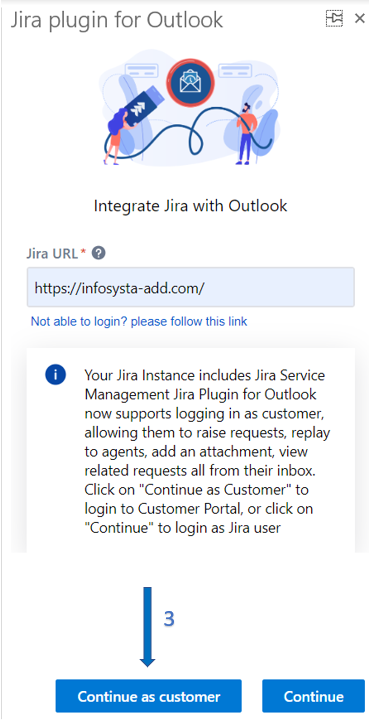 - Enter your username Username
- Enter your Password
- Click on Continue
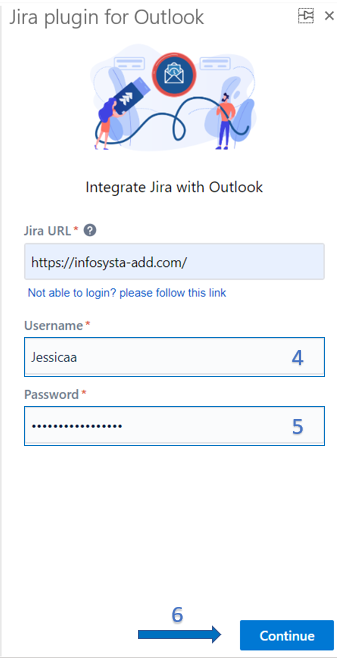
|
