Feature Overview
Search for your Jira issues using Everyday (Natural) language. Simply, describe what you're looking for, and AI will convert it into precise Jira Query Language (JQL) for accurate results.
Quick Steps
Step # | Action |
|---|---|
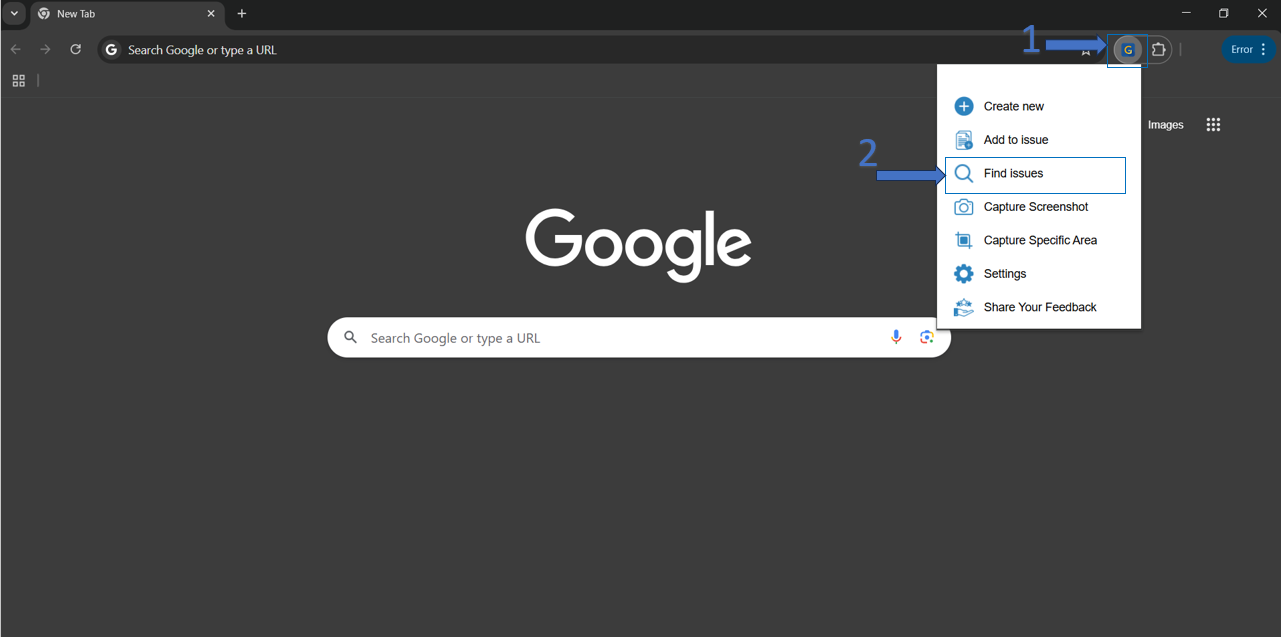
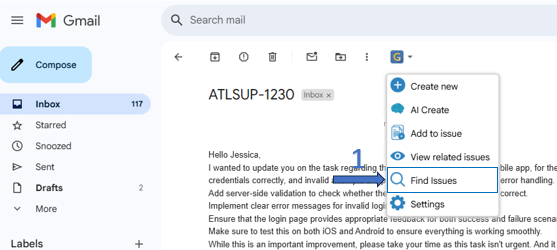
| 1 | Click on GTJ menu dropdown from Gmail or from the google extension |
| 2 | Click on Find Issues from the option menu |
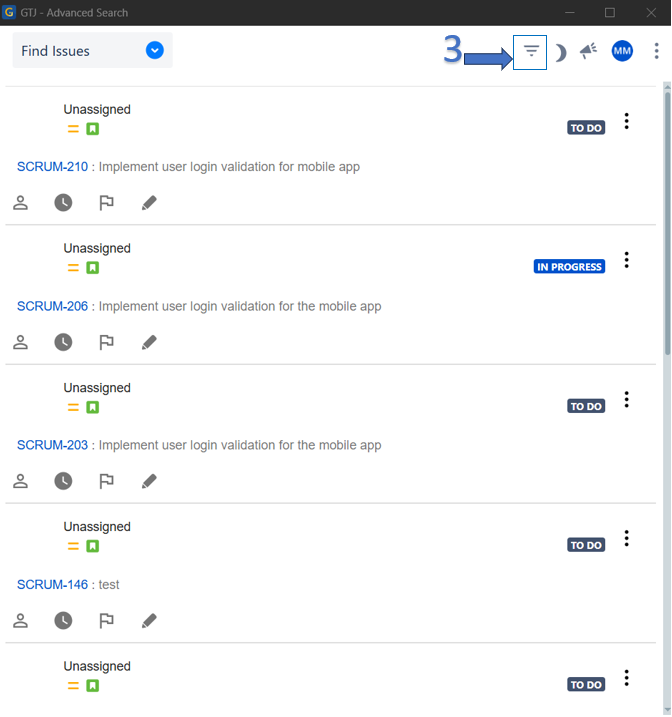
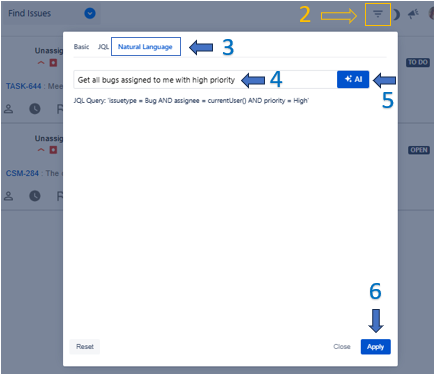
| 3 | Click on the Filter Issues icon on the top menu |
| 4 | Select Natural Language tab |
| 5 | Using natural language, write in the NL text input any text about the issue you're searching for |
| 6 | Click on the AI button to generate your JQL query |
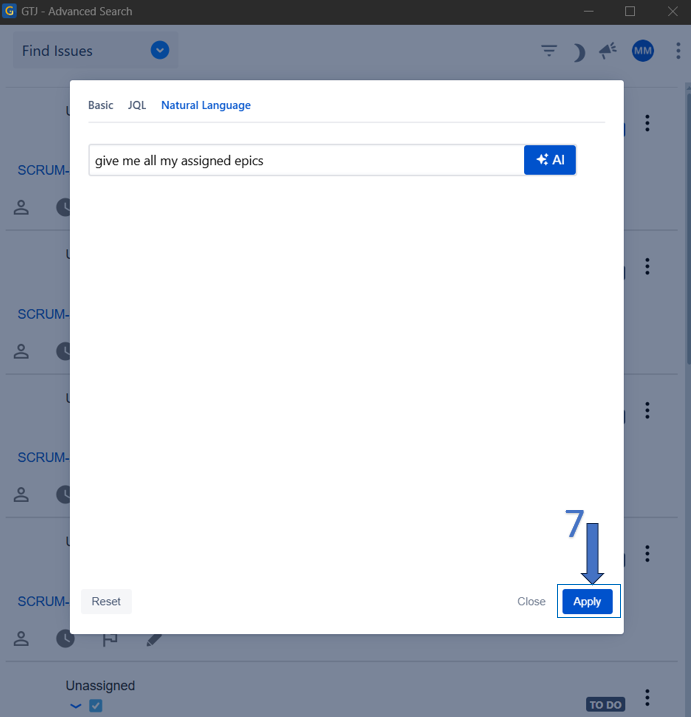
| 7 | After the JQL is generated, click on the Apply button |
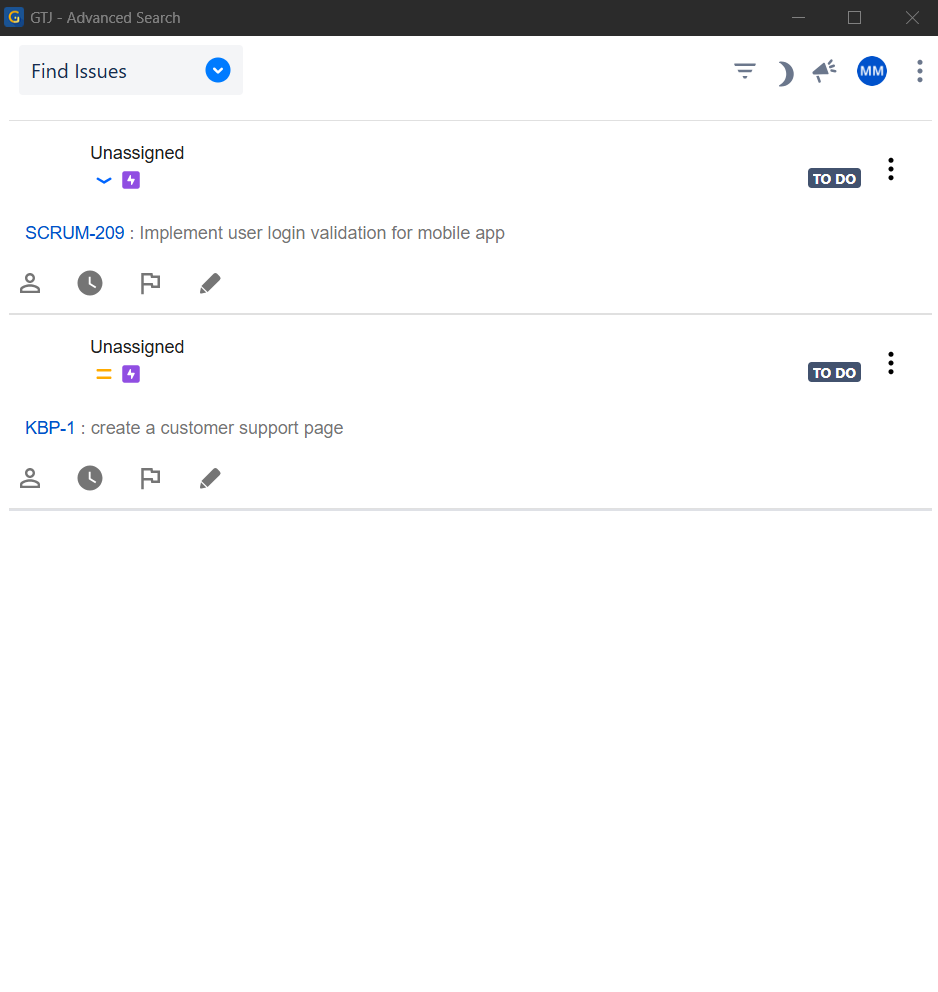
| 8 | And your issues will be shown |
- Click on Find Issues from the options menu
- Click on the Filter Issue icon on the top menu
- ,
- Select Select Natural language tab
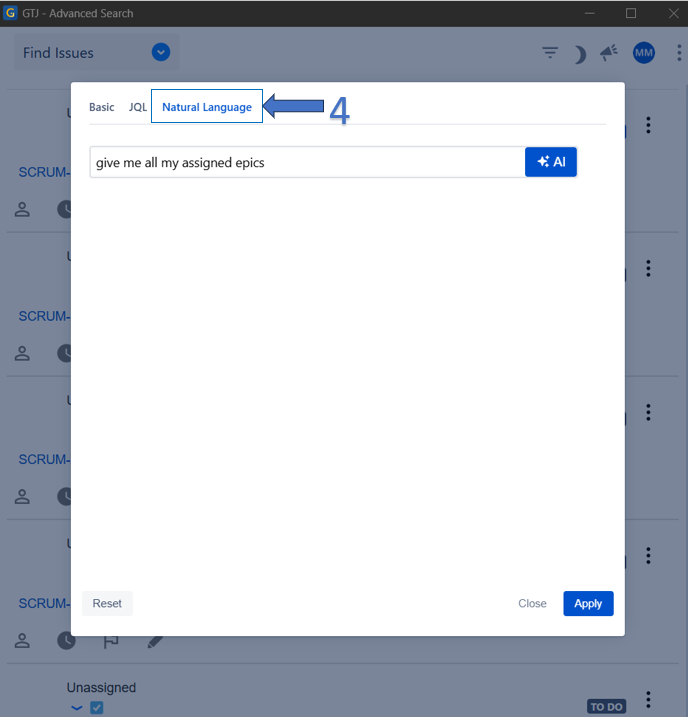
- Write in the NL text input any text about the issue you're searching for
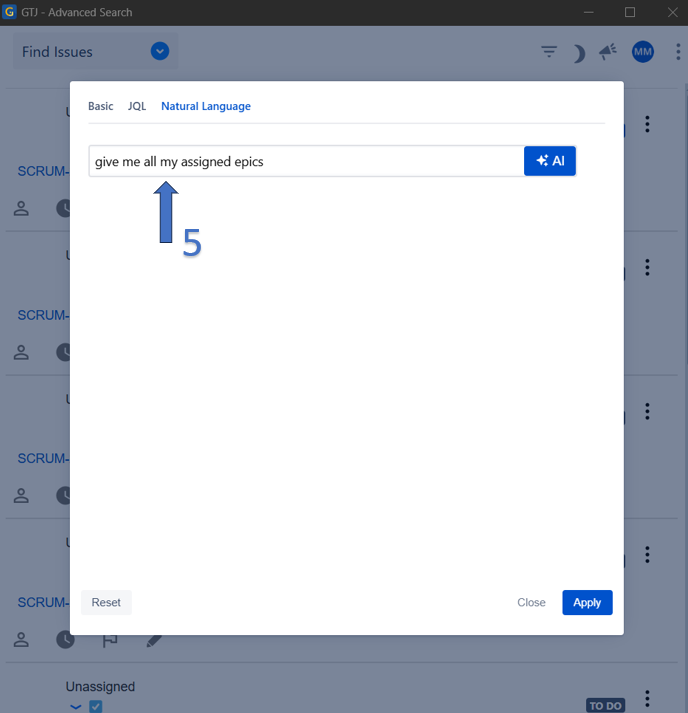
- Click on AI button and the JQL query should be generated
...
- Click on Apply button, and your Jira issues will be shown
| Content by Label | ||||||
|---|---|---|---|---|---|---|
|