Versions Compared

Key

  • This line was added.
  • This line was removed.
  • Formatting was changed.

Try the New Chrome Extension Design

...

Overview

This page will guide you on Learn how to log work directly from Gmail or Calendar.

Note
You can also log work from using the editing issue option.

Quick Steps

Step #

Action

1Go to your Gmail or Calendar
2Select an email or edit a Calendar event you wish to add a comment using
3

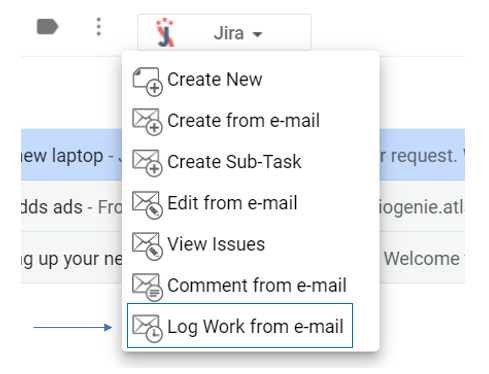
Go to the Jira Extension in Chrome extension and select Log work from e-mail or Log work from Calendar

4

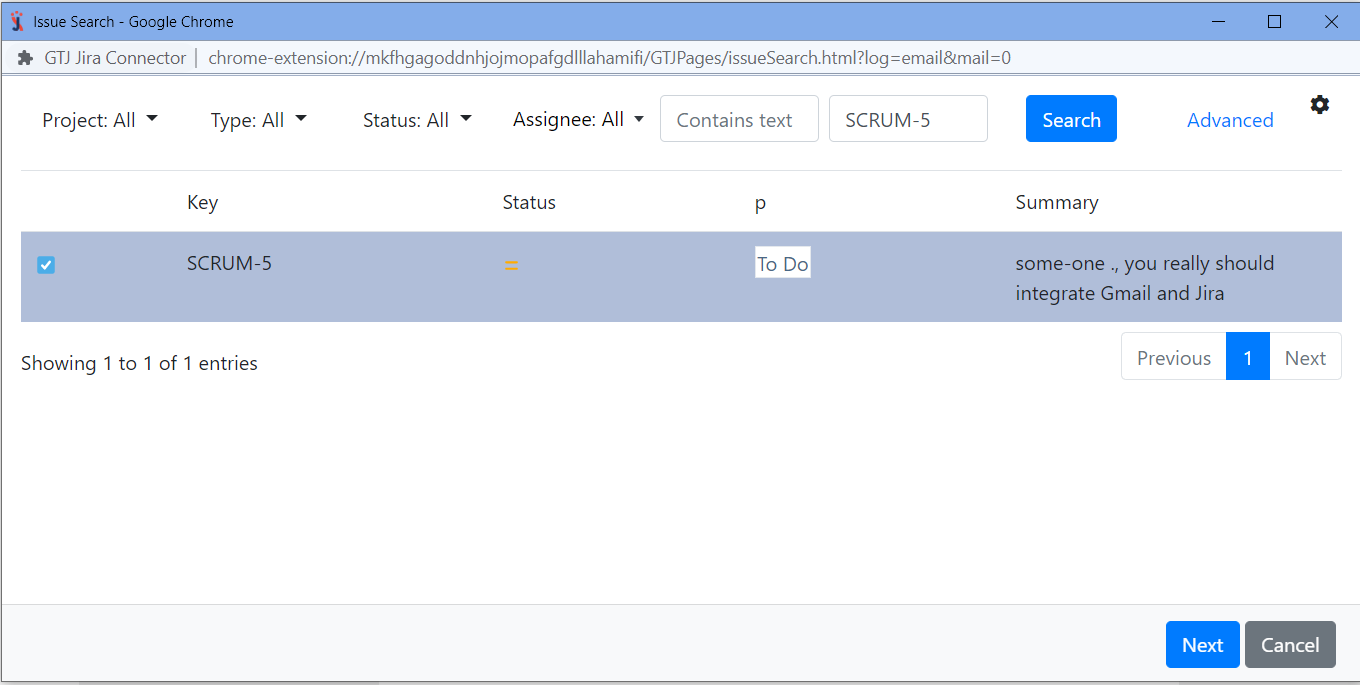
Search for and select the Jira issue you want

5

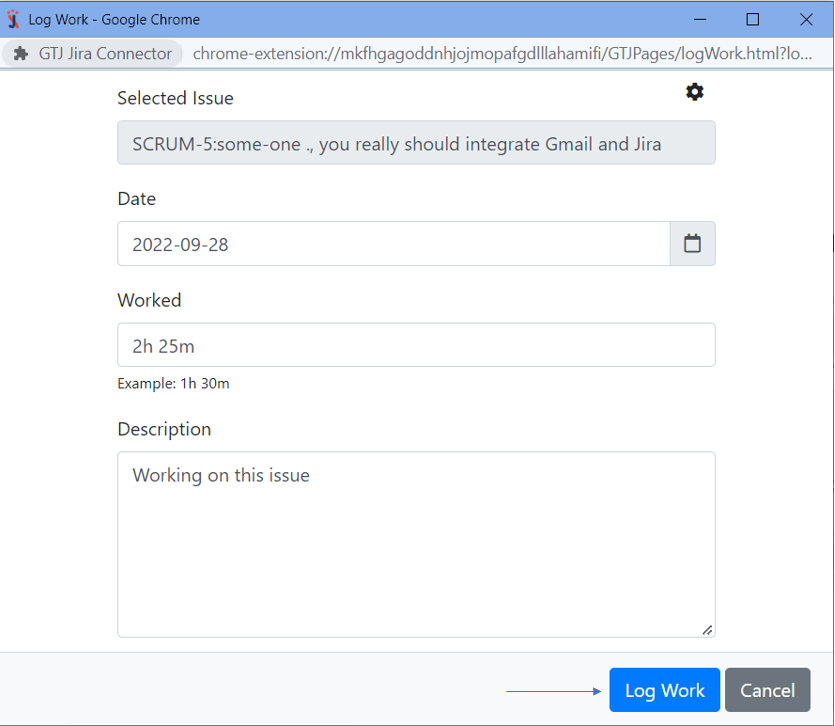
Fill in the requested fields, such as time spent, date, and description

6

Click on Log Work


For more details, you can follow these steps:


Expand
titleLog Work From Gmail
  • Select an e-mail
  • Open Jira Extension in Chrome
  • Select → open GTJ Chrome Extension → select log work from e-mail


  • Search

    ,

    for and select your issue, then click

    next

    Next

    Note
    If you didn't find your desired issue in the table, you can follow this link and check how to search for an issue.


  • Enter thetime spent, date, and description, then click on 'Log work ' button


  • You have successfully logged your work!
Expand
titleLog Work From Calendar
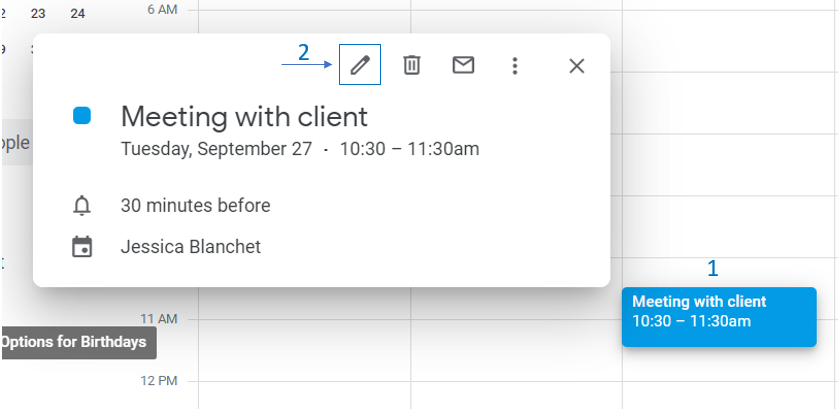
  • Go to your Google Calendar
  • Select an event
  • Click on it to edit it

          Image Added

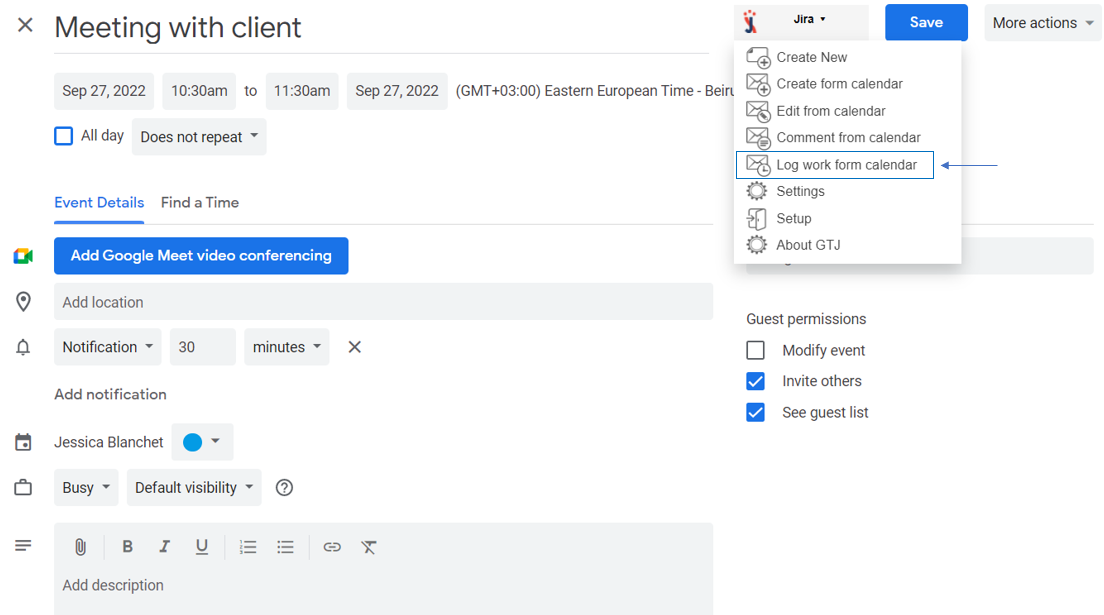
  • Open Jira Extension in Chrome
  • Select log work from Calendar

          Image Added

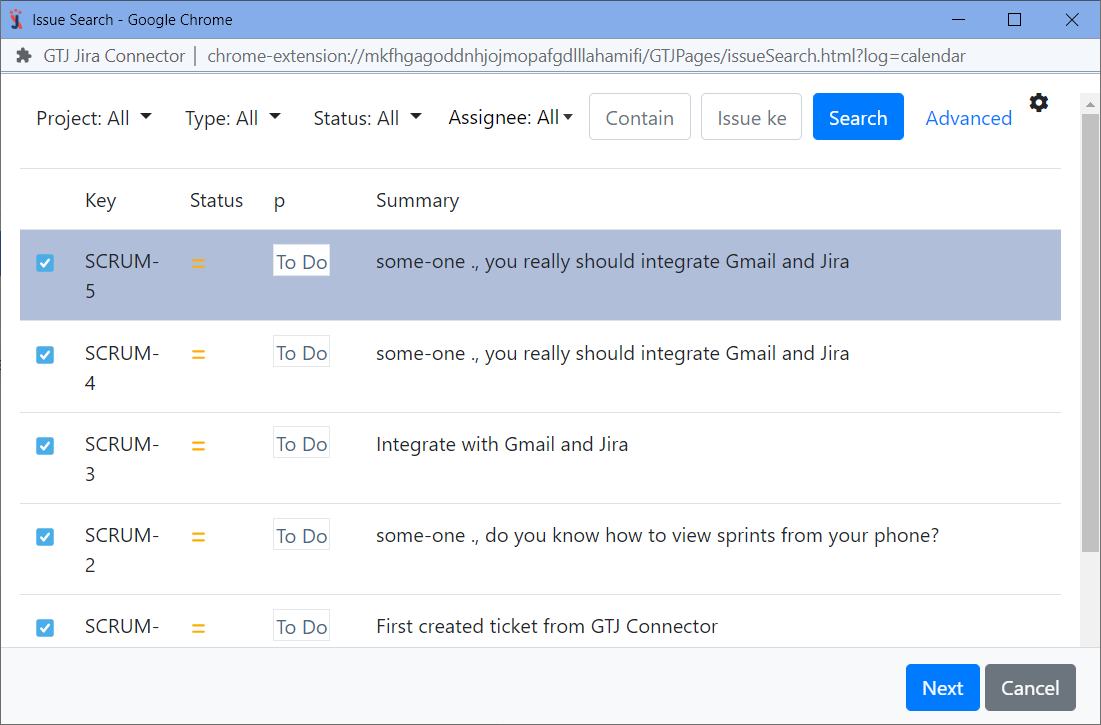
  • Search for and select your issue, then click Next

    Note
    If you didn't find your desired issue in the table, you can follow this link and check how to search for an issue.

          Image Added

  • Enter thetime spent, date, and description, then click on Log work button

          Image Added

  • You have logged work successfully!


Tip

After you follow these steps, you'll be able to log work on Jira issues, and you'll be ready to explore more features!


Content by Label
showLabelsfalse
showSpacefalse
cqllabel = "add-gtj-chromeextension-features"