Feature Overview
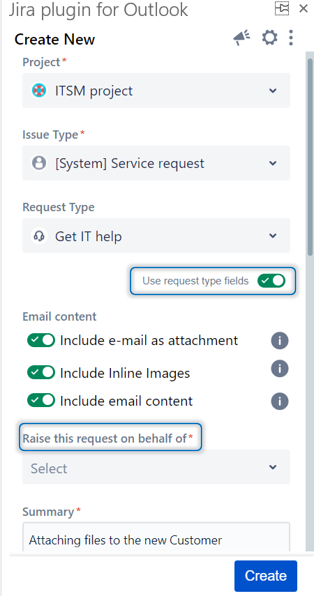
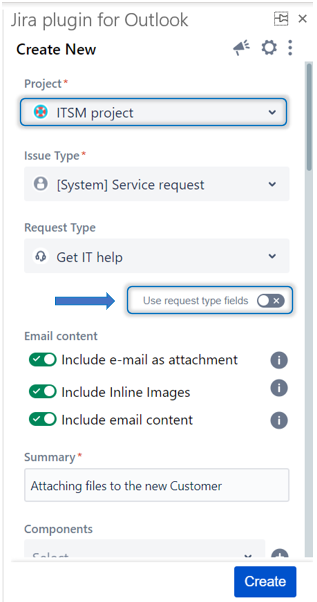
In this guide, you will learn how to switch from the standard Jira issue view to the service desk portal view using the 'Use request type fields' toggle.
...
| Note |
|---|
The 'Use request type fields' toggle is only available for Service Desk Projects on Cloud when you are logged in as an agenta Jira Licensed User. |
Step # | Action | ||
|---|---|---|---|
| 1 | Login to your Cloud instance | 2 | Go to the Create Screen |
| 42 | Select a Service Desk Project | ||
| 53 | Click on the 'Use request type fields' Toggle | ||
| 6 | The view will be directly switched to the service desk portal view, and the fields will be updated |
- Go to the Create Screen
- Select a Service Desk Project
- Click on the 'Use request type fields' Toggle
...
| 4 | Once the toggle is checked, the view will be directly switched to the service desk portal view, and the fields will be updated |