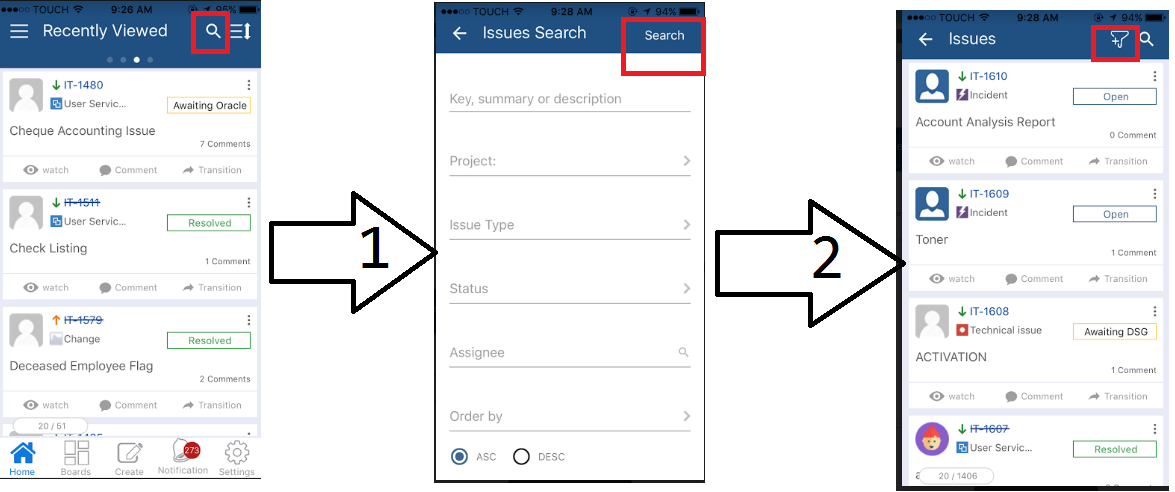
Ask the client to follow the below steps:
Go to issues, and click on the search Icon on the top right.
You either has the option to search for Issues or go more advanced by clicking on "More"
Once done click on "Search".
If you would like to save the result, just click on the save icon.