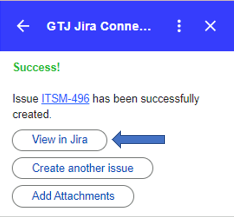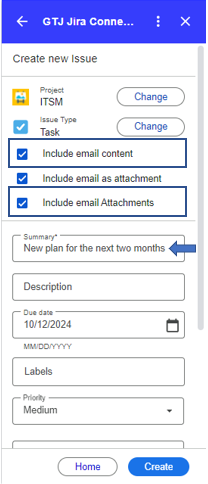
Learn how to seamlessly add email content like subject and body directly to your Jira tickets, whether creating a new ticket or adding a comment.
This feature simplifies your workflow by filling the ticket summary by the email subject, and the ticket description by your email body.
That's not all, you can also attach all the email attachments to Jira tickets!
Step # | Action |
|---|---|
| 1 | Go to your Gmail and select the desired email |
| 2 | Go to the GTJ add-on |
| 3 | Select Create new Issue, or Add Issue Comment |
| 6 | Check the checkboxes
|
| 7 | Click on Create |
| 8 | Go to the created ticket, and check the data |