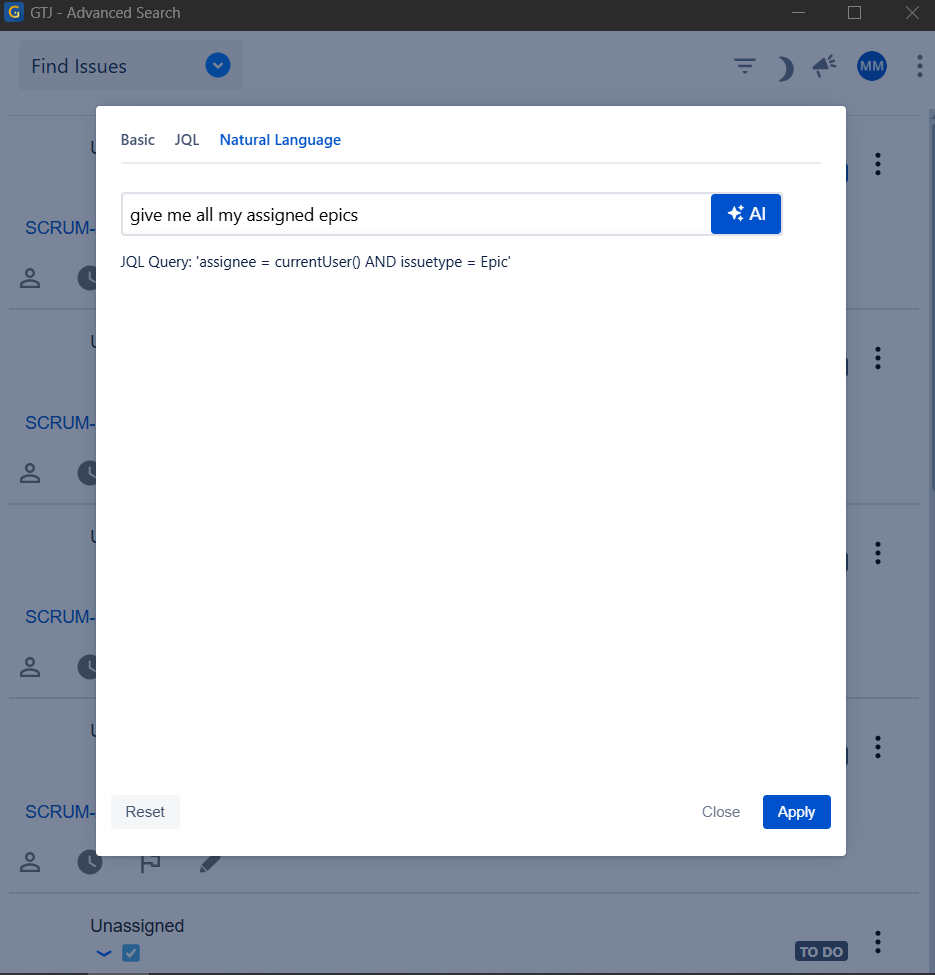
Search for your Jira issues using Everyday (Natural) language. Simply, describe what you're looking for, and AI will convert it into precise Jira Query Language (JQL) for accurate results.
Step # | Action |
|---|---|
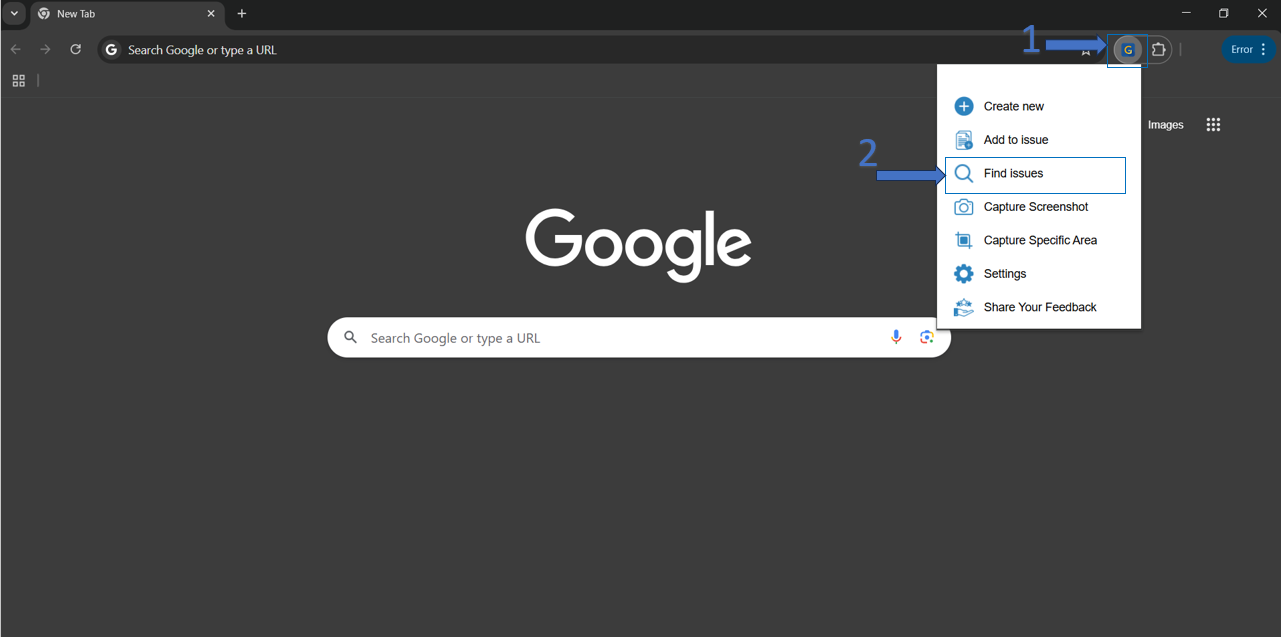
| 1 | Click on GTJ menu dropdown from Gmail or from the google extension |
| 2 | Click on Find Issues from the option menu |
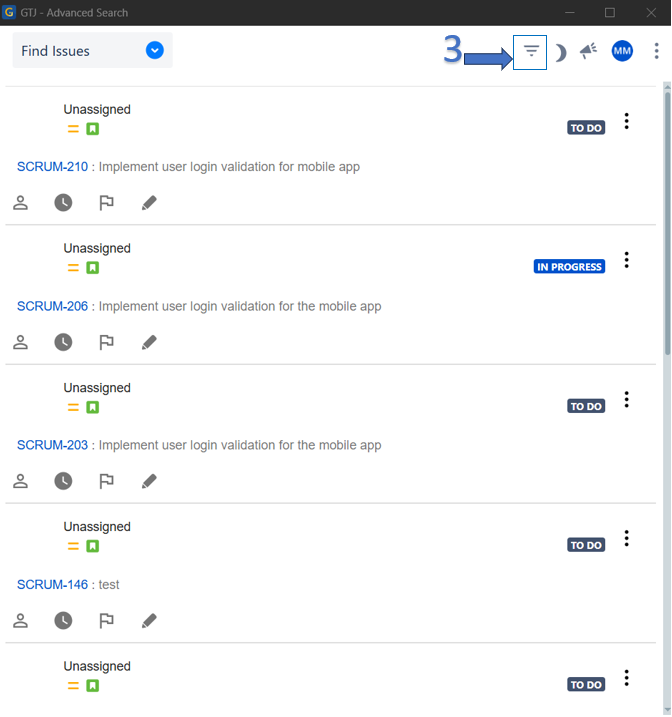
| 3 | Click on the Filter Issues icon on the top menu |
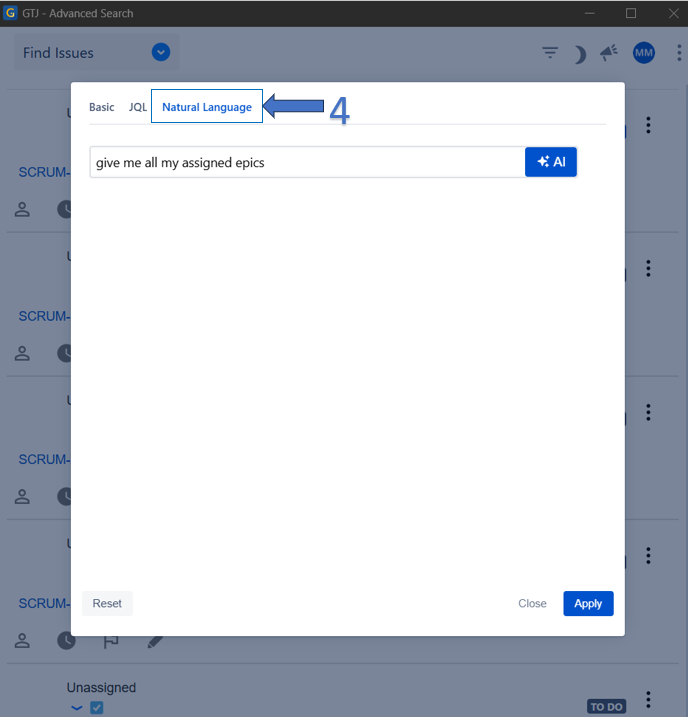
| 4 | Select Natural Language tab |
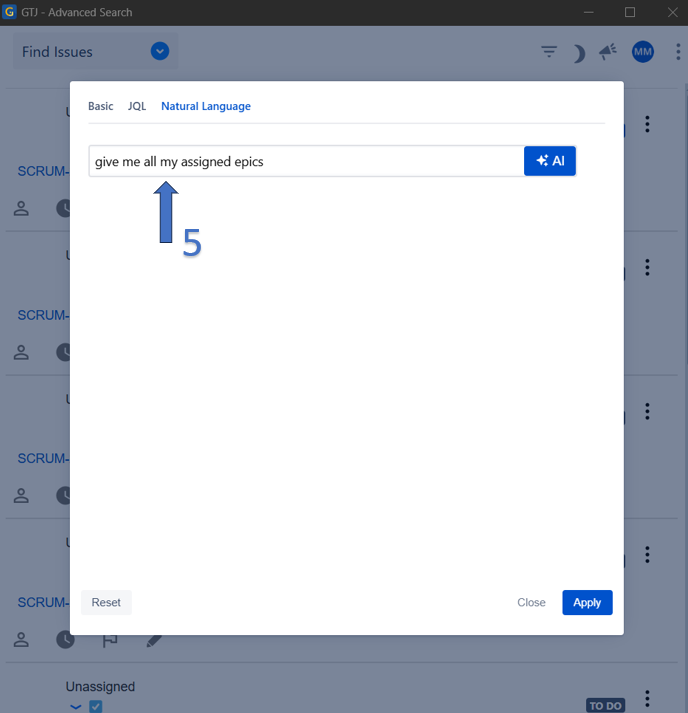
| 5 | Using natural language, write in the NL text input any text about the issue you're searching for |
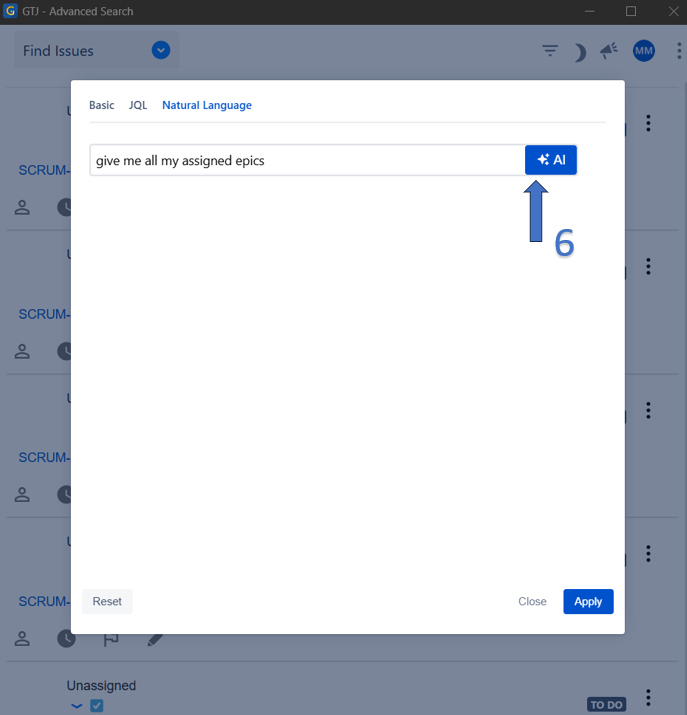
| 6 | Click on the AI button to generate your JQL query |
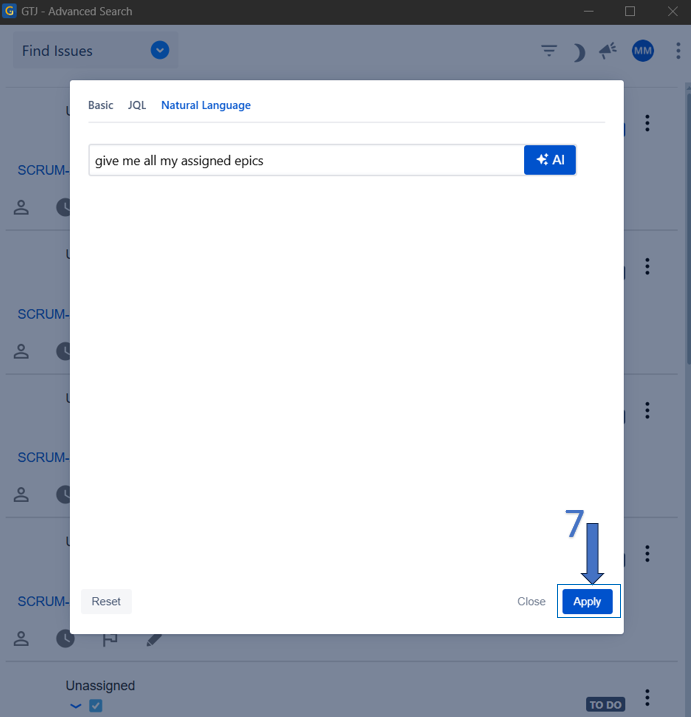
| 7 | After the JQL is generated, click on the Apply button |
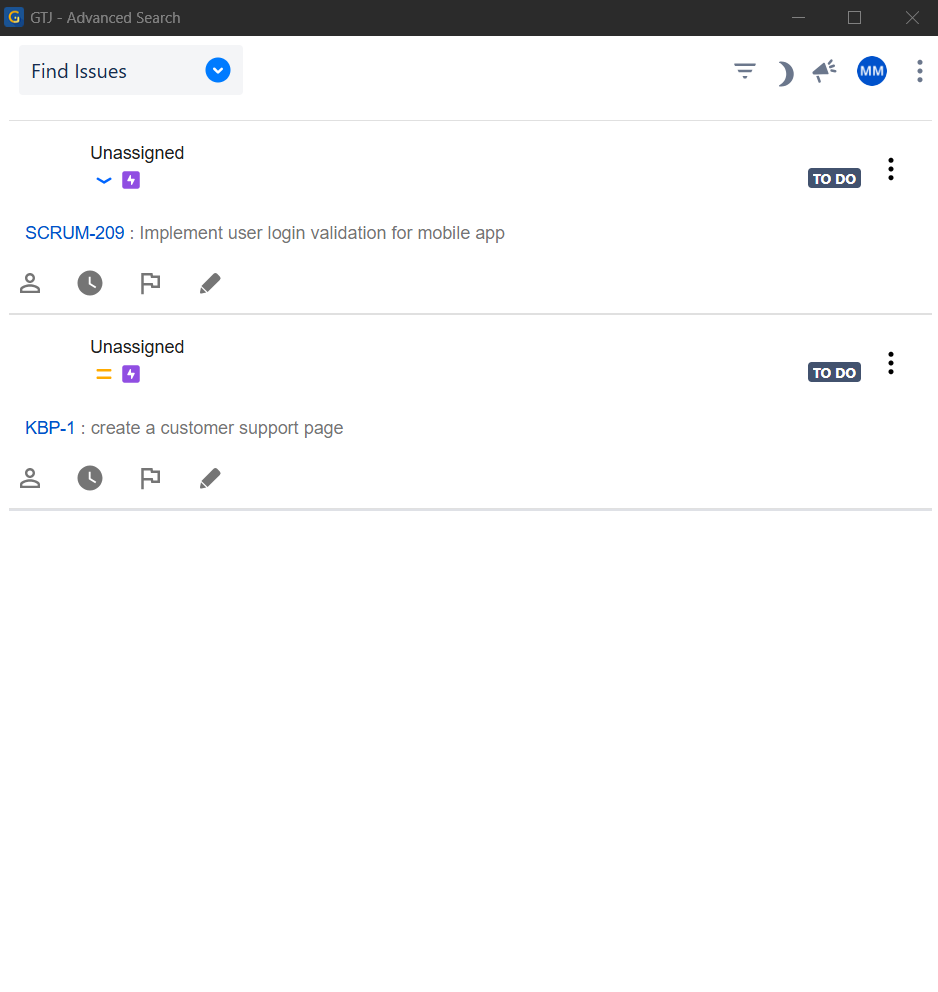
| 8 | And your issues will be shown |