New Features
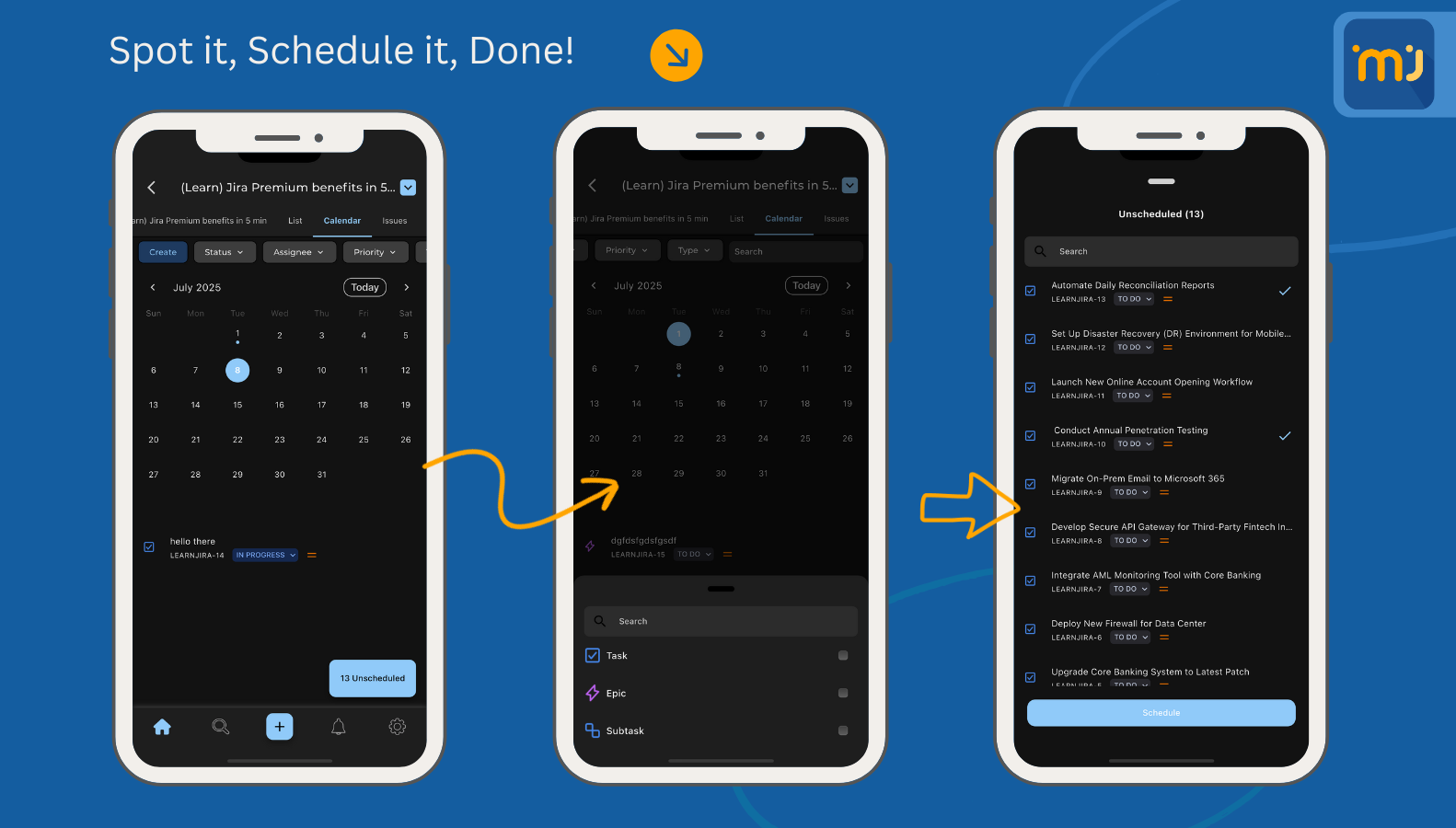
🚀 Introducing Calendar Feature — Built for Power Users!
Say hello to a smarter, faster way to stay on top of your schedule in Jira. With Calendar Mode, your issues and deadlines come to life on a timeline that keeps your team aligned and in sync. From planning sprints to tracking due dates, Calendar Mode ensures you never miss a beat.
✨ Why you’ll love it:
📅 A clear, visual view of issues by due date, sprint, or assignee.
🔔 Smart reminders so deadlines never sneak up on you.
🔍 Filters that adapt — only see the projects and tasks that matter.
🚀 Perfect for teams who want to balance planning and execution.
From scheduling releases to managing daily tasks, Calendar Mode transforms how you organize your work on the go.
Improvements
Filter List Improvements: Several key improvements and fixes for the filters screen.
Notification List Improvements: Improved performance and usability for the notification list.
Translation Improvements: Several key improvements for translations, especially for Arabic and RTL.
Home Screen Improvements: Several Key improvements to home screen search UX, and enhancements for sorting functionality.
Bug Fixes
Issue Transition from Dashboard: Fixed a bug where transitioning issues from the issue details screen (accessed via the dashboard) was not possible.