Learn how to configure a Telegram bot to use with Telegram to Jira Connector.
| The steps can be followed using either Telegram's mobile version or desktop version. |
Follow these steps:
1. Go to Telegram.
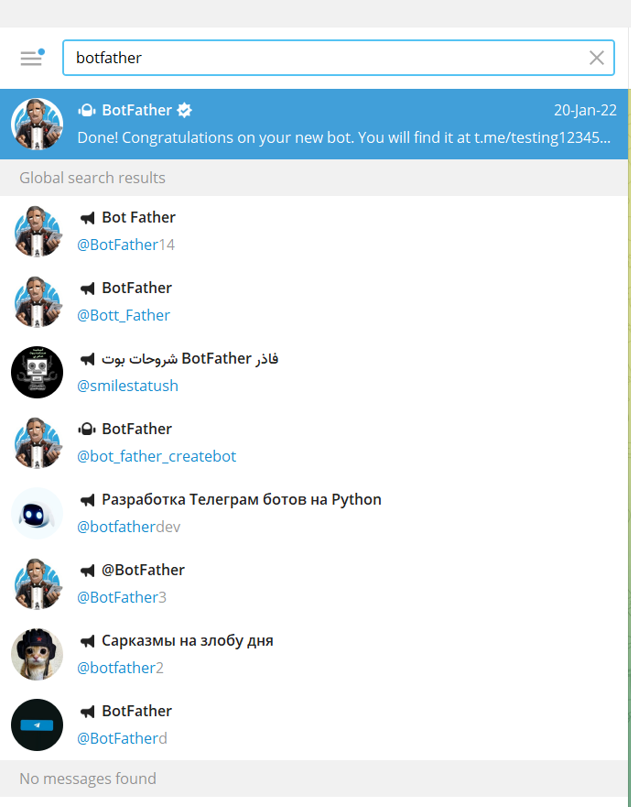
2. Search for BotFather, ensure it's the verified account.
3. Initiate a chat with the bot by typing in the command (/newbot)
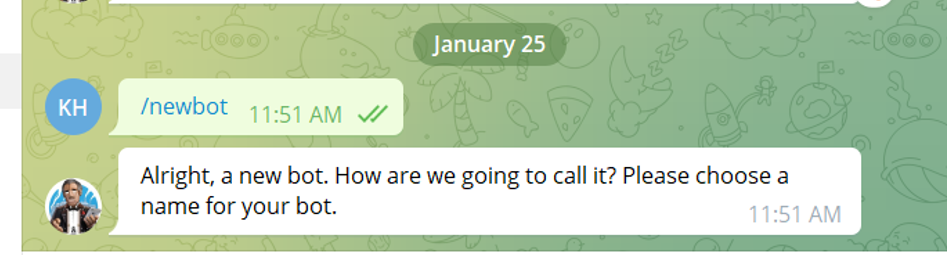
4. Choose a name for your bot
| This is not the name the users will be searching for, it's the name that will appear with the bot (example: Infosysta support). |
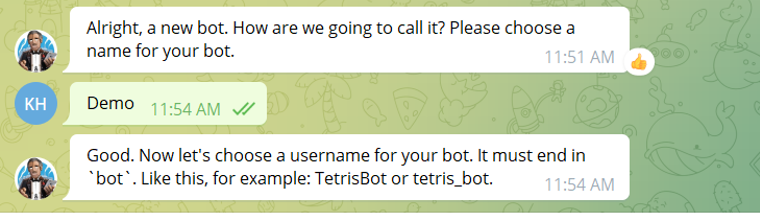
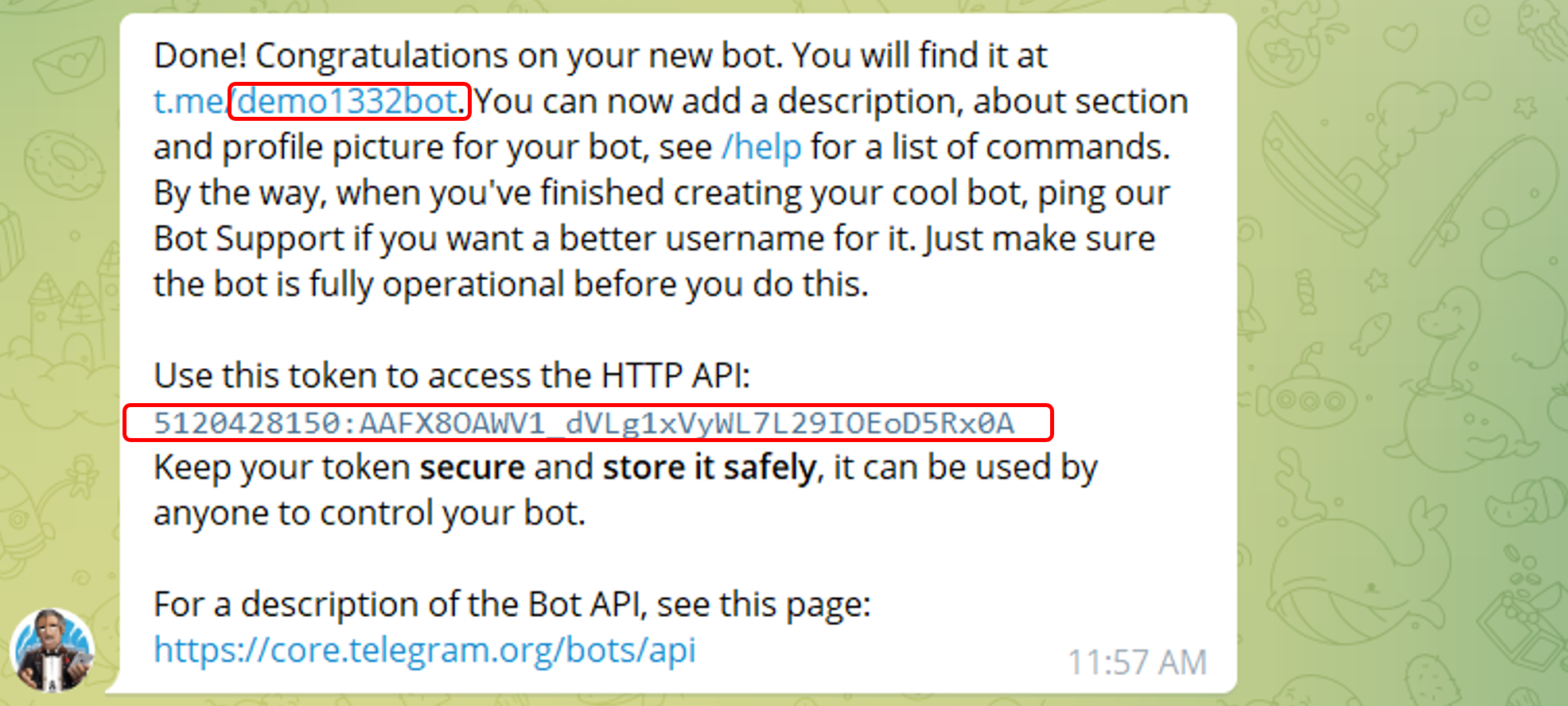
5. Create a username for the bot, ending in 'bot'
| It has to end in " bot" or "_bot". |
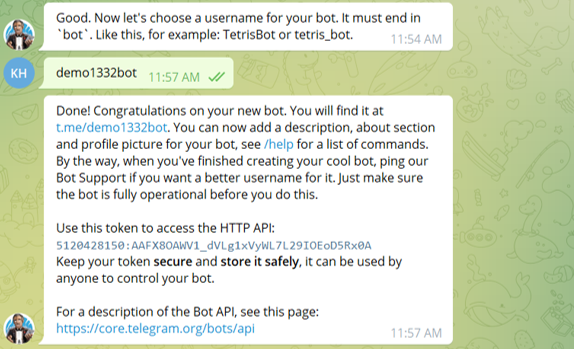
| Please take note of them as they will be essential in using setting your bot up with Telegram to Jira Connector. |
You can also follow this video to help you see the steps in action.