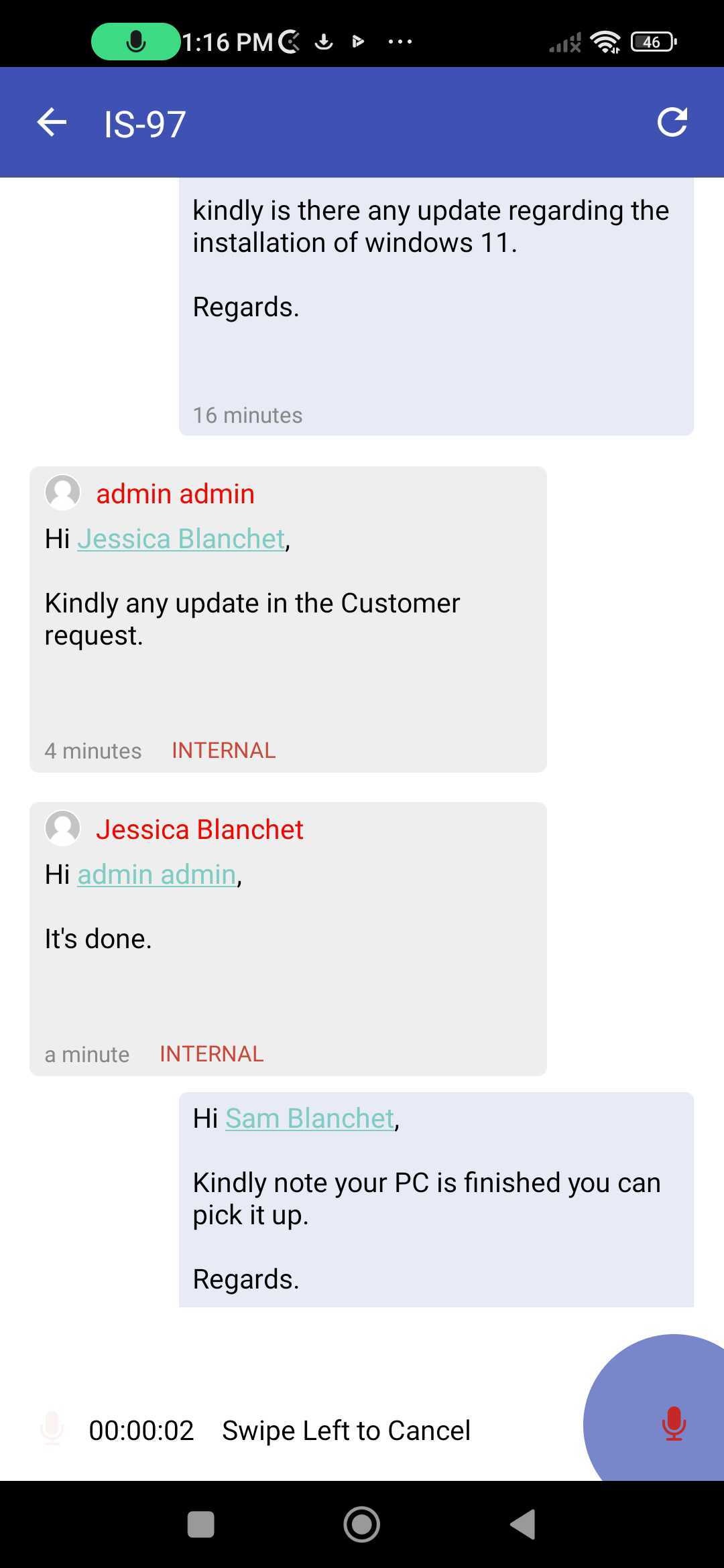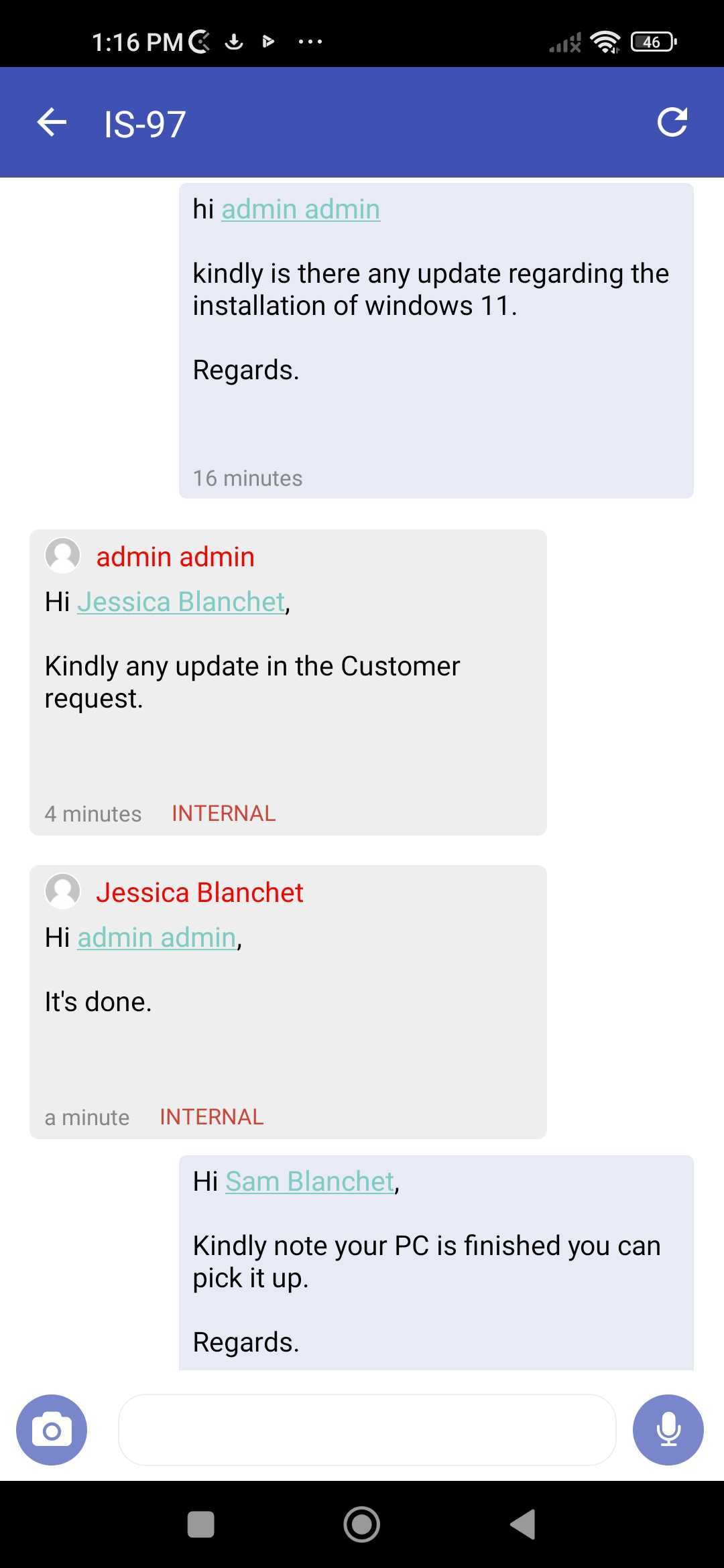
Learn how to view and add new comments to an existing Jira ticket.
1. Choose an Issue
2. Click on comments
3. It will show you all the existing comments on the issue
4. Scroll down to add a new comment
5. A pop-up will appear with various options
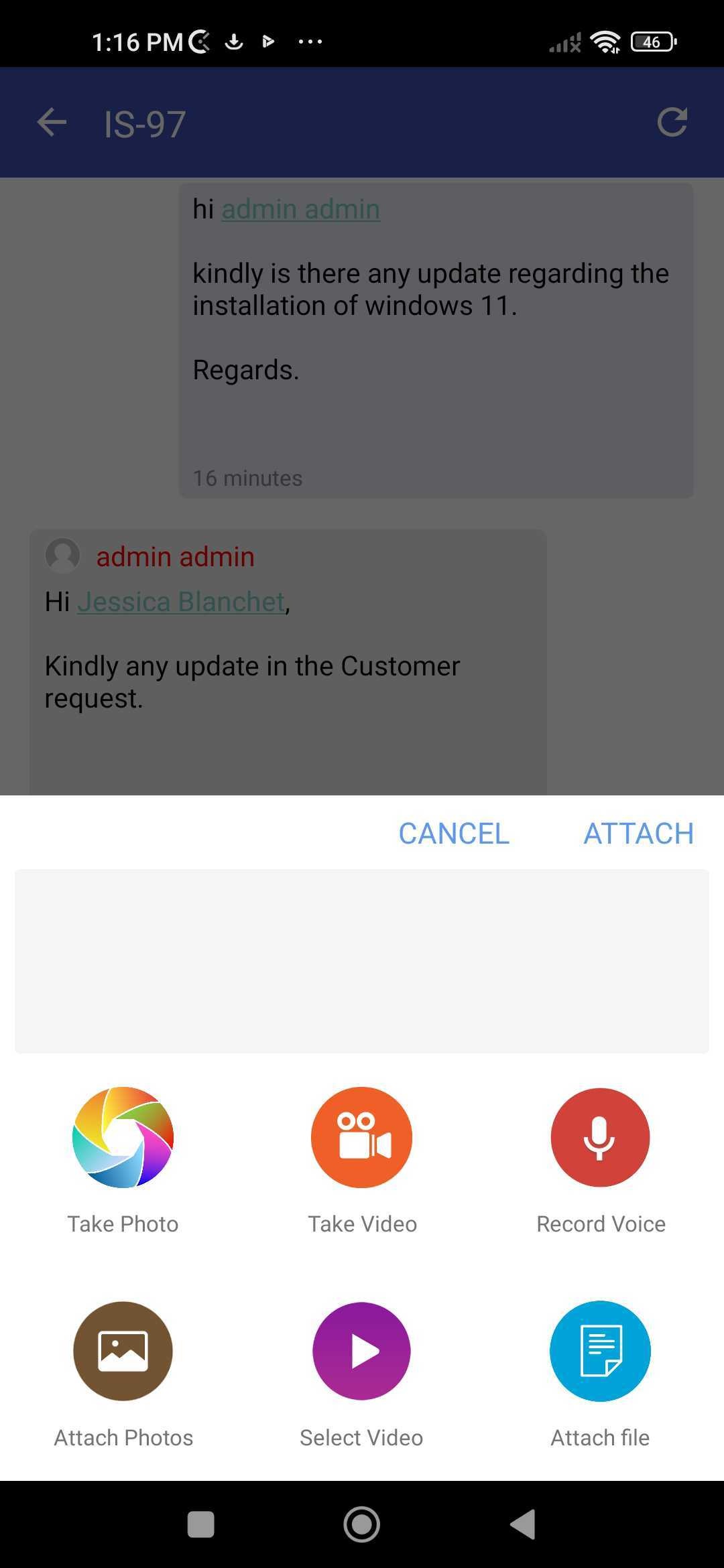
6. Choose what you'd like to include in the comment, and send
7. You can even record a voice note and include it as a comment