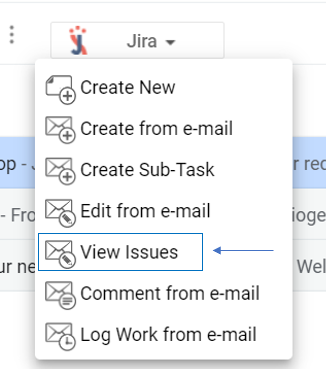
After selecting an e-mail, you can view all the issues created from that e-mail. You can also perform various actions on the viewed issues, such as log time, add or remove assignee, and watch or unwatch an issue.
The View issues screen will give you a list of issues, with the following information:
|
Quick Steps
Step # | Action |
|---|---|
| 1 | Select an email from your Gmail account |
| 2 | Go to the View Issues screen |
| 3 | All issues related to the selected e-mail will be visible |
| 4 | Perform quick actions (add/remove assignee, watch/unwatch, log work) by clicking on the action icon |
