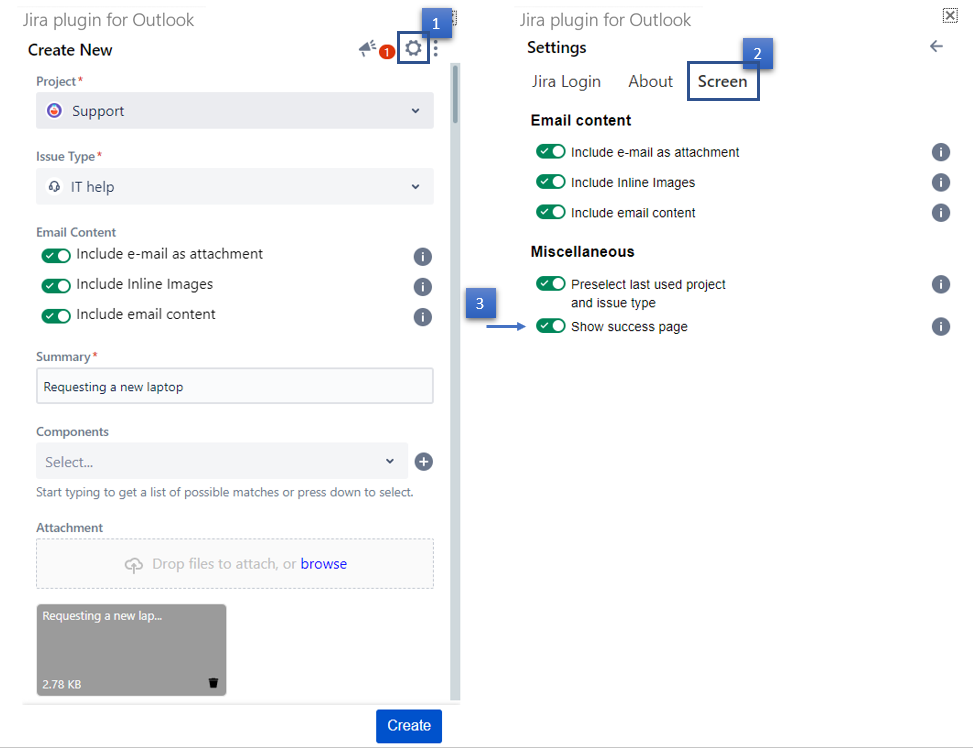
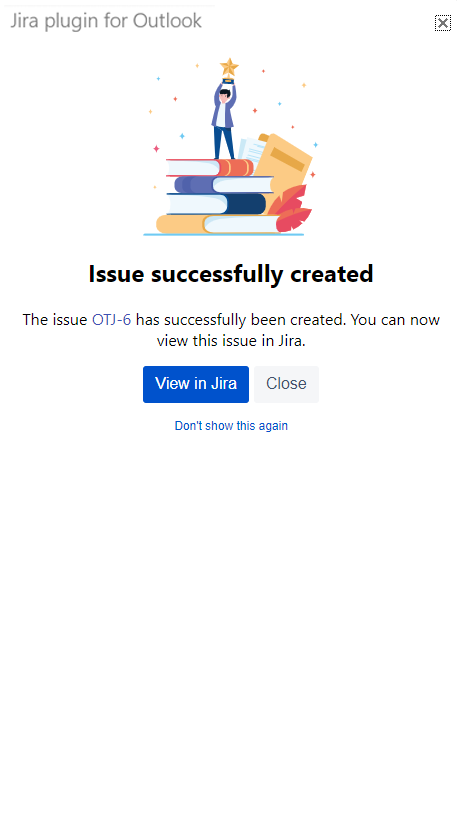
In this guide, we will show you how to show/hide the success page upon issue creation.
By default, the success page is hidden, and a popup appears when an issue is successfully created. The popup includes a hyperlinked issue number, to easily open the issue in your browser.
| Step # | Action |
|---|---|
| 1 | Click on the Settings icon in the top right corner |
| 2 | From the settings screen, select the Screen tab |
| 3 | Check/Uncheck the option Show success page |
| 4 | Changes will be saved automatically |
| Settings are saved for your account and applied every time you launch the app. |