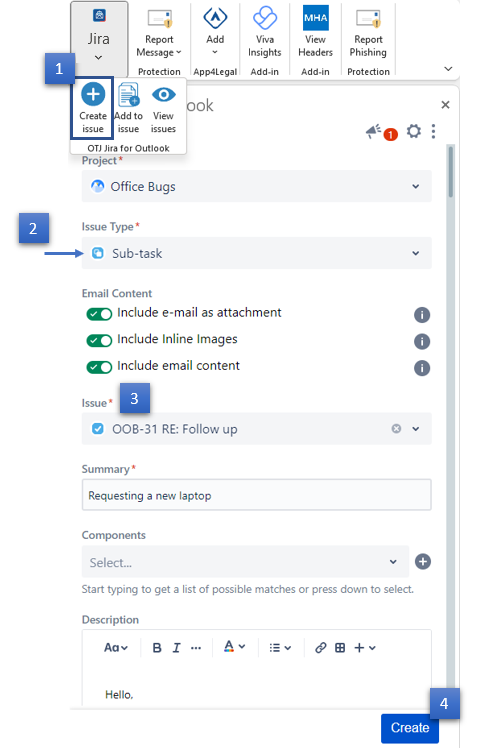
If you select a Sub-task issue type, a new issue field will show on the Create screen. This field will be the parent of your issue. To find it, simply search for it by text.
| You can also create a subtask from the View issue screen, to find out more, go to this link. |
| Step # | Action |
|---|---|
| 1 | Go to your Outlook toolbar and choose Create issue |
| 2 | Fill in the requested fields and choose Subtask under Issue type |
| 3 | Search for the issue parent |
| 4 | Click on the Create button |