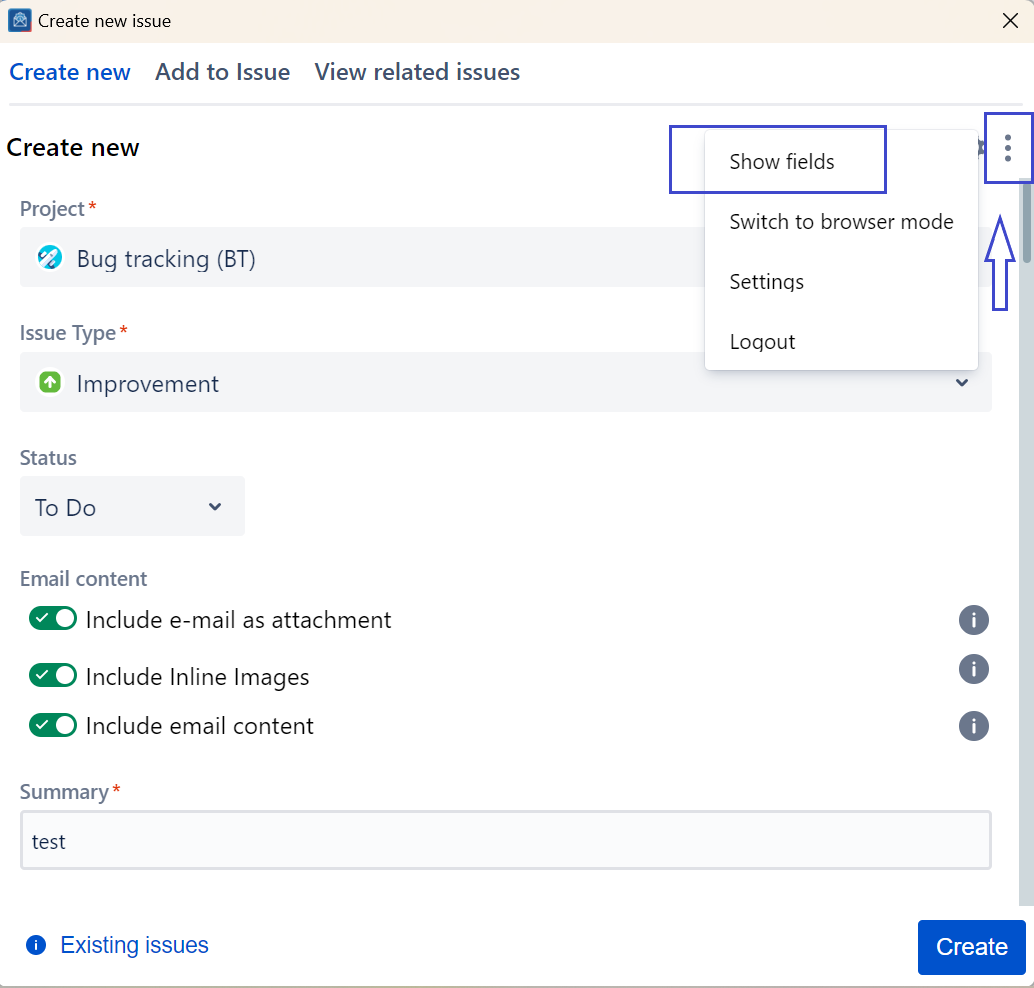
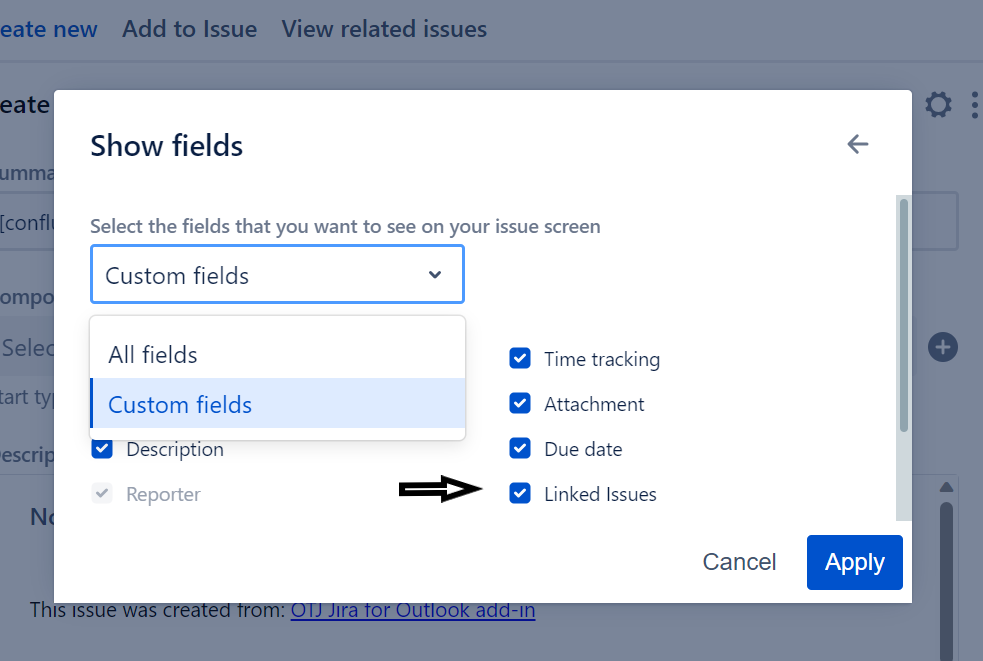
In this guide, we will show you how to make use of the Configure field feature, similar to the one in Jira, to choose which fields to show/hide from the create screen.
| Step # | Action |
|---|---|
| 1 | Click on the three dots menu button in the top right corner |
| 2 | Select Show fields, to open the popup |
| 3 | From the drop-down, select custom fields |
| 4 | Select/Deselect the fields you wish to show/hide |