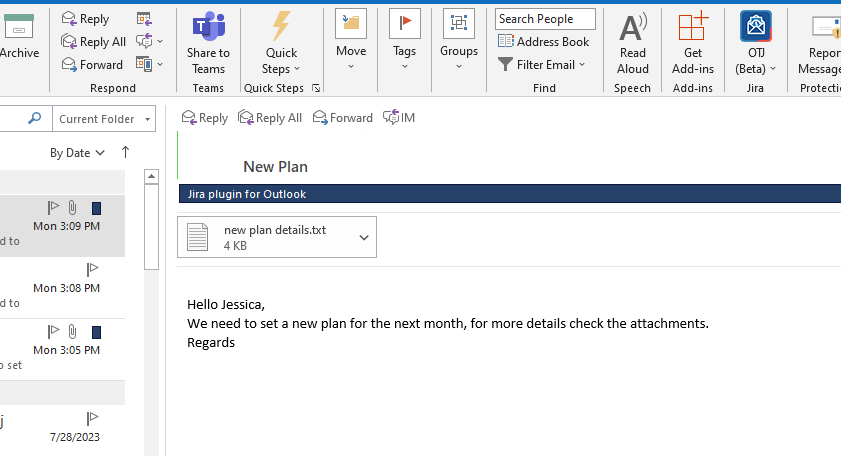
In this guide, you will learn how you can tag all the emails you have created a Jira issue from, to keep track of them.
You can disable this feature whenever you would like from the settings screen. |
Step # | Action |
|---|---|
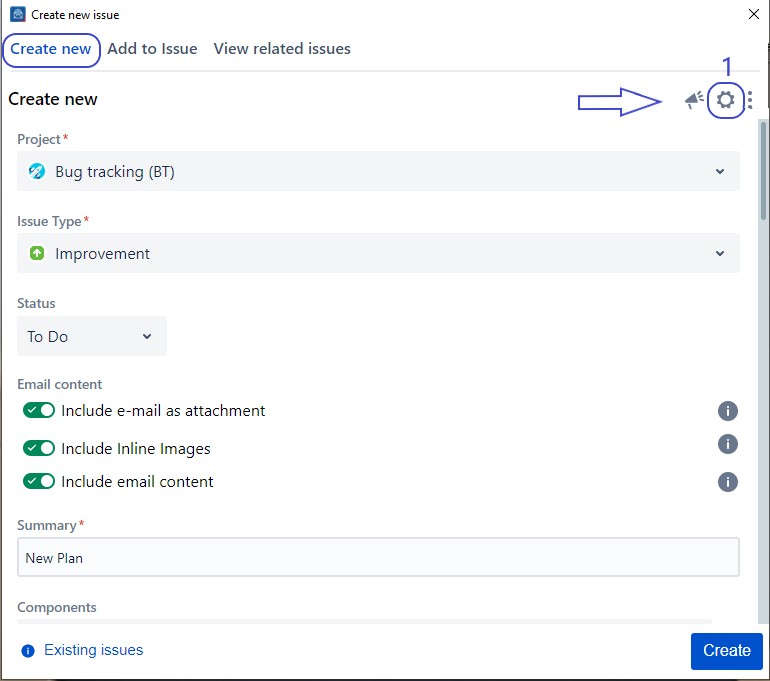
| 1 | Go to Setting Screen |
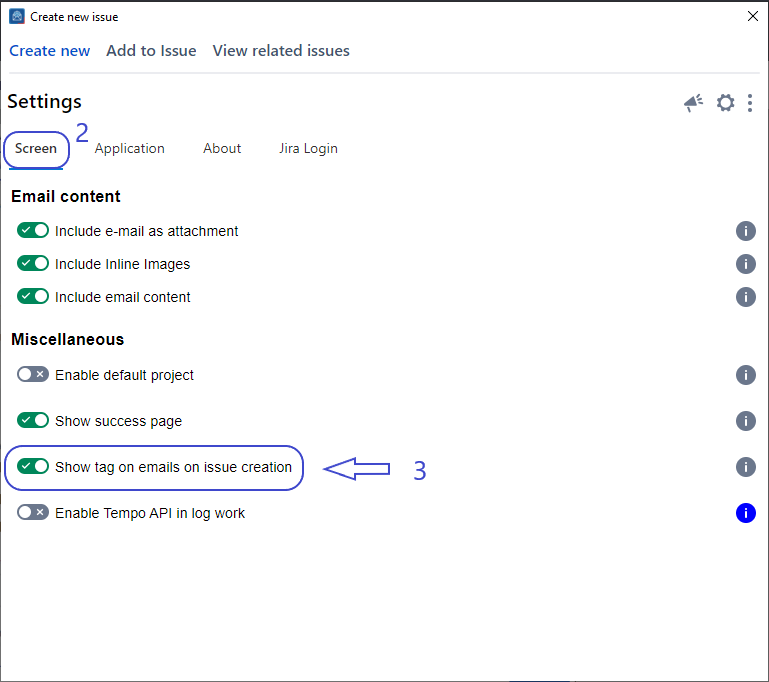
| 2 | From the settings screen, select the Screen tab |
| 3 | Click on the 'Show tag on emails on issue creation' toggle to enable this feature |
| 4 | Go to the Create Screen and Create an Issue |
| 5 | Now after creating an issue, you'll be able to see the category tag |
| Settings are saved for your account and applied every time you launch the app. |