Feature Overview
The following guide will show you how to submit log files to our support team when you encounter an application problem.
Quick Steps
Step # | Action |
|---|---|
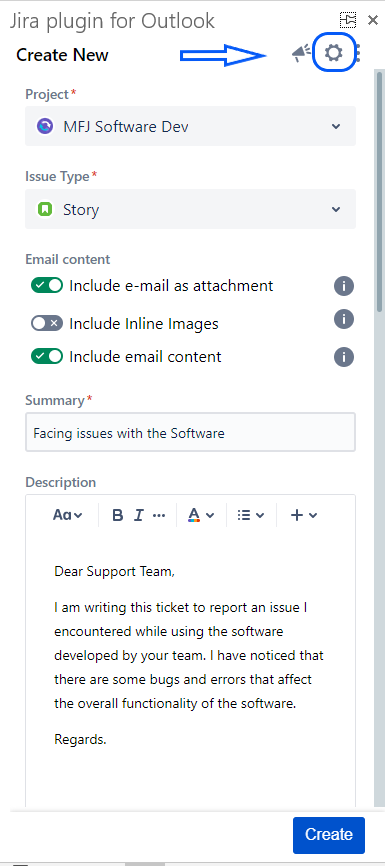
| 1 | Click on the Settings icon in the top right corner |
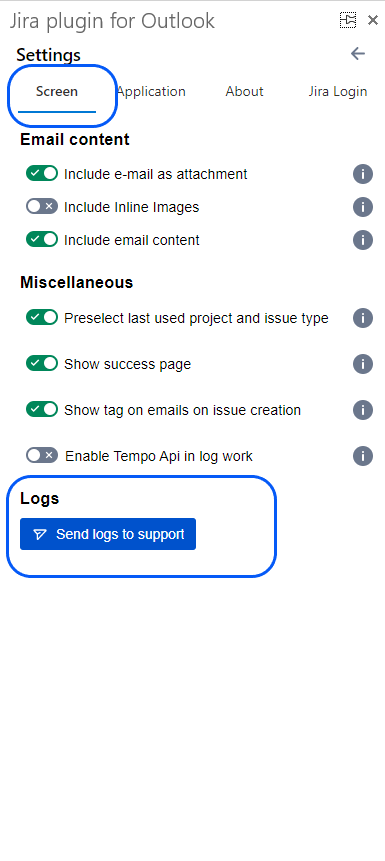
| 2 | From the settings screen, select the Screen tab |
| 4 | Click on Send logs to support Button |