Feature Overview
This feature lets you automatically select the Jira project and issue type based on the sender's email or domain rule.
When an email matches your rule, the corresponding project and issue type will be pre-selected in the Create screen.
Quick Steps
Step # | Action |
|---|---|
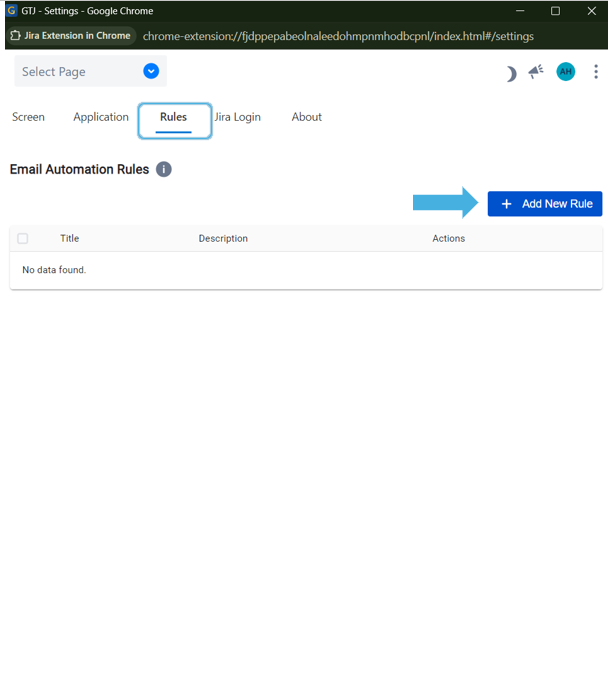
| 1 | Go to Gmail → Open GTJ Chrome extension → Go to the Settings screen, open Rules, and click Add Rule
|
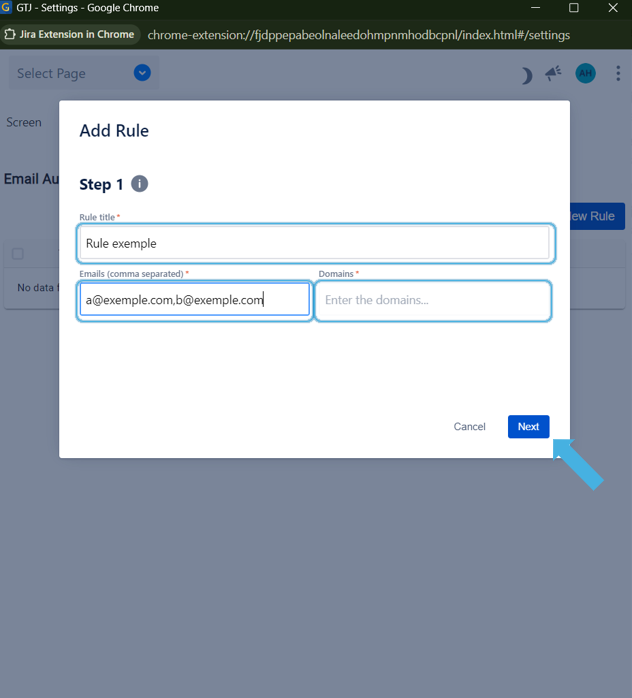
| 2 |
Hint:
|
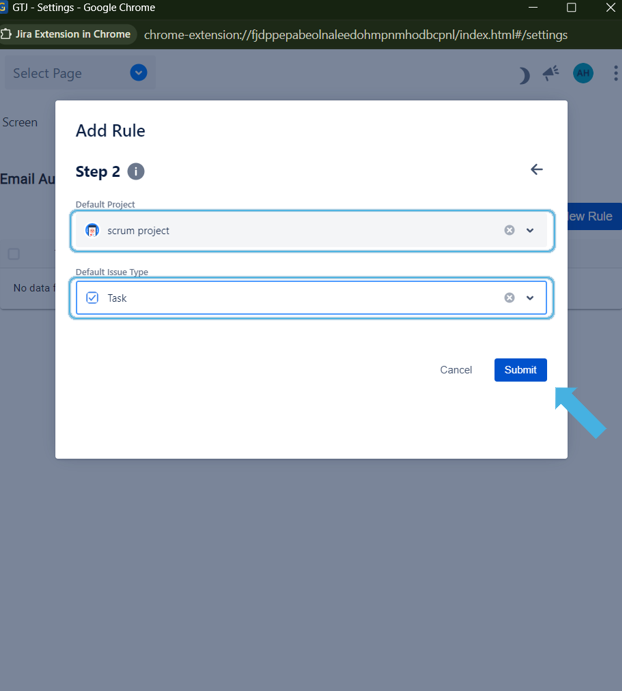
3 | Select the desired Project, Issue Type (and Request Type),
then click Submit |
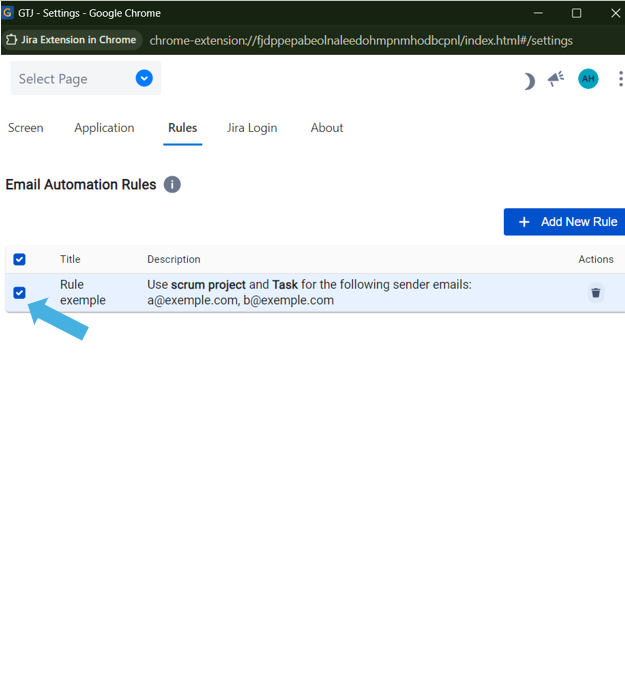
4 | Select the created rule so it will be activated.
|
5 | Now, when you open the Create new page, → if the sender's email or domain matches a selected rule, → the corresponding Project and Issue Type. will be automatically selected. |