Try the New Chrome Extension Design
Overview
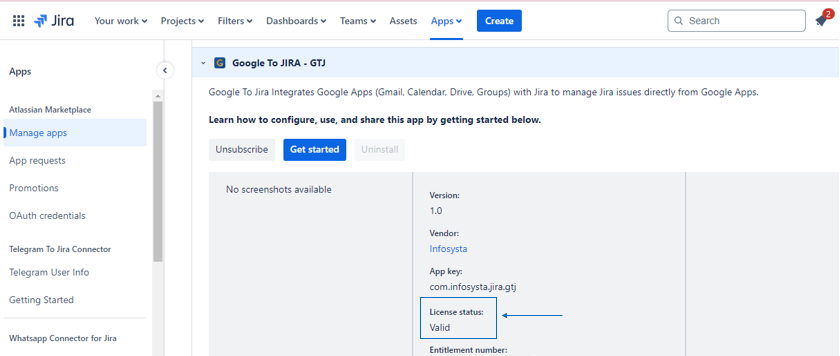
Learn how to check the validity of your Google To Jira - GTJ license using the following steps.
Quick Steps
Step # | Action |
|---|---|
| 1 | Go to your Cloud instance |
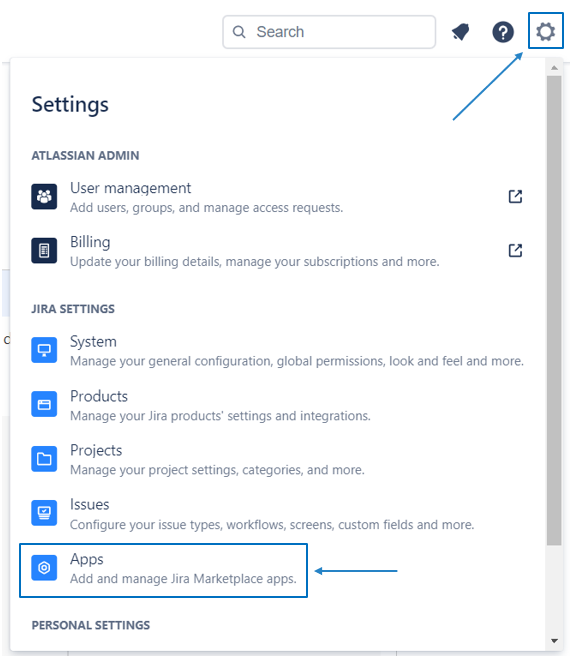
| 2 | Click on Settings |
| 3 | View Apps on the left sidebar |
| 4 | Go to Manage Apps |
| 5 | Expand Google To Jira - GTJ |
| 6 | Check License status |
Detailed Documentation
- Go to your Cloud instance
- Head to Settings
- Click on Apps
- Go to the Manage apps section
Here you can check the license status