Quick Steps
You can remove GTJ's access in one of two ways.
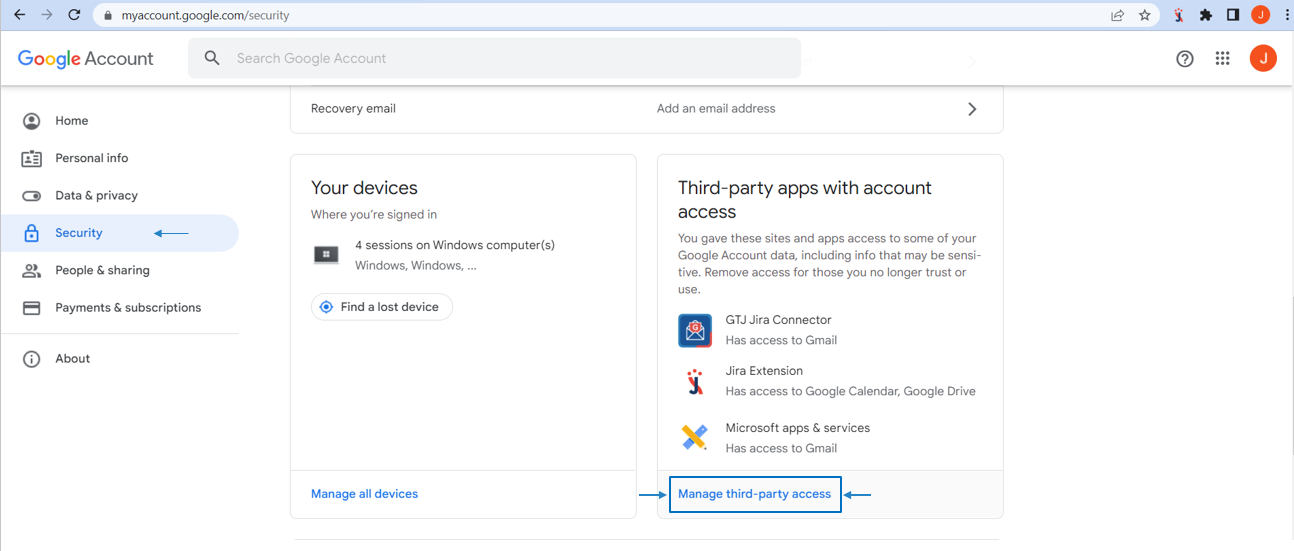
- Go to your Google account
- Head to Security
- Select Manage third party access
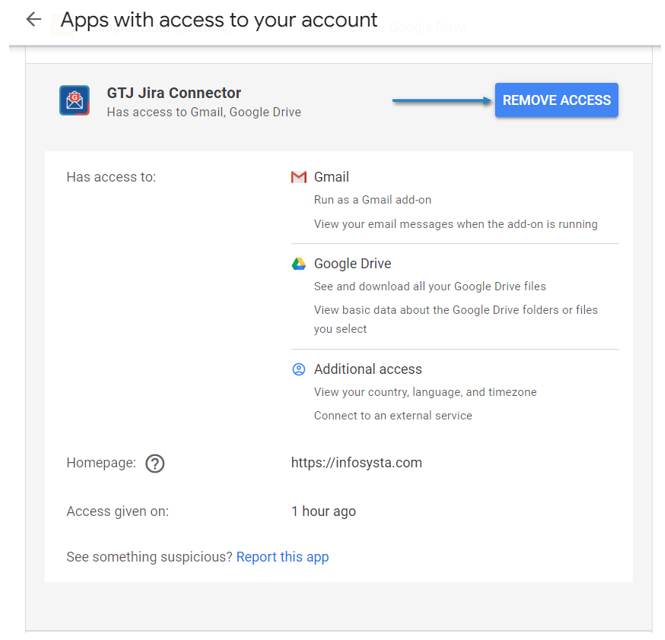
- Click on Remove GTJ access

- Go to Security
- Select Manage third-party access
- Go to GTJ Jira Connector
- Click on Remove access
- Go to https://id.atlassian.com/manage-profile/apps
- Go to Connected apps
- Go to GTJ Jira Connector,
- Click on Remove access
