Overview
Learn how to add a folder to a drive storage.
Quick Steps
Step # | Action |
|---|---|
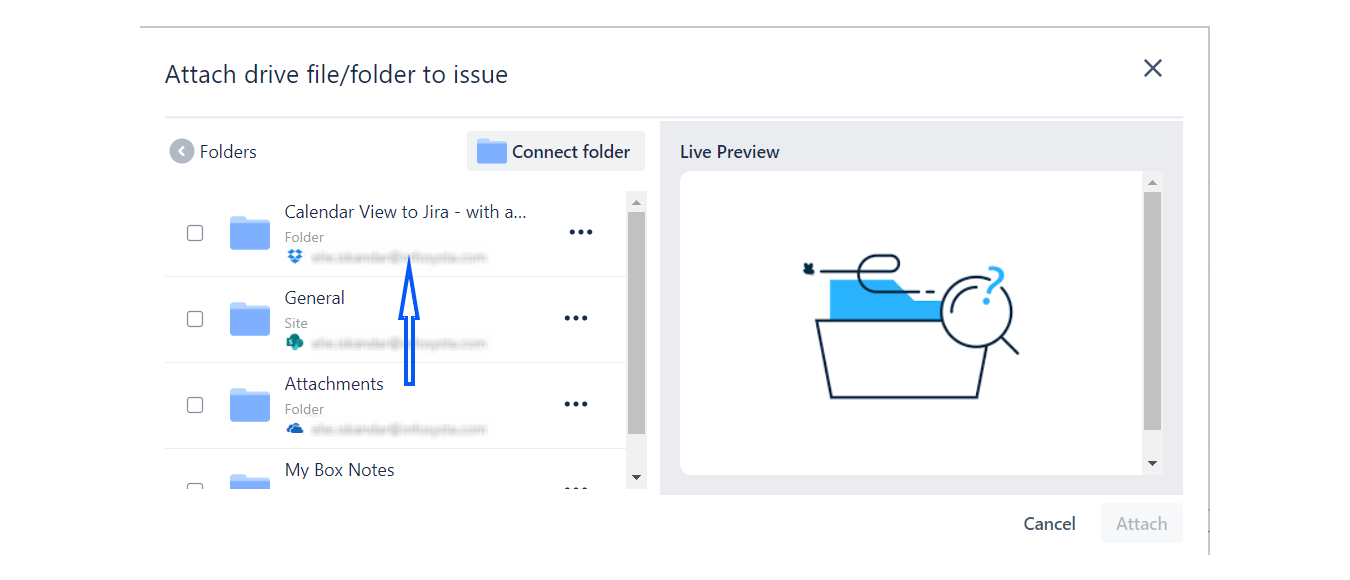
| 1 | Open a connected folder by simply clicking on it. |
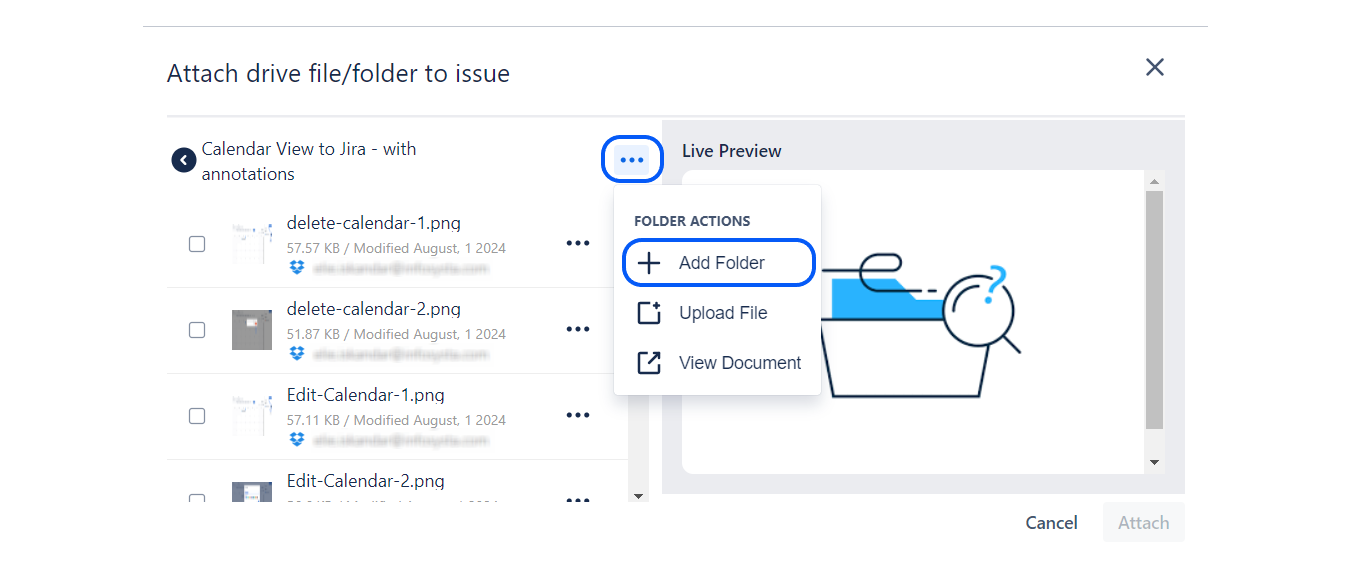
| 2 | Click on the three dots at the top right and select the Add Folder option. |
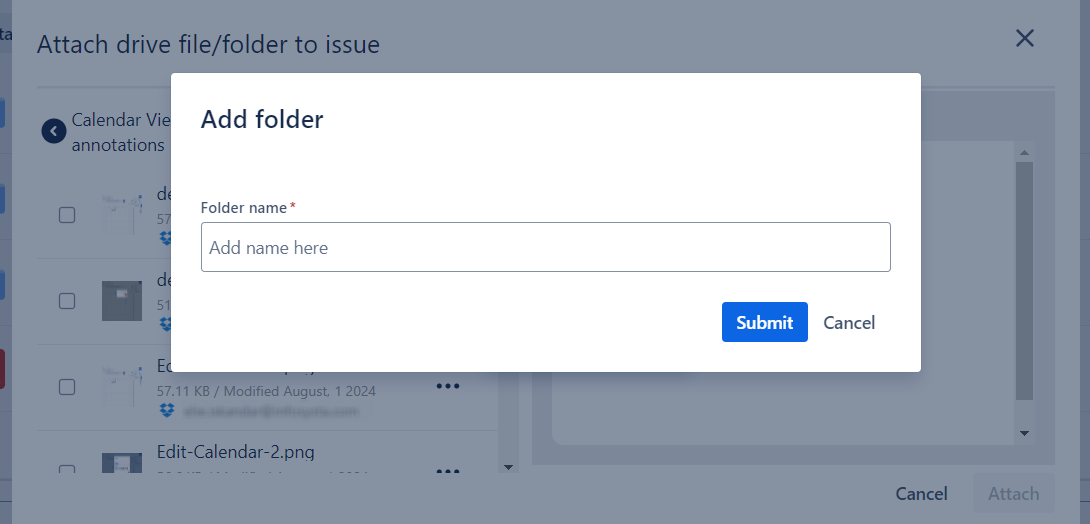
| 3 | Enter a name for your folder and click the Submit button. |
Step 1: Open a connected folder by simply clicking on it
Step 2: Click on the three dots at the top right and select the Add Folder option
Step 3: Enter a name for your folder and click the Submit button