Feature Overview
Search for your Jira issues using Everyday (Natural) language.
Simply, describe what you're looking for, and AI will convert it into precise Jira Query Language (JQL) for accurate results.
Quick Steps
Step # | Action |
|---|---|
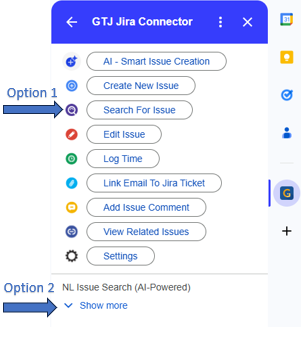
| 1 | Open GTJ App |
| 2 |
|
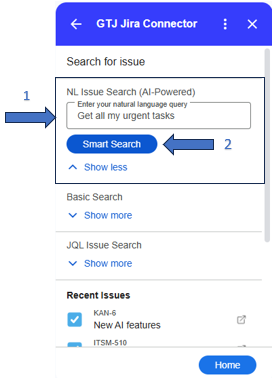
| 3 | Using natural language, write in the NL text input any text about the issue you're searching for |
| 4 | Click on the Smart Search button to allow AI generating the JQL query and search for your issues
|
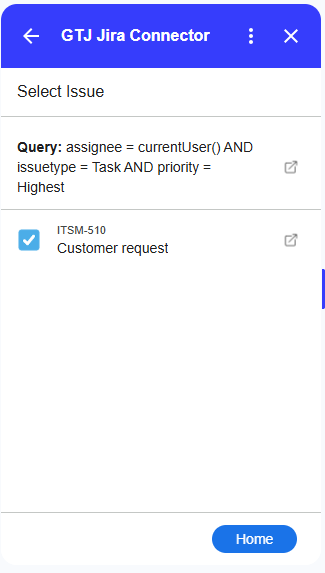
| 5 | Once done, your matched issues will be shown
|