After installing Gmail To JIRA:
- Open Google Chrome browser
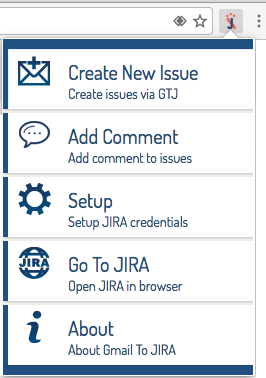
- Click on the “J” icon displayed in the Chrome menu from your browser
- Click on “Setup”
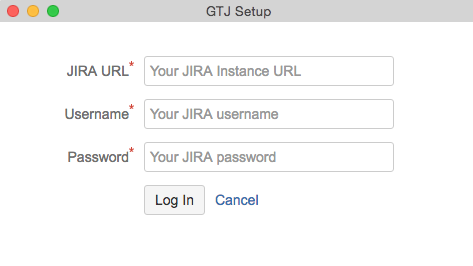
4. A “GTJ Setup” window will appear
5. Fill the required fields:
- JIRA URL: The basic URL for your instance
- Username: Your JIRA username
- Password: Your JIRA password
6. Once all fields are filled with the right information, click on “Log In”