Feature Overview
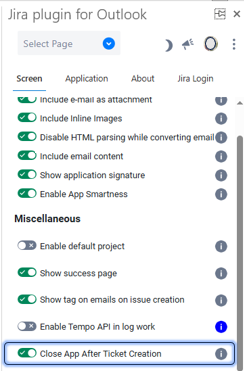
A new setting is now available that allows the app window to close automatically once a ticket is created.
Quick Steps
Step # | Action |
|---|---|
| 1 | Go to the Settings screen to enable this feature |
| 2 | Scroll down to the last option |
| 3 | Check the option named "Close App After Ticket Creation"
|
| 4 | Now, after you create a ticket, the app window will be closed automatically |