New Feature:
🚀 Introducing Project Mode List!
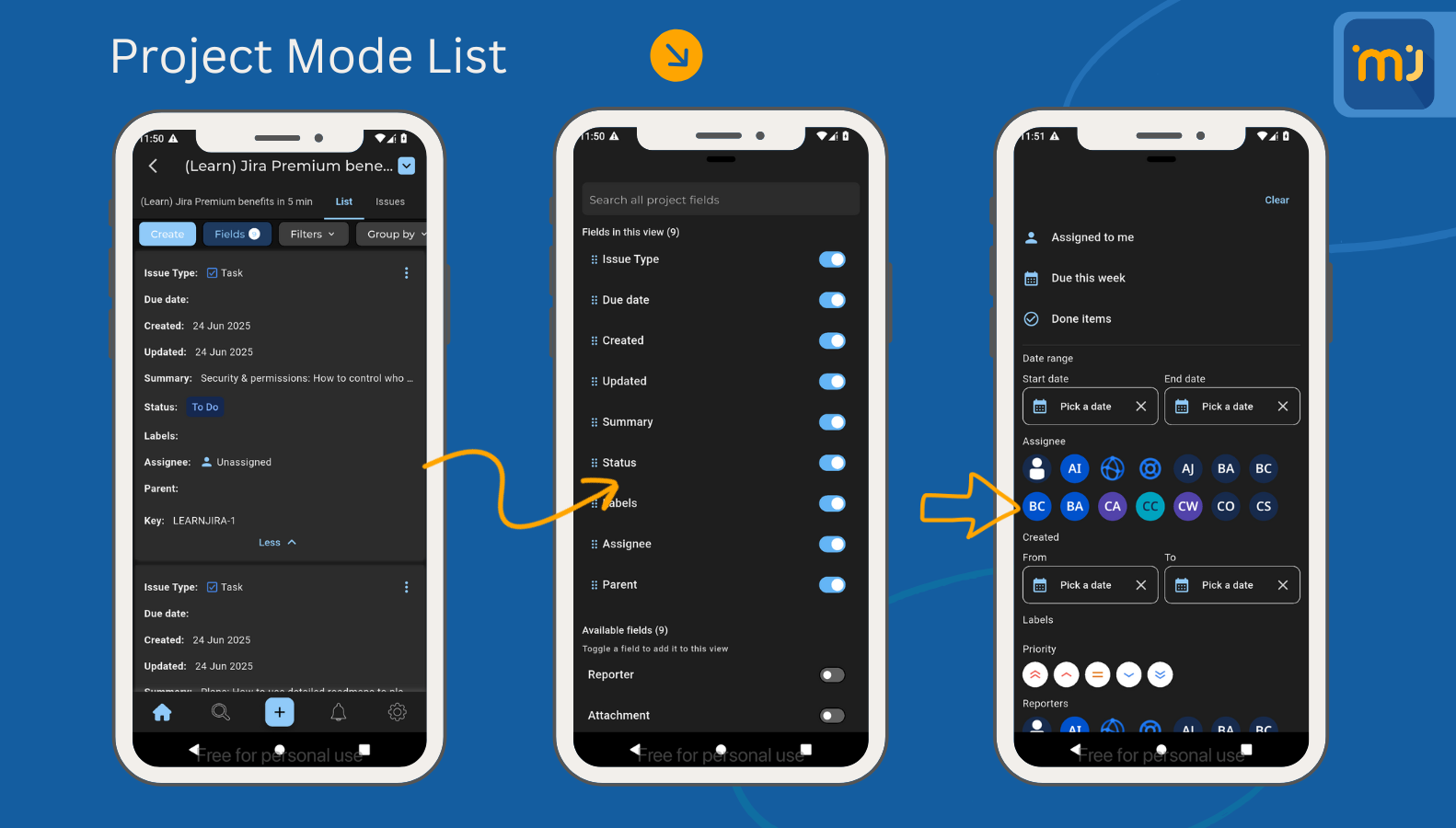
Managing issues on the go just got a serious upgrade.
🛠️ Why you’ll love it:
Customize your issue list with the fields that matter most
Instantly toggle visibility for labels, assignees, dates & more
Effortlessly filter by users, dates, status, and more with our intuitive filter panel
Power up your productivity and take full control of your project views — right from your mobile! 💼📱
Ability to edit table column cell: Adds support for editing column cells in comments and descriptions.
- Ability to choose date forms: In the details screen, you can now choose between human and full dates by visiting the settings tab → app settings.
- Some ScriptRunner Fields Support in View Mode: Now, Multiline, Custom, and Number fields from ScriptRunner are visible in the details screen
Improvements
- Issue Actions bottomsheet improvements: Enhanced the issue actions interface for better usability and performance.
- Tempo Feature Improvements: Some minor improvements on the Tempo feature on cloud instances to make it run smoothly.
General App Improvements: Various performance and experience enhancements across the app to ensure a more polished experience.
Bug Fixes and General Improvements
- Table fixes: Fix an issue where the table breaks when editing a description, and the comment screen can now show tables.
- Mention user in comment screen fix: Resolved issues with user mentions not working properly in comment screens.
- Login Fixes: Fix an issue that was causing the user, in some rare cases, to get stuck on the login screen.
- Onboarding issues: Fix an issue on Android for onboarding, which in some cases is causing the app to crash the first time opening the app.
General Fixes: Additional minor bug fixes and under-the-hood improvements throughout the app.