Overview
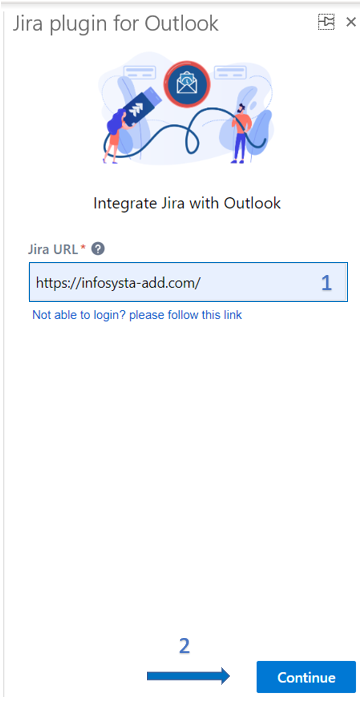
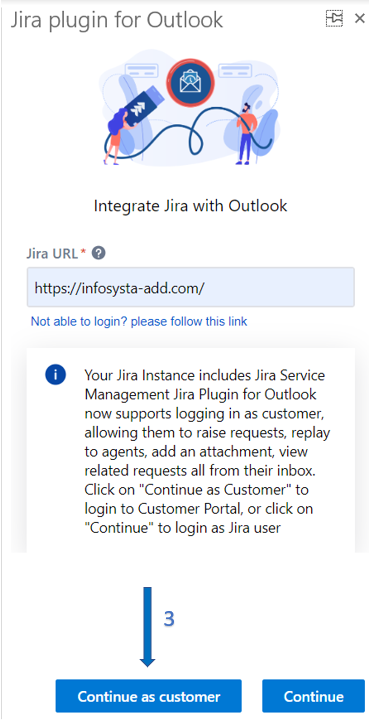
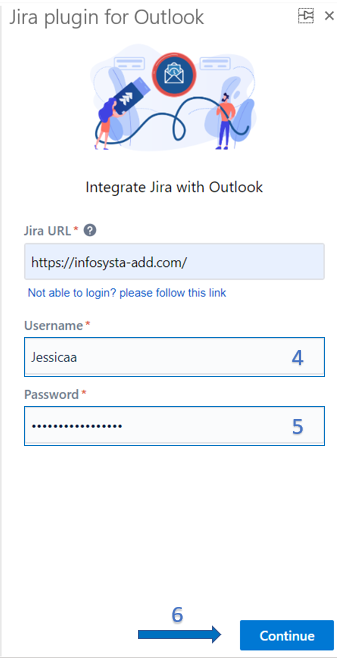
In this guide, you will learn how to connect to your Jira instance and login as Customer into the app.
Quick Steps
| Note |
|---|
The login steps will differ for the different hosting types: Cloud and Server. |
| Expand | ||
|---|---|---|
| ||
| Expand | ||
|---|---|---|
| ||
|
In this guide, you will learn how to connect to your Jira instance and login as Customer into the app.
| Note |
|---|
The login steps will differ for the different hosting types: Cloud and Server. |
| Expand | ||
|---|---|---|
| ||
| Expand | ||
|---|---|---|
| ||
|