Feature Overview
In this This guide , will instruct you will learn on how you can to tag all the emails you have created a Jira issue from, to keep track associated with Jira issues you've created to maintain a record of them.
...
Follow these steps
| Note |
|---|
You can disable this feature whenever you would like from the settings Settings screen. |
...
Step #
...
1
...
. Go to
...
the Settings screen
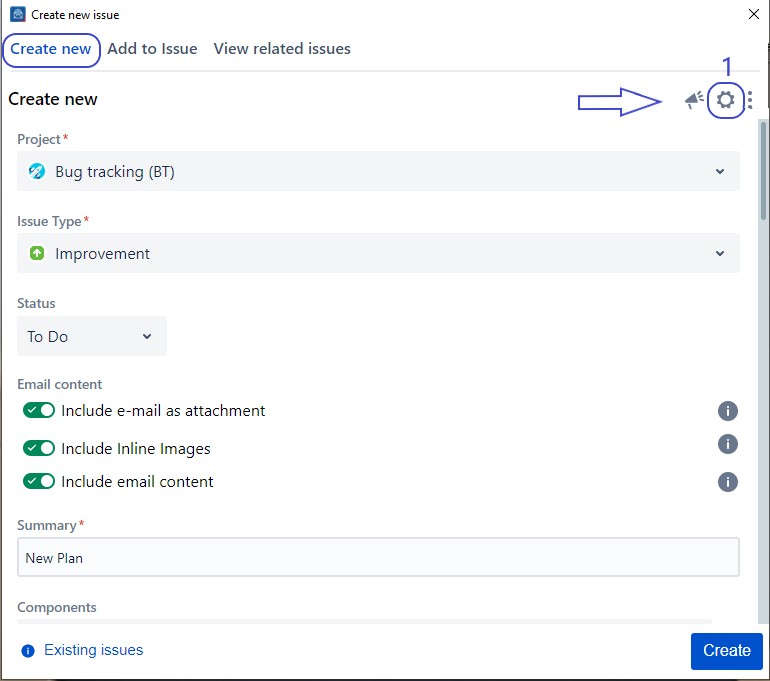
2.
...
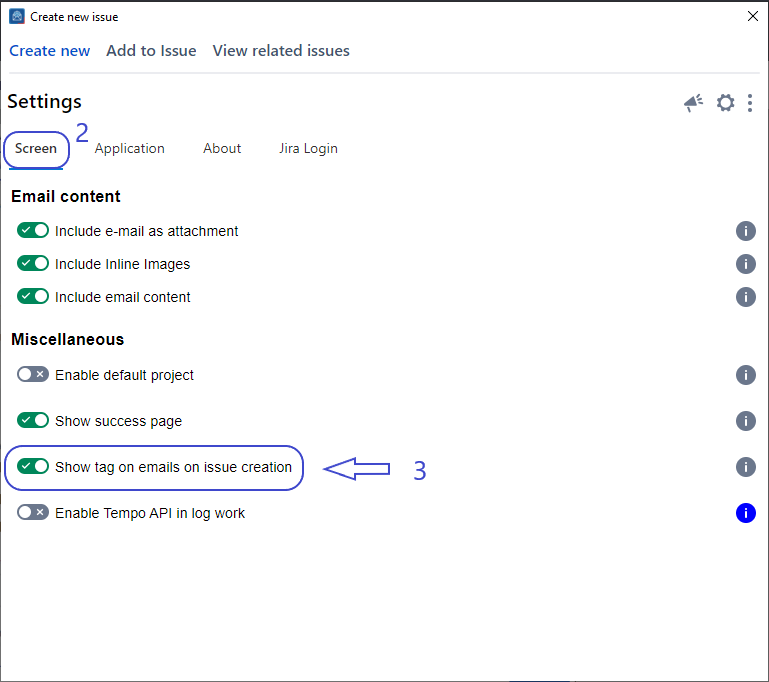
From the settings screen, select the Screen tab
...
Click on the
...
Show tag on emails on issue creation
...
toggle to enable this feature
...
3. Go to the Create Screen and Create an Issue
...
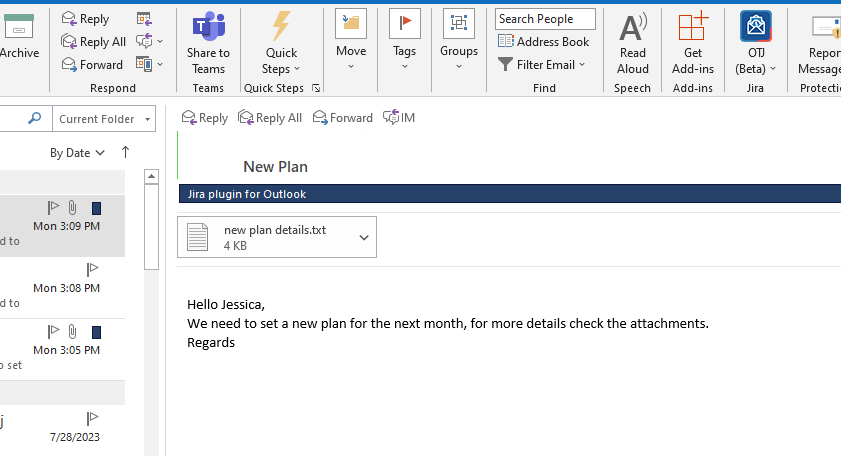
4. After creating an issue, you'll be able to see the category tag
Detailed Steps
- Go to Setting Screen
- In the Screen Tab → Check the 'Show tag on emails on issue creation' toggle
- Go to the Create Screen, and Create an Issue
- After this, you can check the category tag as shown below
| Note |
|---|
| Settings These settings are savedstored for your account and automatically applied every timewhenever you launchopen the app. |
| Content by Label | ||||||||
|---|---|---|---|---|---|---|---|---|
|
...