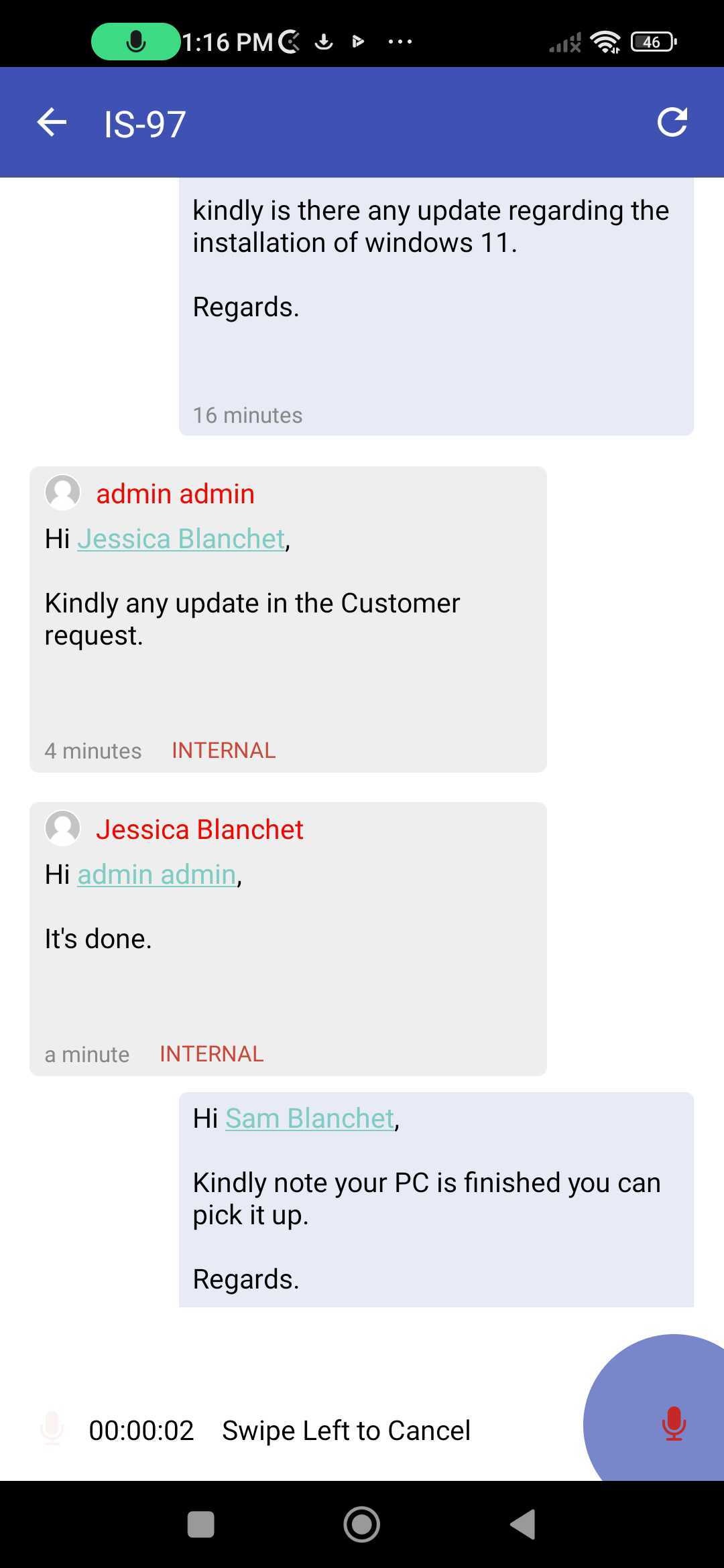
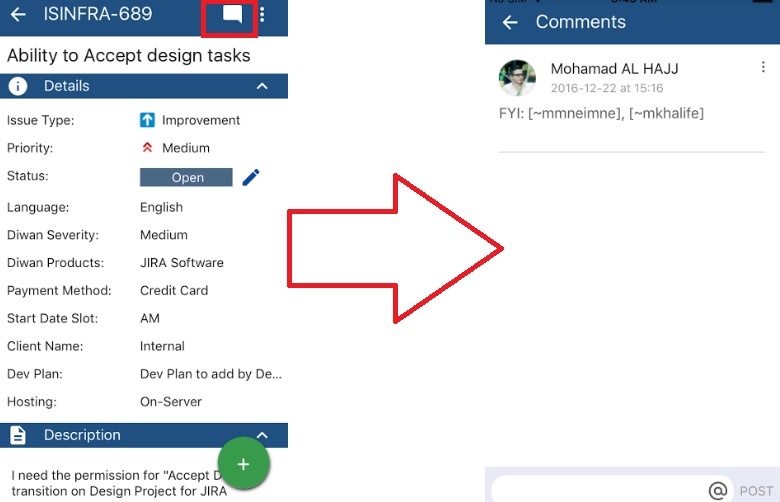
In order Learn how to view and add comment to a certain issue, all you need to do is click on the comment icon on right top of the screen. Afterward, a screen will open allowing you view/add commentnew comments to an existing Jira ticket.
Follow these steps:
1. Choose an Issue
2. Click on comments
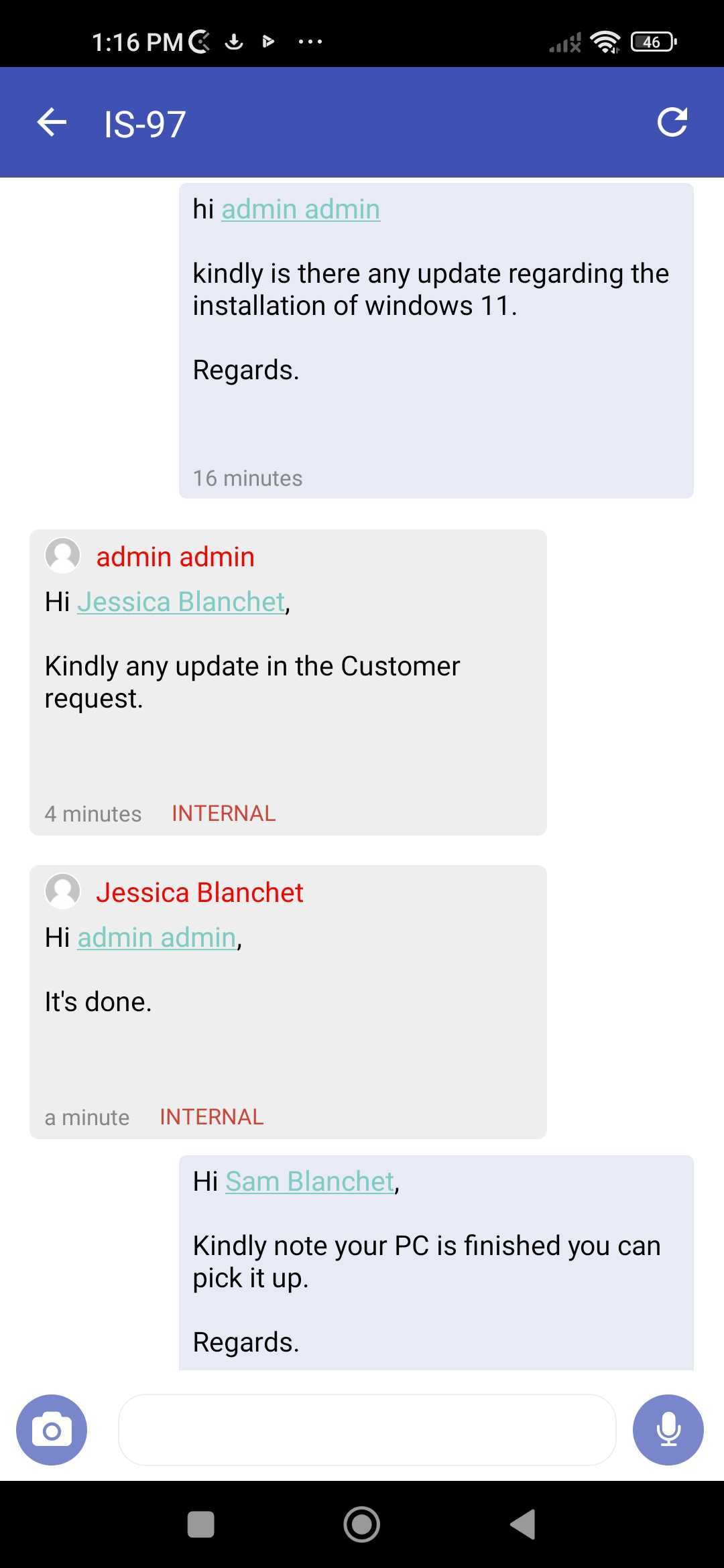
3. It will show you all the existing comments on the issue
4. Scroll down to add a new comment
5. A pop-up will appear with various options
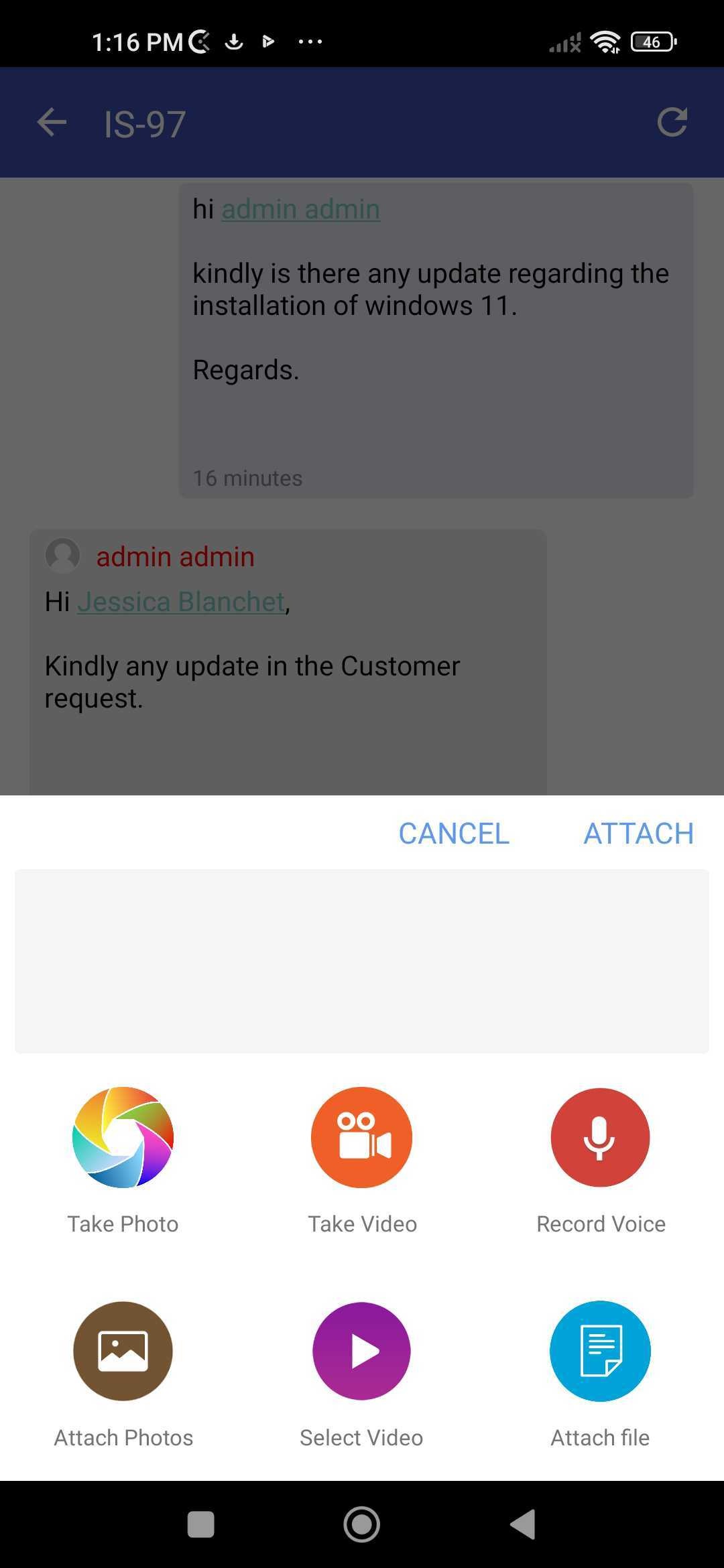
6. Choose what you'd like to include in the comment, and send
7. You can even record a voice note and include it as a comment