Feature Overview
In this guide, we will show you how to show/hide 'll walk you through the process of showing or hiding the success page upon when you create an issue creation.
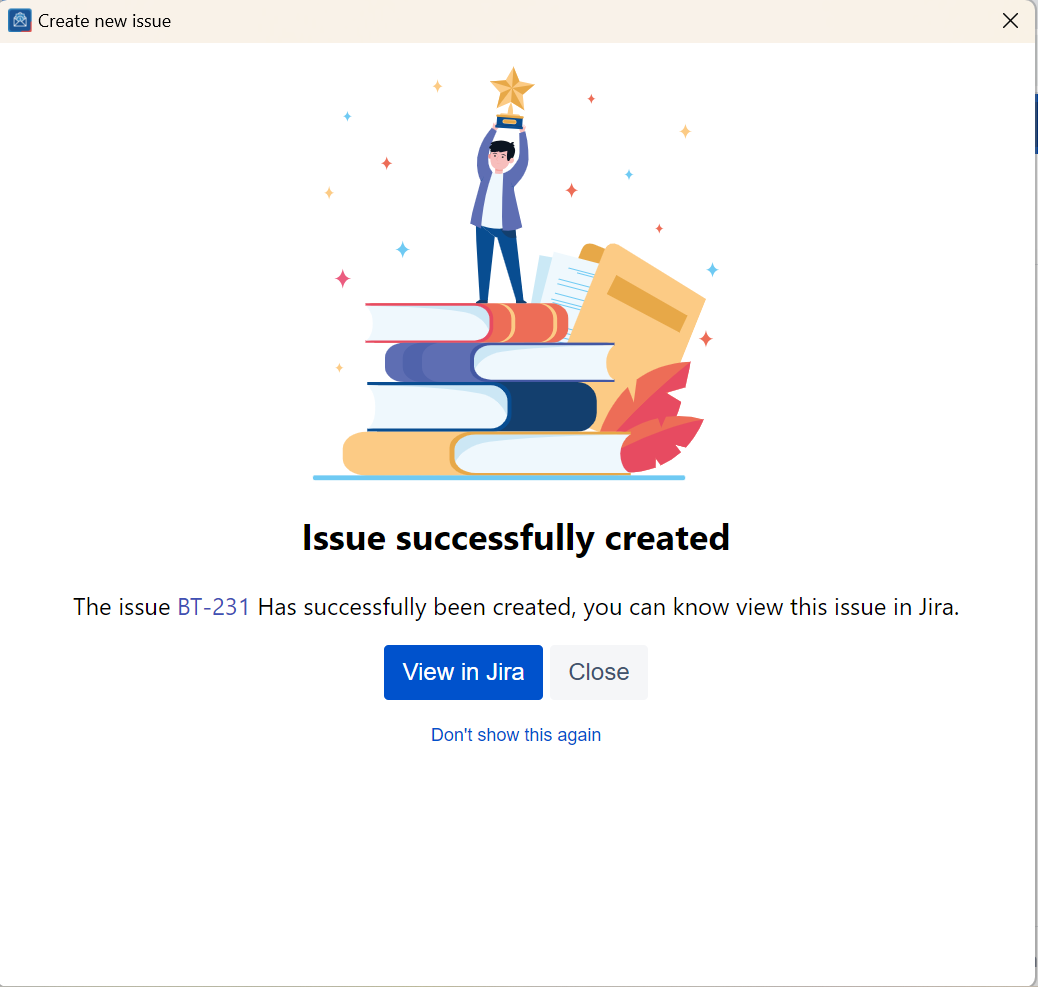
By default, the success page is remains hidden, and a popup appears instead, a pop-up window emerges when an issue is successfully created. The popup generated. This pop-up conveniently includes a hyperlinked clickable issue number, allowing you to easily open effortlessly access the issue in your web browser.
Quick Steps
...
Follow these steps
1.
...
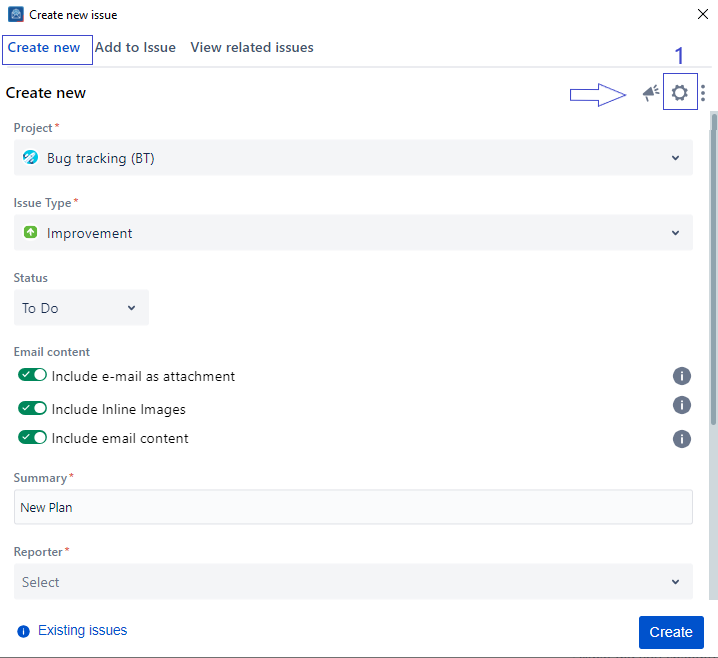
Click on the Settings icon in the top right corner
2
...
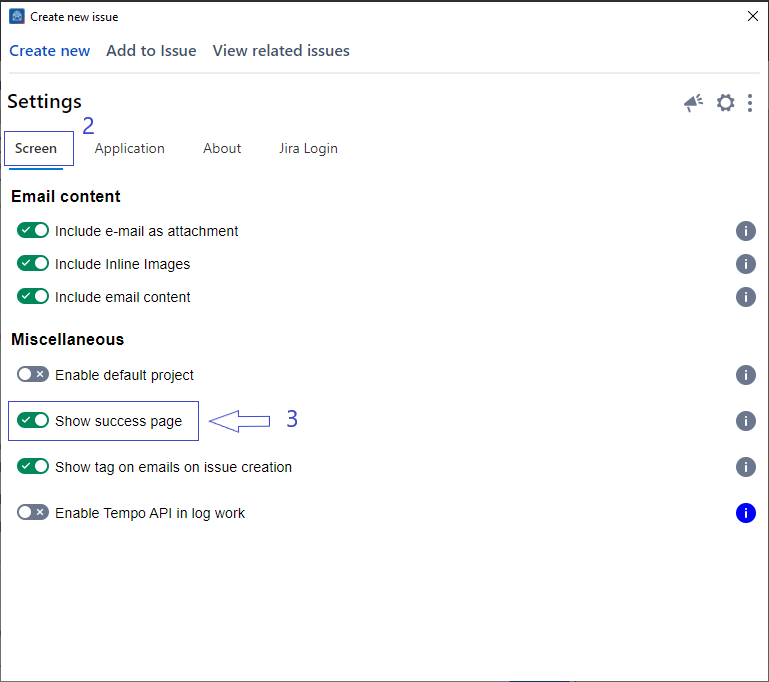
From the settings screen, select the Screen tab
. Select the Screen tab from the Settings screen
3.
...
Check/Uncheck the option Show success page
4
...
. Changes will be saved automatically
| Note |
|---|
| Settings These settings are savedstored for your account and automatically applied every timewhenever you launchopen the app. |
...
| Content by Label | ||||||||
|---|---|---|---|---|---|---|---|---|
|