Feature Overview
In this This guide , will instruct you will learn on how you can to tag all the emails you have created a Jira issue from, to keep track of them, and how you will be notified when the ticket is created from a certain email.
...
associated with Jira issues you've created to maintain a record of them.
Follow these steps
| Note |
|---|
You can disable this feature whenever you would like from the settings Settings screen. |
...
Step #
...
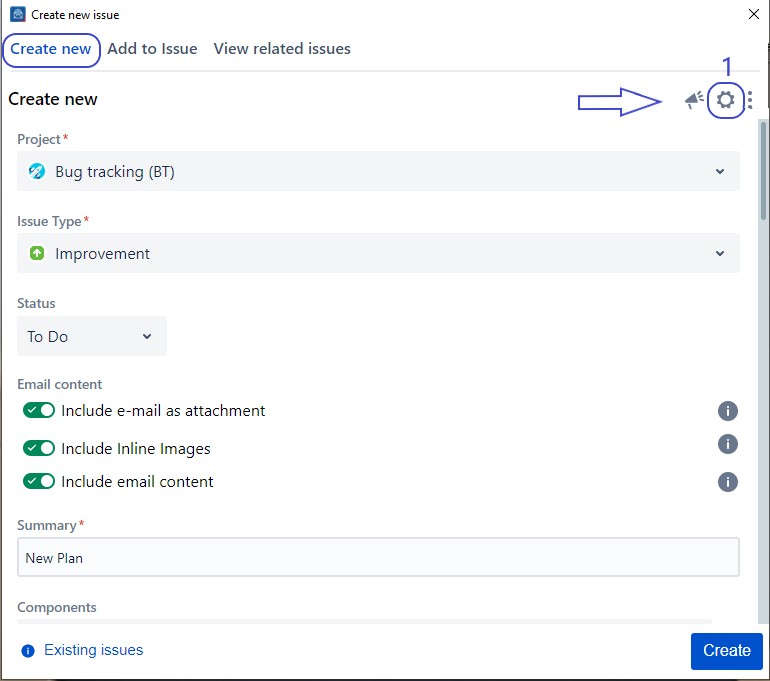
1
...
. Go to
...
the Settings screen
...
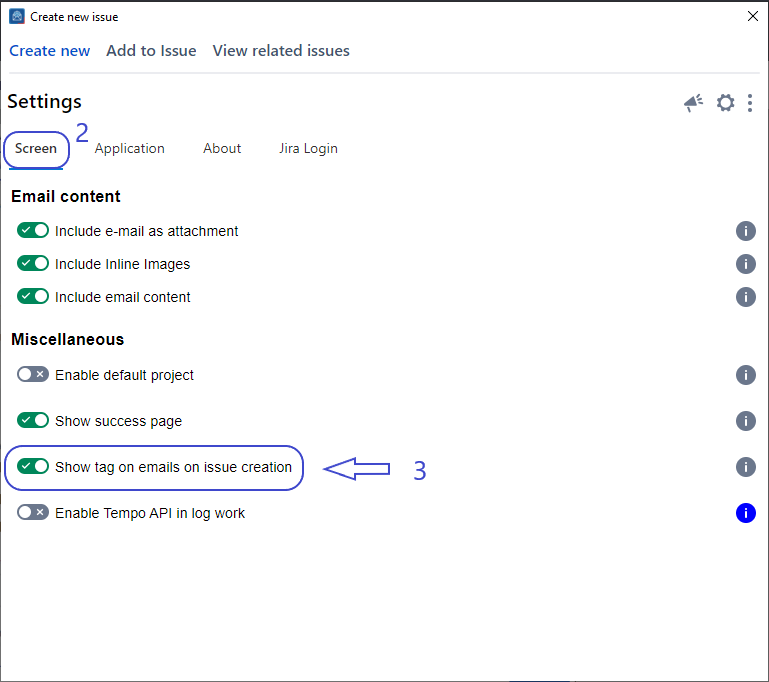
2. Click on the
Show tag on emails on issue creation
...
toggle to enable this feature
3
...
. Go to the Create Screen and Create an Issue
4
...
. After creating an issue, you'll be able to see
...
the category
...
Detailed Steps
...
tag
...
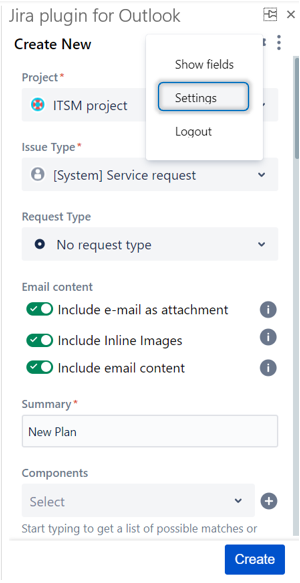
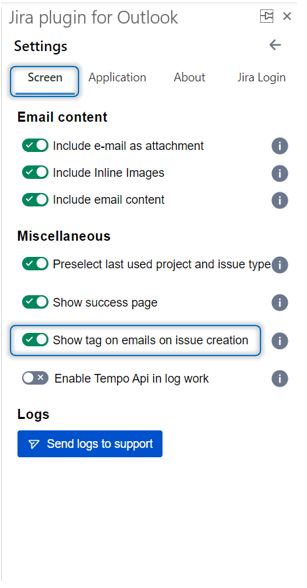
- Go to the Create Screen, and Create an Issue
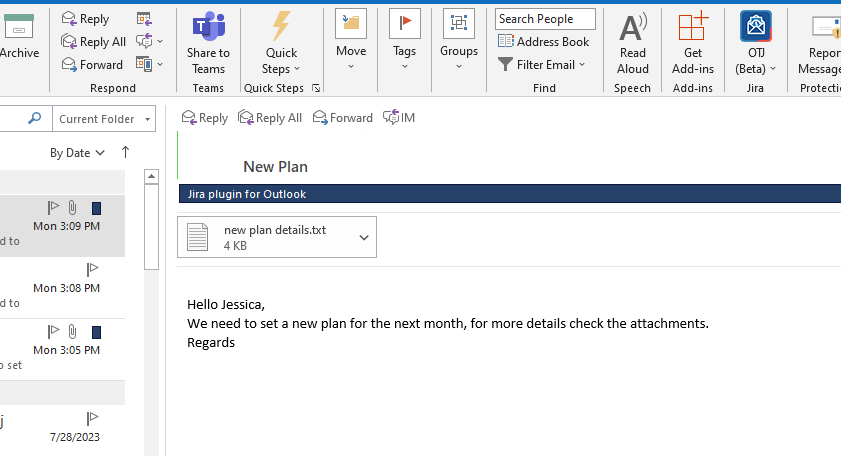
- After this you can check the notification and the category tag as below
...
| Note |
|---|
These settings will be stored for your account and automatically applied whenever you open the app. |
| Content by Label | ||||||||
|---|---|---|---|---|---|---|---|---|
|