Feature Overview
This guide will show you how to add quick comments from the issue card within the View Issues /Advanced search screen.
Follow these steps
This can be done in one of two ways.
First Option
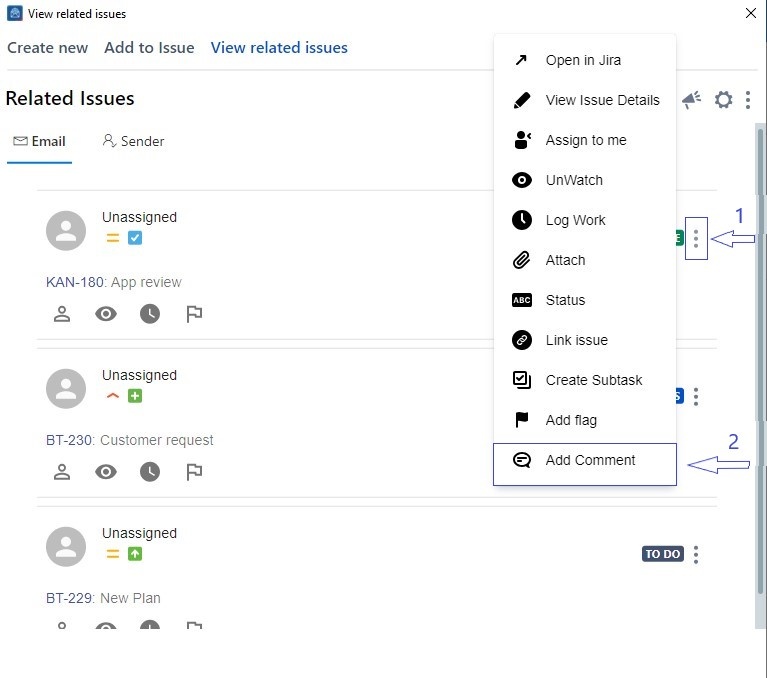
1. Navigate to View issue or Add to Issue page
2. Scroll to your issue card
3. Click on the three dots on the top right of the card
4. Choose the Add Comment option
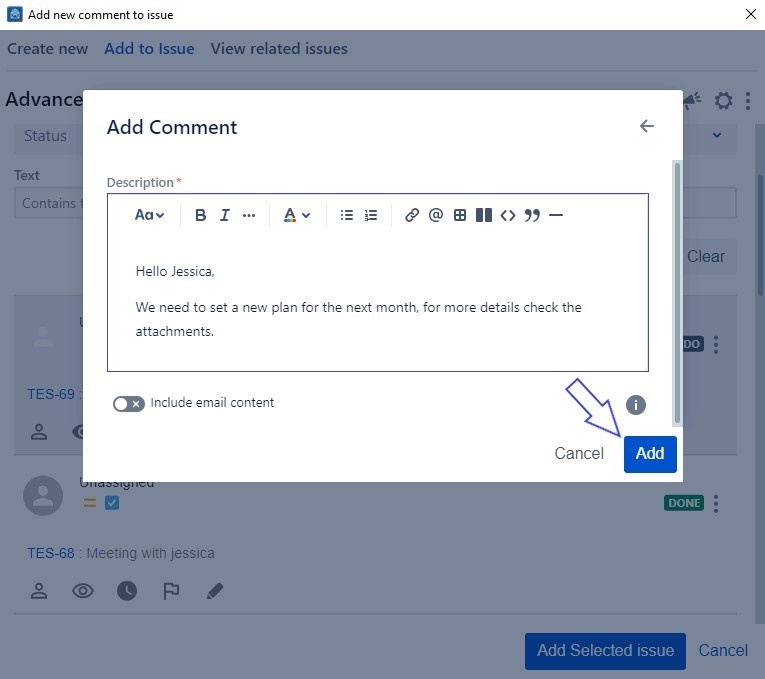
5. In the new window add your comment then click on the Add Comment button
Second Option
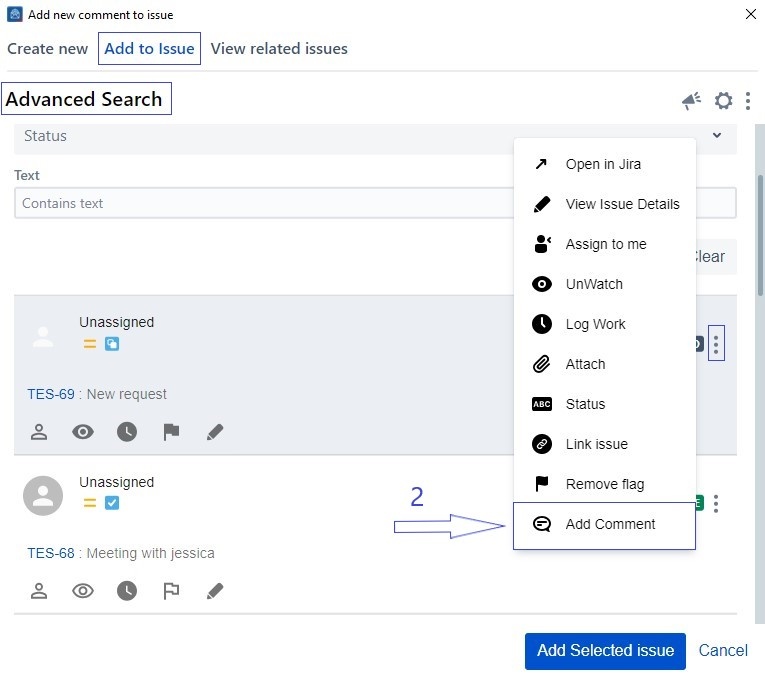
1. Head to the Advanced Search option from the Add to Issue screen

2. Scroll down to the Add Comment button
3. Add your comment
4. Check the toggle to include the email content in your comment
5. Click on the Add button