Overview
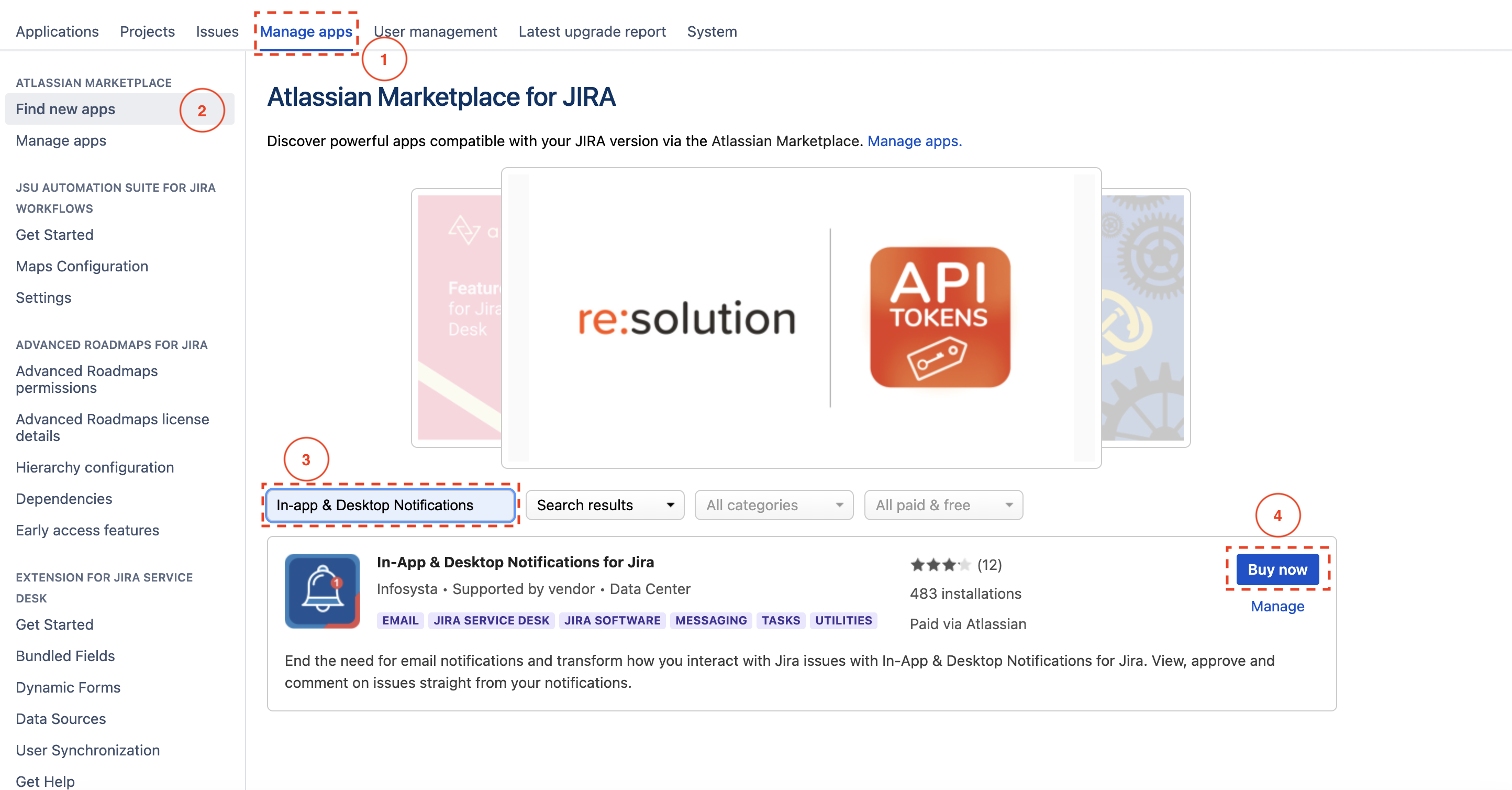
To get started, you first need to add In App & Desktop Notifications for Jira to your Jira instance.
Quick Steps
| Step # | Action |
|---|---|
| 1 | Click on Manage App |
| 2 | Click on Find New Apps |
| 3 | Search for In App & Desktop Notifications |
| 4 | Add it to your instance. |
| 5 | You have successfully added the app, the next step is to activate your license |
Related Content
-
How to Configure In App & Desktop Notifications (In-App & Desktop Notifications for Jira)
-
How to Activate the License for In App & Desktop Notifications for Jira (In-App & Desktop Notifications for Jira)
-
How to Configure Received Notification Using In-App Notification Scheme (In-App & Desktop Notifications for Jira)