Feature Overview
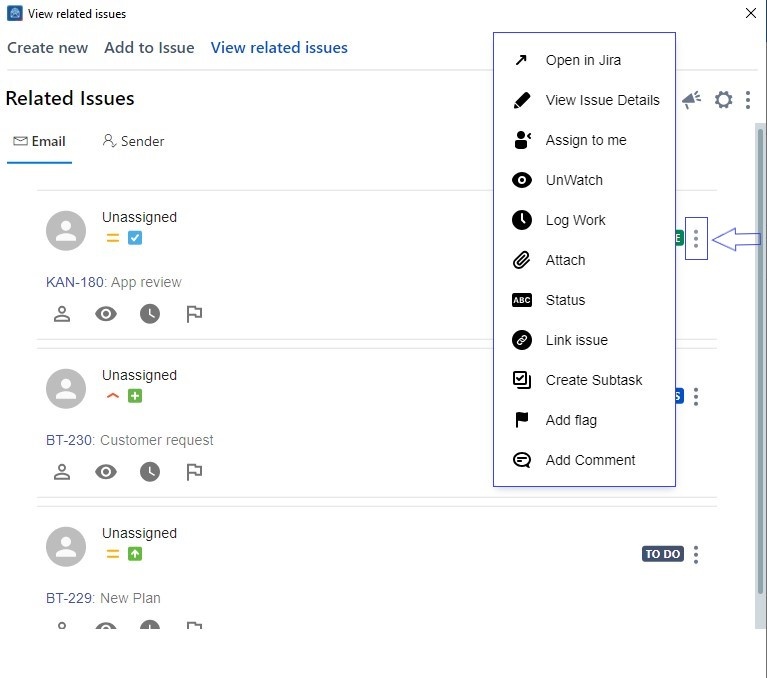
To help speed up your work process, we've introduced quick actions that are fully supported within the View Issue screen.
Follow these steps
1. Select an e-mail
2. Go to the View Issue screen
3. Click on the three dots next to an issue and an action menu will appear
4. Choose any action from the dropdown menu
You can also perform quick actions from the Advanced Search screen through the Add to Issue page.