Try the New Chrome Extension Design
Overview
Learn how to create a new Jira issue directly from your Gmail or Google Calendar.
Quick Steps
Step # | Action |
|---|---|
| 1 | Go to your Gmail or Google Calendar |
| 2 | Select an email or edit a Calendar event to create a ticket |
| 3 | Go to the Jira Extension in Chrome extension and select Create new |
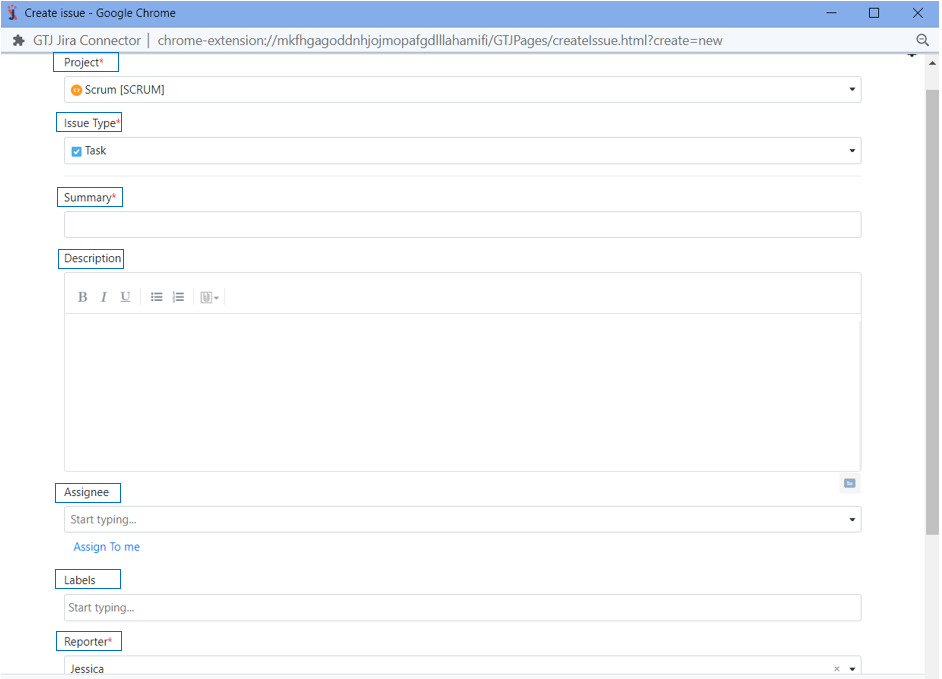
| 4 | Fill in the requested fields, such as Jira project, Issue type, Summary |
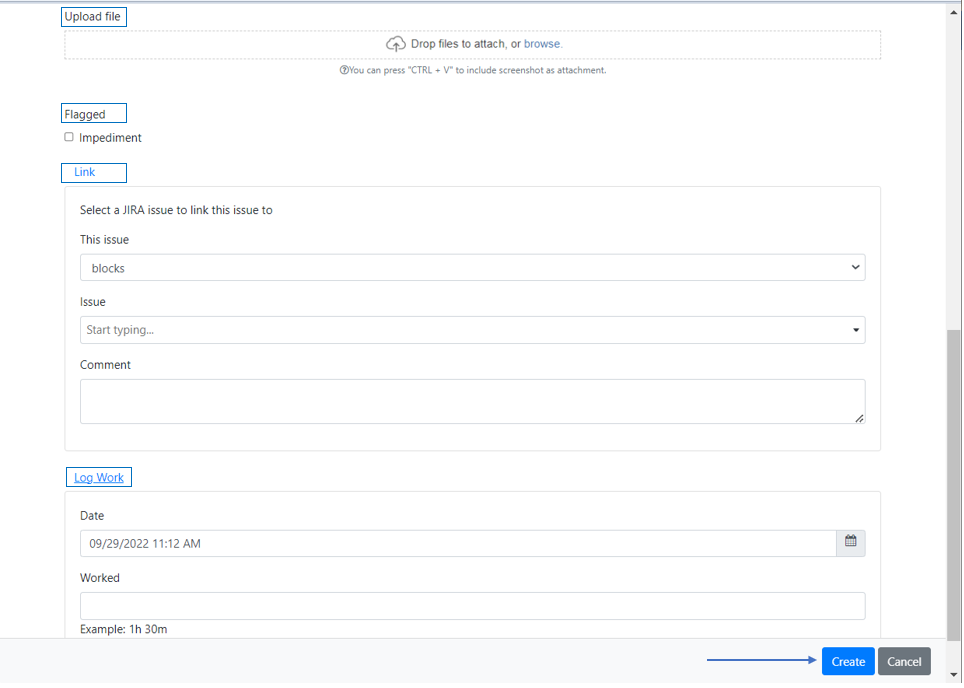
| 5 | Click on Create |
For more details, you can follow these steps:
- Select an email or edit a calendar event to create a Jira ticket
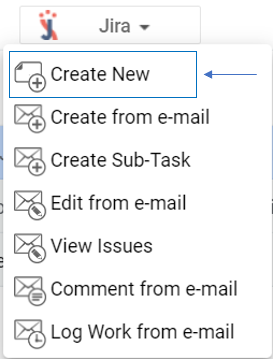
- Go to the Jira Extension in Chrome extension and select Create new
- Fill in the requested fields such as Jira project, Issue type, Summary
- You can Upload files, Add flag, Link issue, and Log work
- Once done click on Create
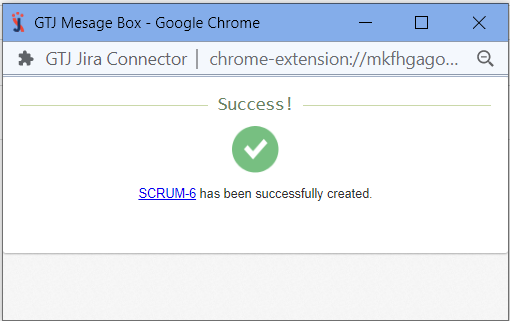
- You have now successfully created a Jira ticket