Feature Overview
This page will guide you on how to log work directly from Gmail or Calendar.
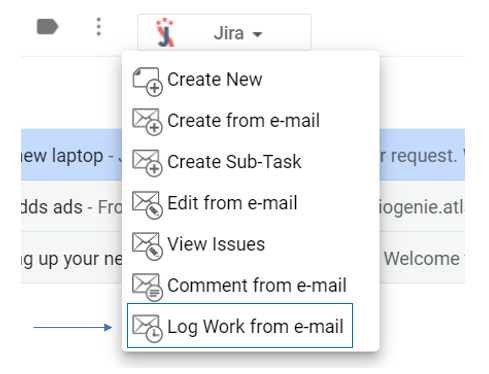
- Select an e-mail → open GTJ Chrome Extension → select log work from e-mail
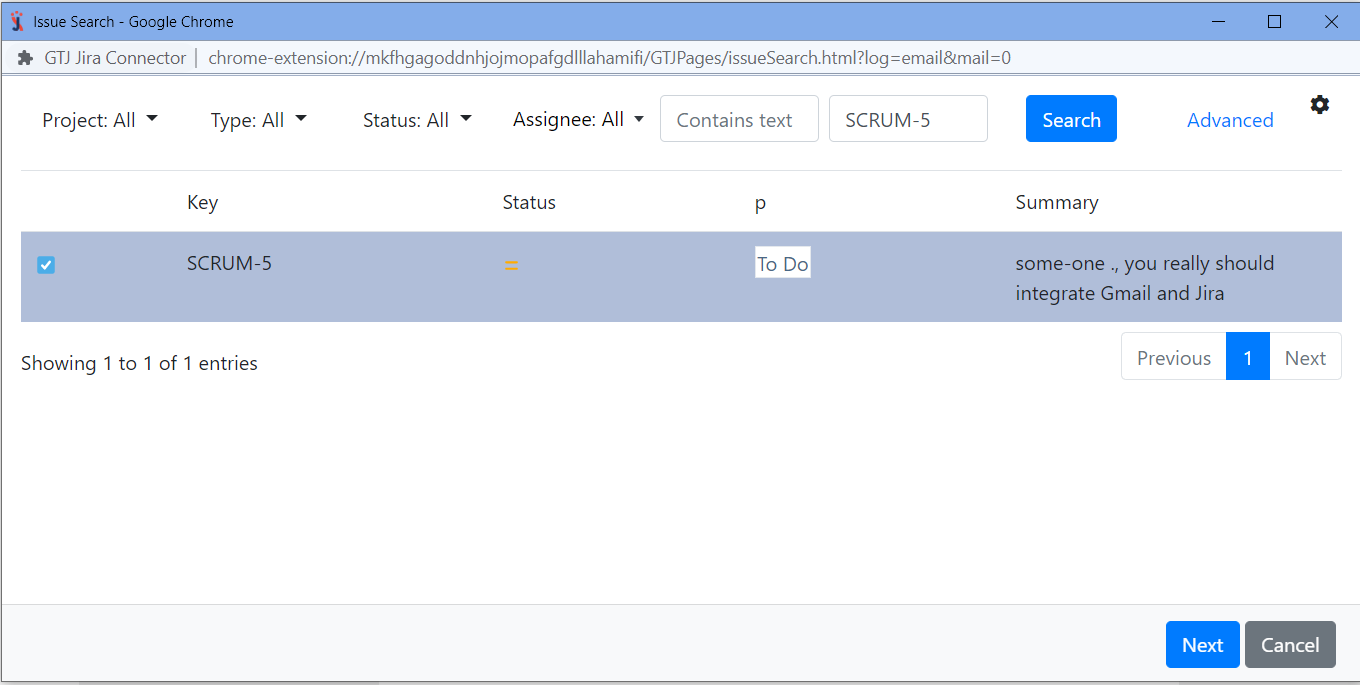
- Search, and select your issue, then click next
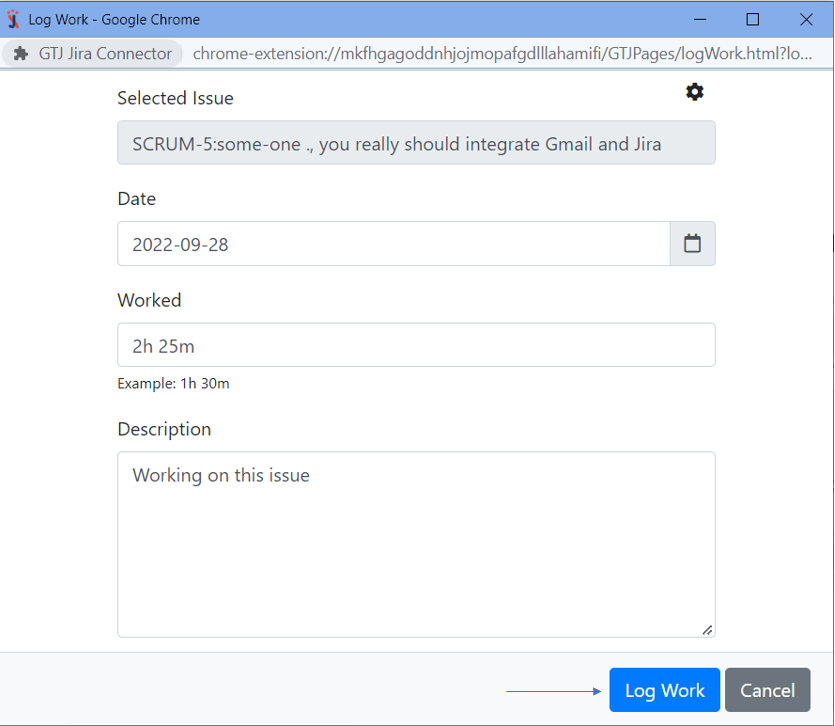
- Enter the time spent, date, and description, then click on 'Log work' button