Try the New Chrome Extension Design
Overview
Learn how to connect Jira Extension in Chrome to Jira.
Quick Steps
- Click on the Jira Extension in Chrome icon from Gmail, Google Drive or Calendar
- Select any option and this screen will appear
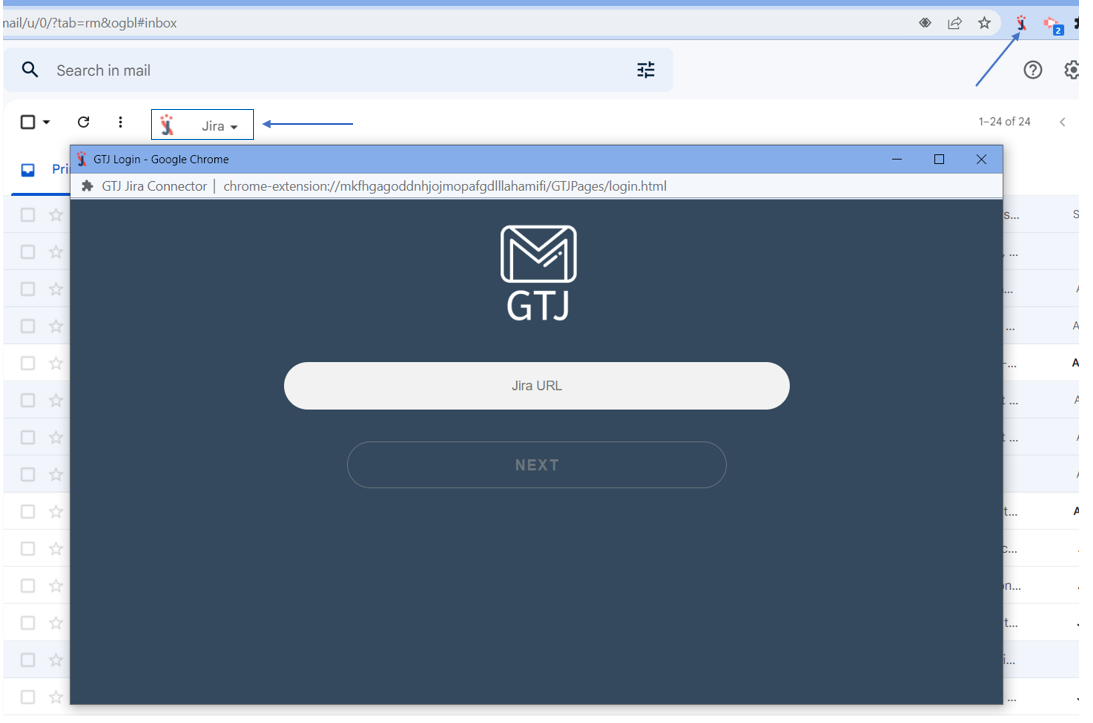
- Enter your Jira Cloud instance URL, then click on Next
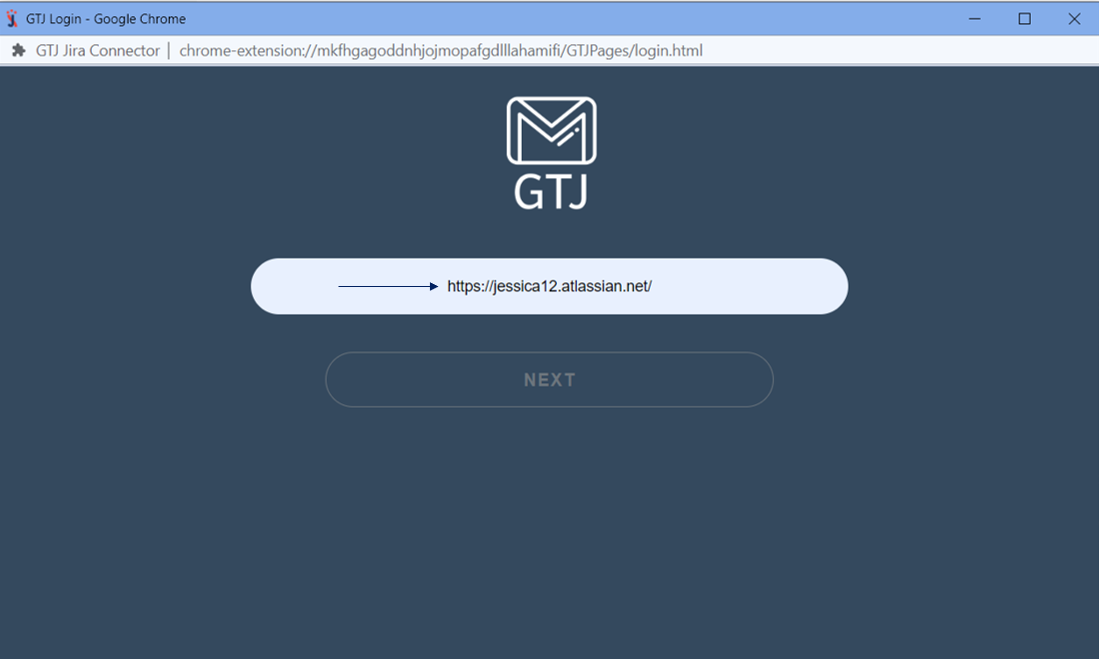
- Enter your email address and click on Next
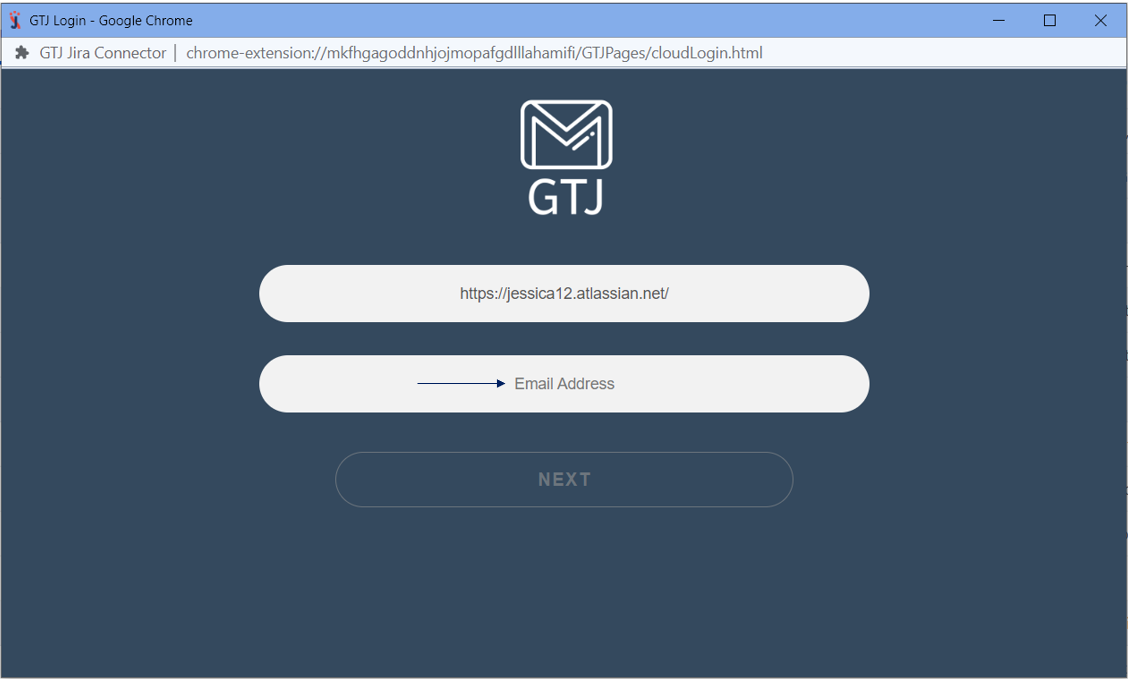
- Enter your API Token, or click on Generate API Token to get a new one
- Click on the Login button
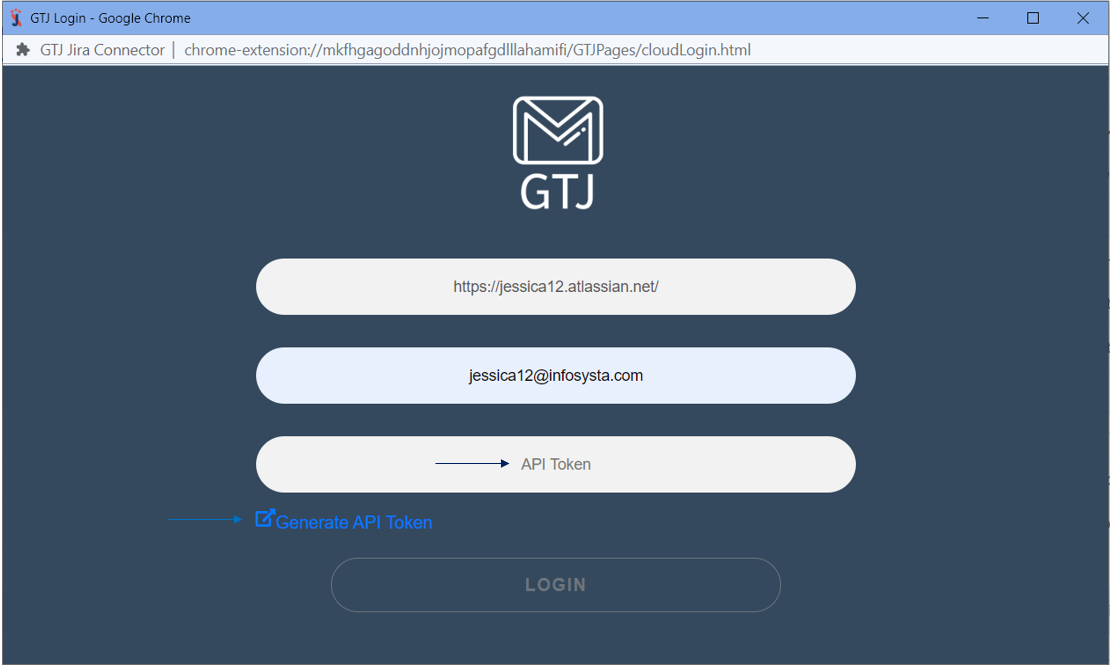
Great, you are now connected to Jira and ready to explore GTJ's features!
- Click on the Jira Extension in Chrome icon from Gmail, Google Drive or Calendar
- Select any option and this screen will appear
- Enter your Jira Server URL
- Click on Next
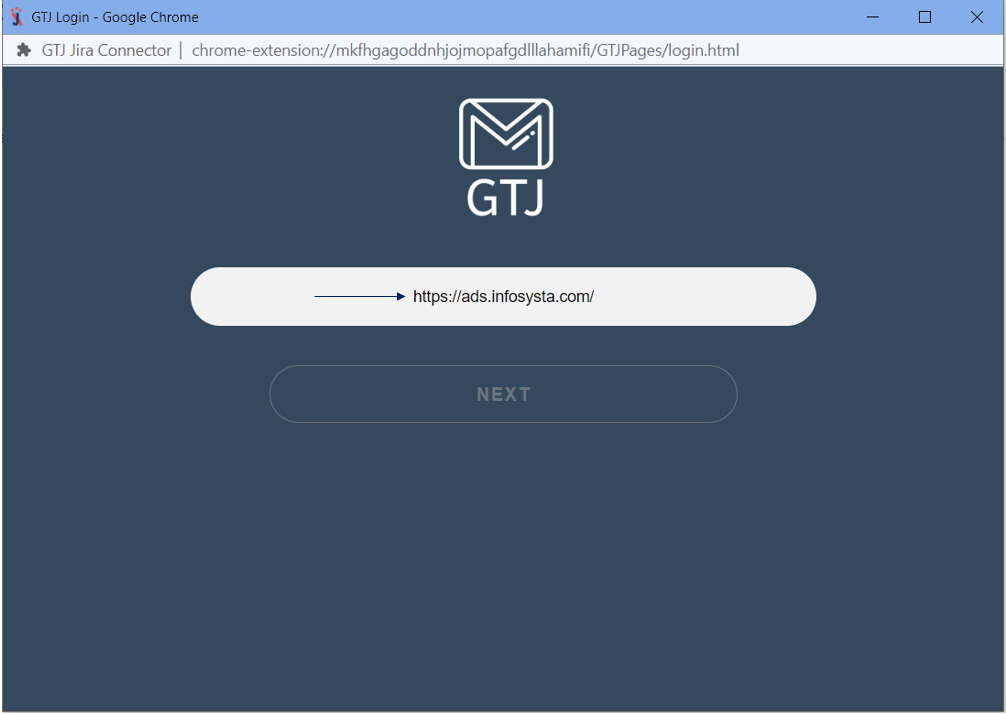
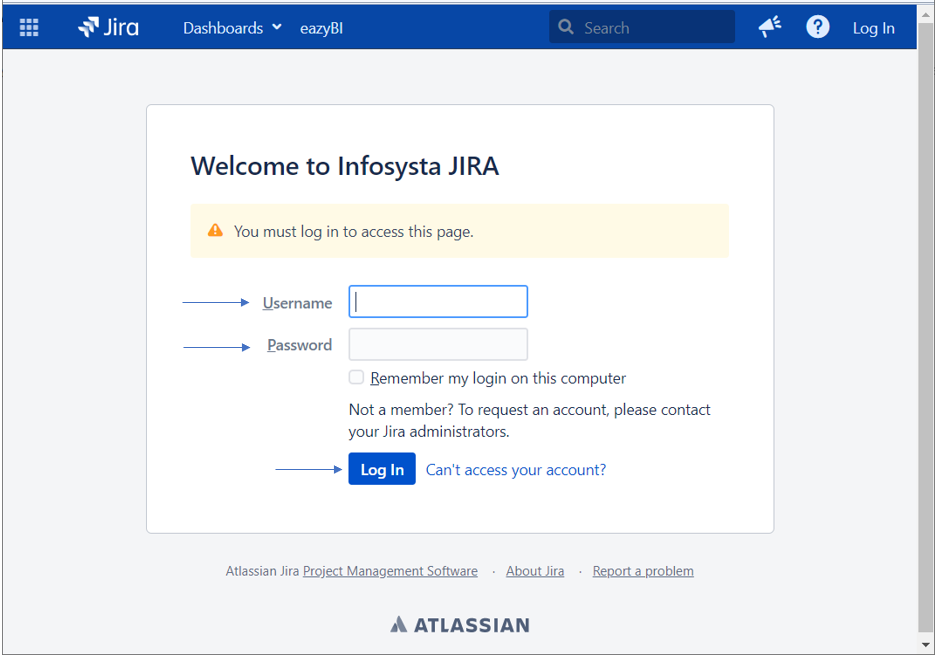
- You'll be redirected to the following page
- Enter your Username and Password
Click on Login
To be redirected to the following OAuth 1.0 login screen, Application link should be configured in your Jira admin side.
To configure your application link follow this guide.
- Click on Allow
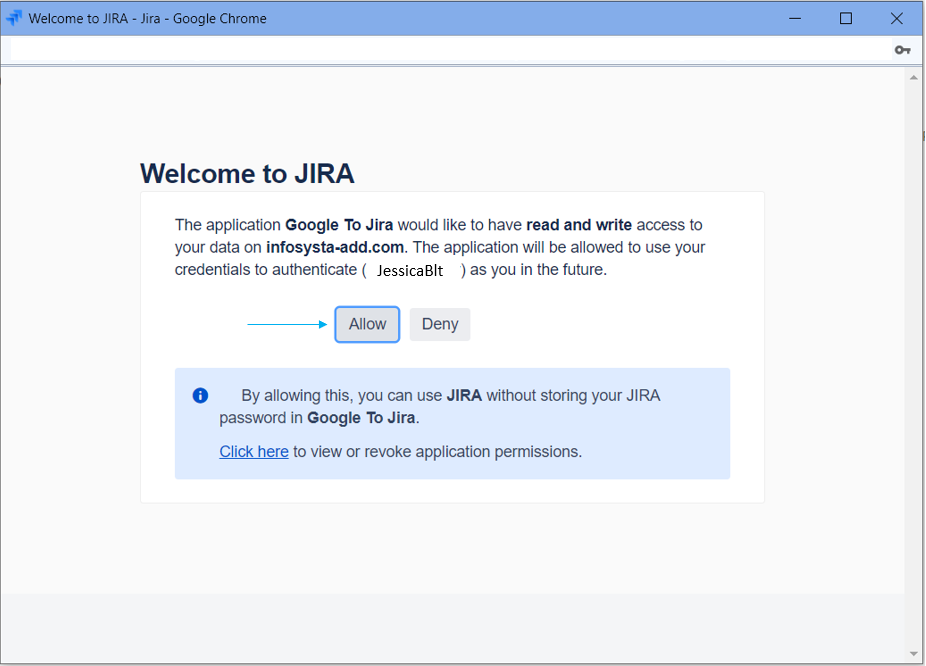
- If you click on Deny; you'll be redirected to the basic login screen
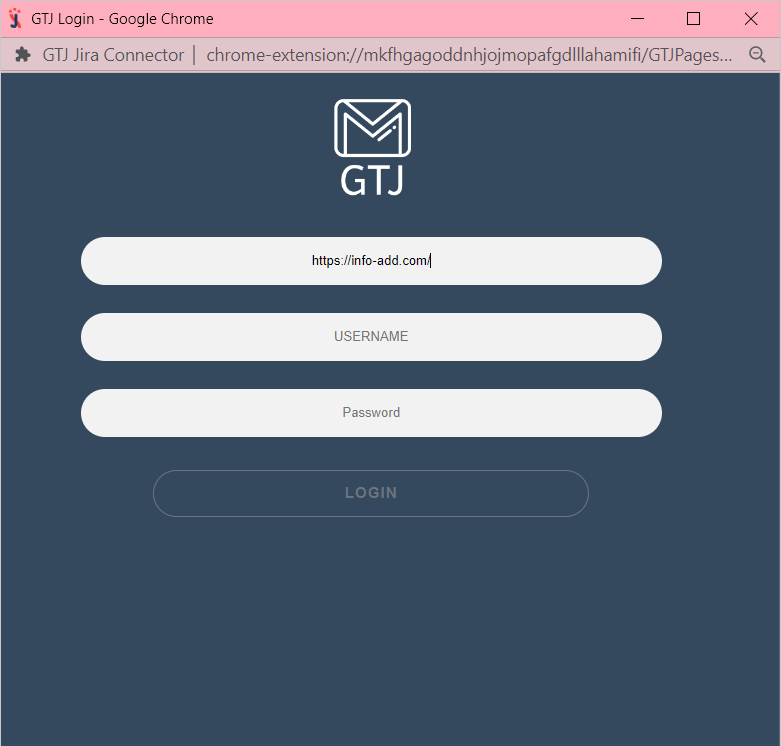
If Application link isn't configured in your Jira admin side, you'll be redirected to the basic login.
Basic Login
- Once you're redirected to the following basic login page
- Enter your Username and Password
- Click on Login
Great, you are now connected to Jira and ready to explore GTJ's features!
Related Content
-
How to Connect - Jira Extension in Chrome (Beta) (Google To Jira - GTJ)
-
How to Install the Jira Extension in Chrome (Google To Jira - GTJ)
-
How to Install - Jira Extension in Chrome (Beta) (Google To Jira - GTJ)