Feature Overview
This page will guide you on how to add comments to Jira issues directly from Gmail or Calendar.
Quick Steps
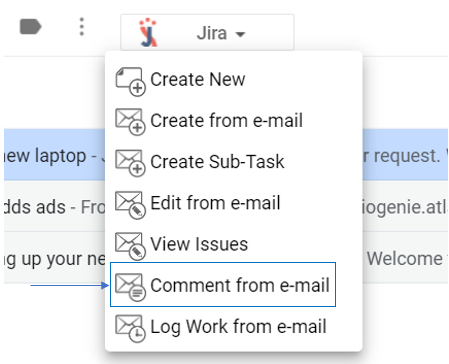
- Select an e-mail → open GTJ Chrome Extension → select 'Comment from e-mail'
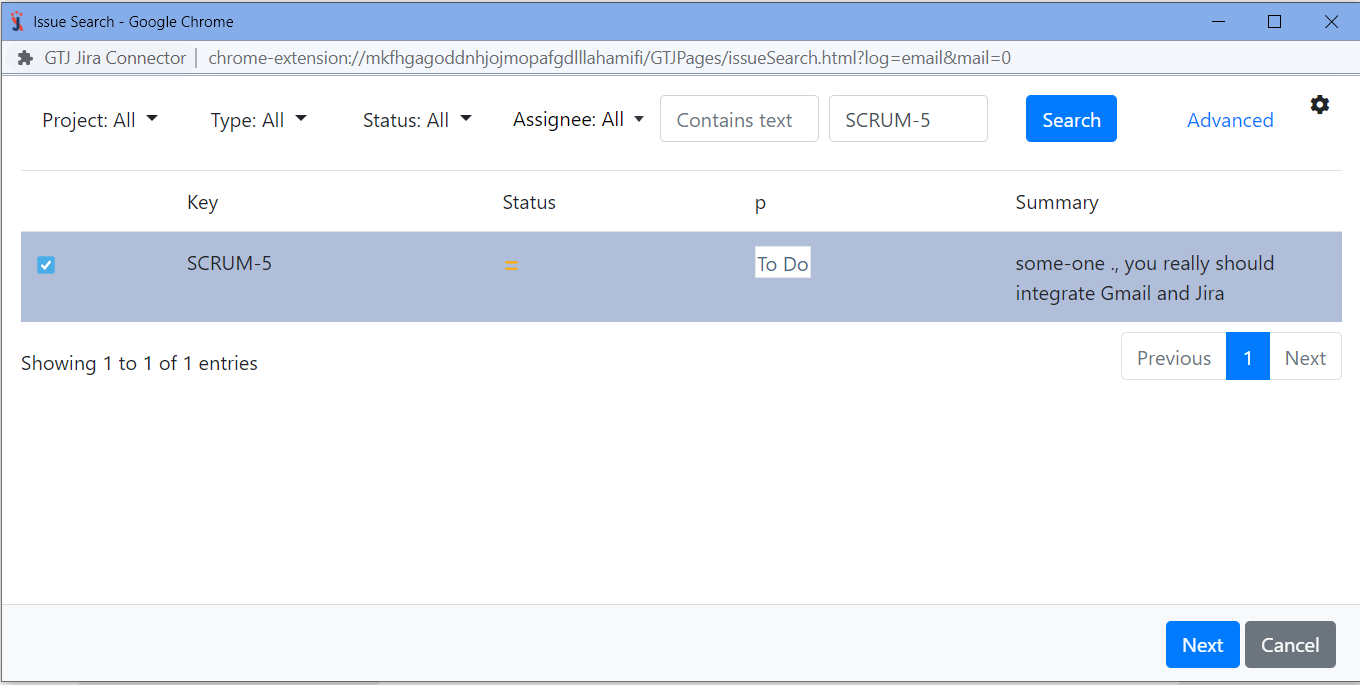
Search, and select your issue, then click next
If you didn't found your desired issue in the table, you can follow this link and check how to search for an issue
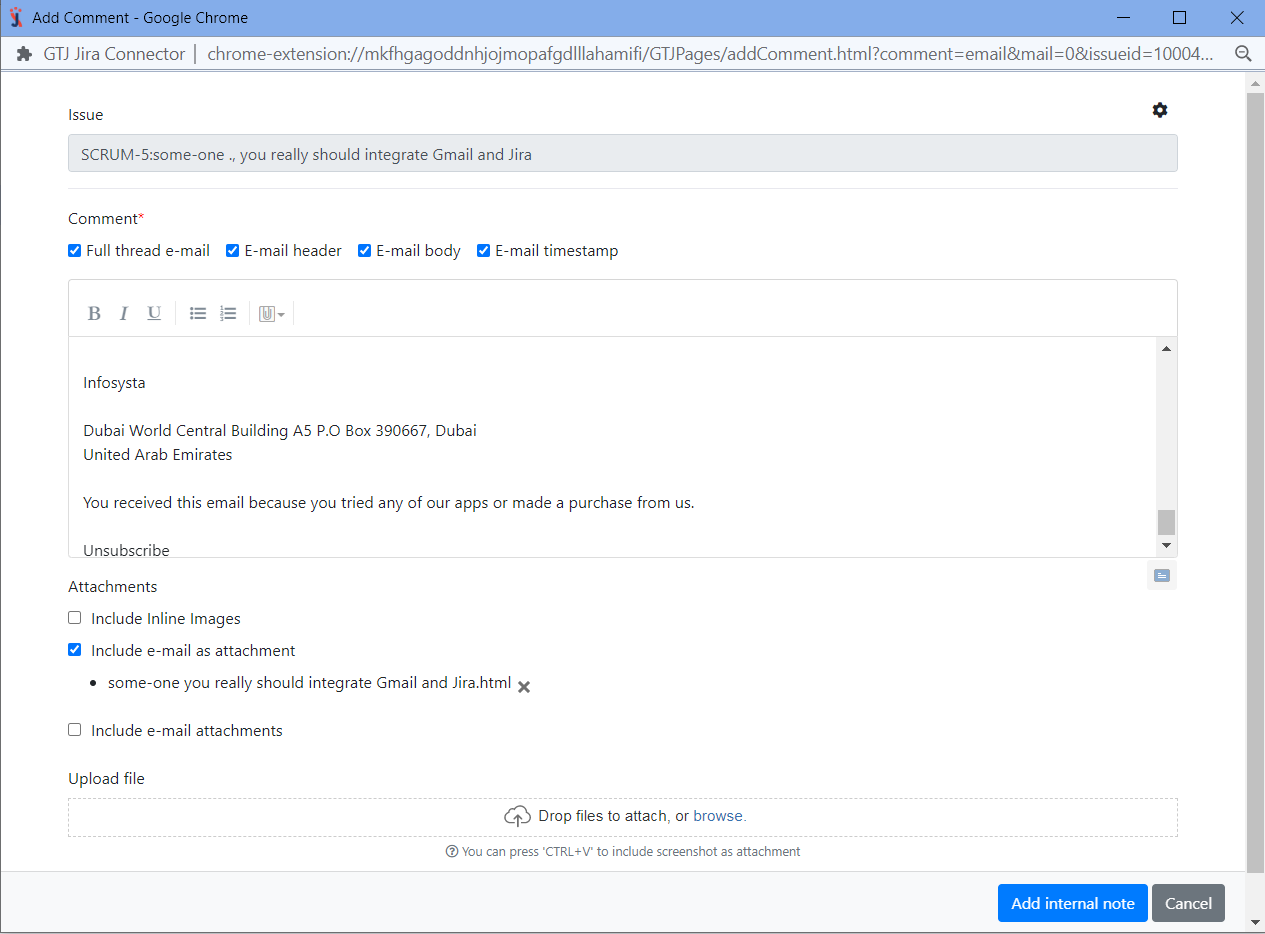
- Edit the comment, select what you want to add from the email as a comment (Full thread e-mail, e-mail header, e-mail body, e-mail timestamp)
- Select the checkbox you want regarding attachments
- You can also upload other attachments
- Once done click on 'Add internal note' button
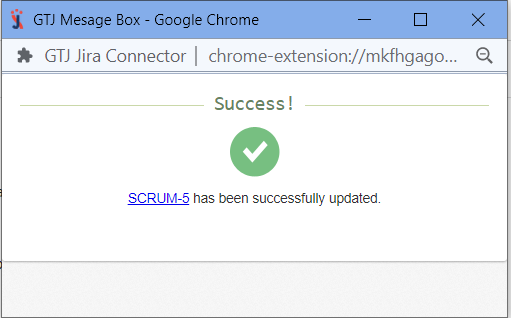
- You have added a comment, and attachments successfully!
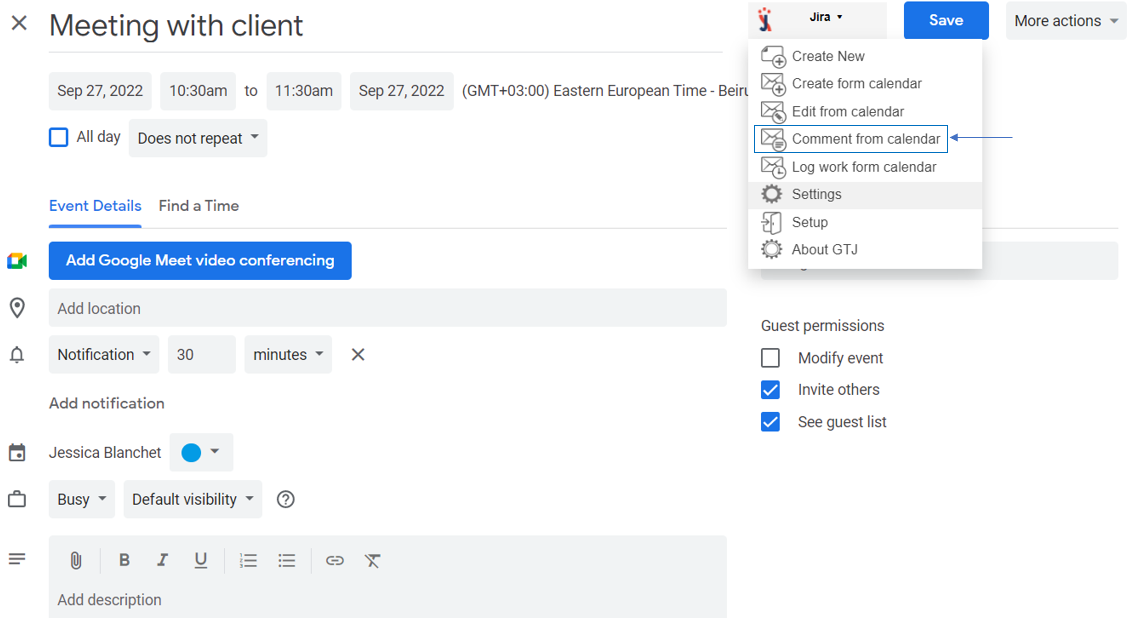
- Go to your Google Calendar, select an event and click to edit it

- Open GTJ Chrome Extension → select 'Comment from Calendar'
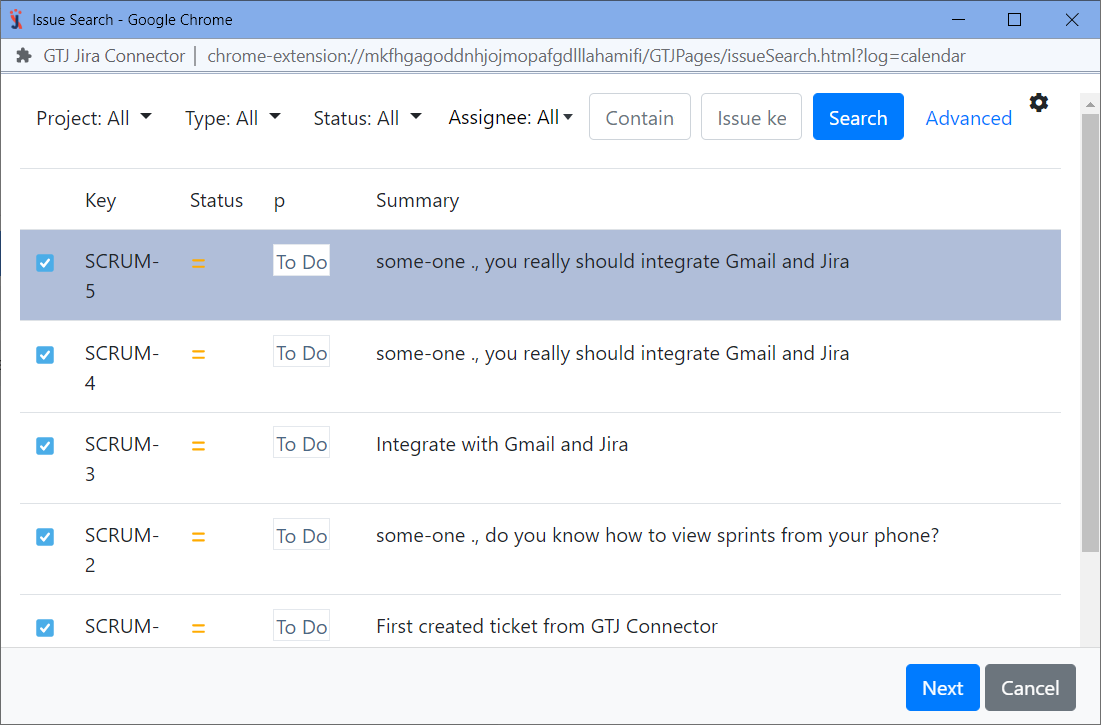
- Search, and select your issue, then click nextIf you didn't found your desired issue in the table, you can follow this link and check how to search for an issue
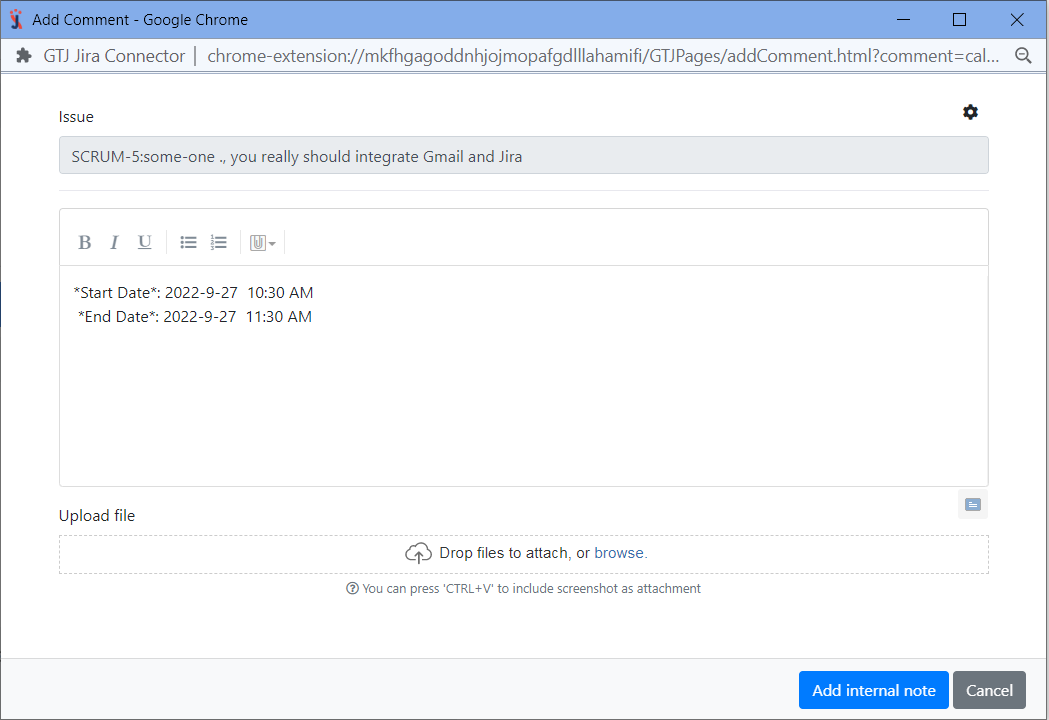
- Edit the comment,
- Upload attachments
- Once done click on 'Add internal note' button
- You have added a comment, and attachments successfully!