Feature Overview
This page will guide you on how to add comments to Jira issues directly from Gmail or Calendar.
Quick Steps
Step # | Action |
|---|---|
| 1 | Go to your Gmail or Calendar |
| 2 | Select the email, or edit the calendar event you wish to add a comment from |
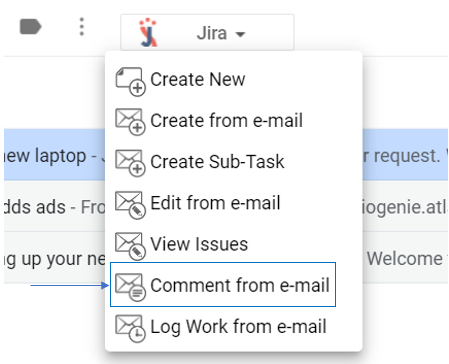
| 3 | Go to GTJ Chrome extension and select Comment from e-mail or Comment from Calendar |
| 4 | Fill in the requested fields |
| 5 | Select from the checkboxes the e-mail or event content that you need to include as comment, and attachments |
| 6 | To upload attachments you can drop or browse files to attach |
| 7 | Click on Add internal note |
For more details, you can follow the below steps:
- Select an e-mail → open GTJ Chrome Extension → select 'Comment from e-mail'
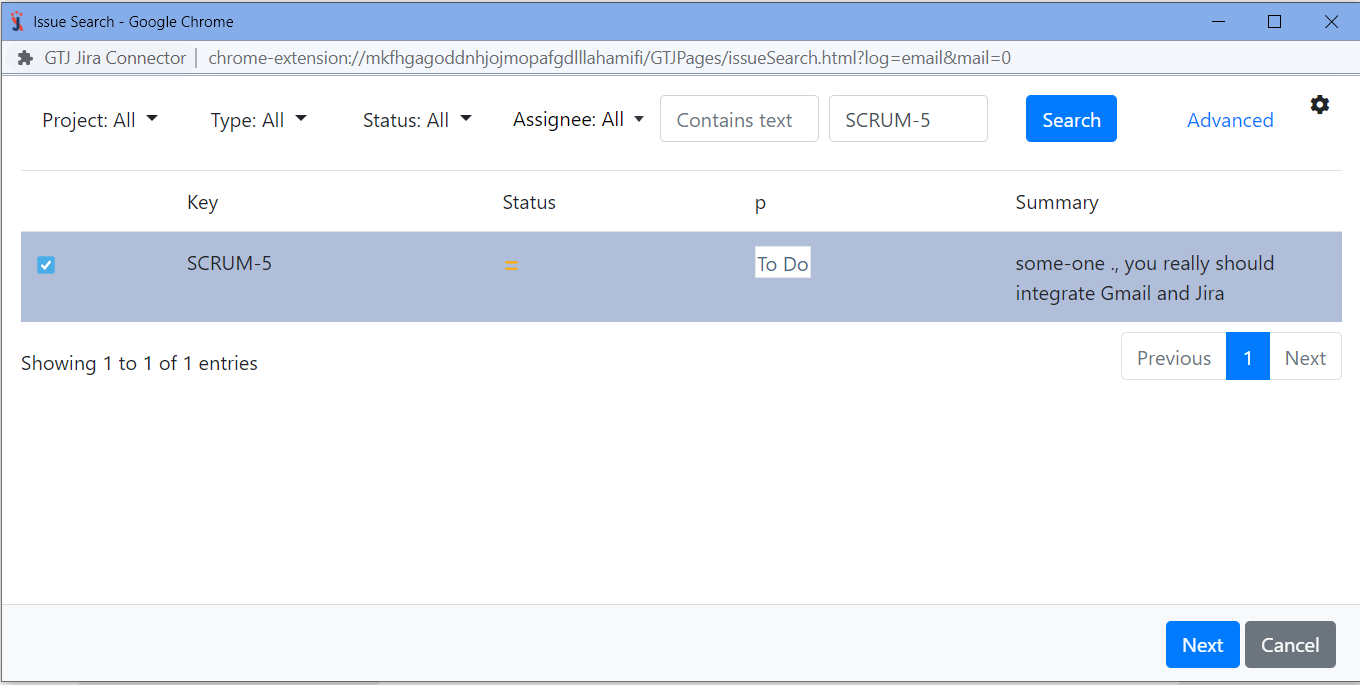
Search, and select your issue, then click next
If you didn't found your desired issue in the table, you can follow this link and check how to search for an issue
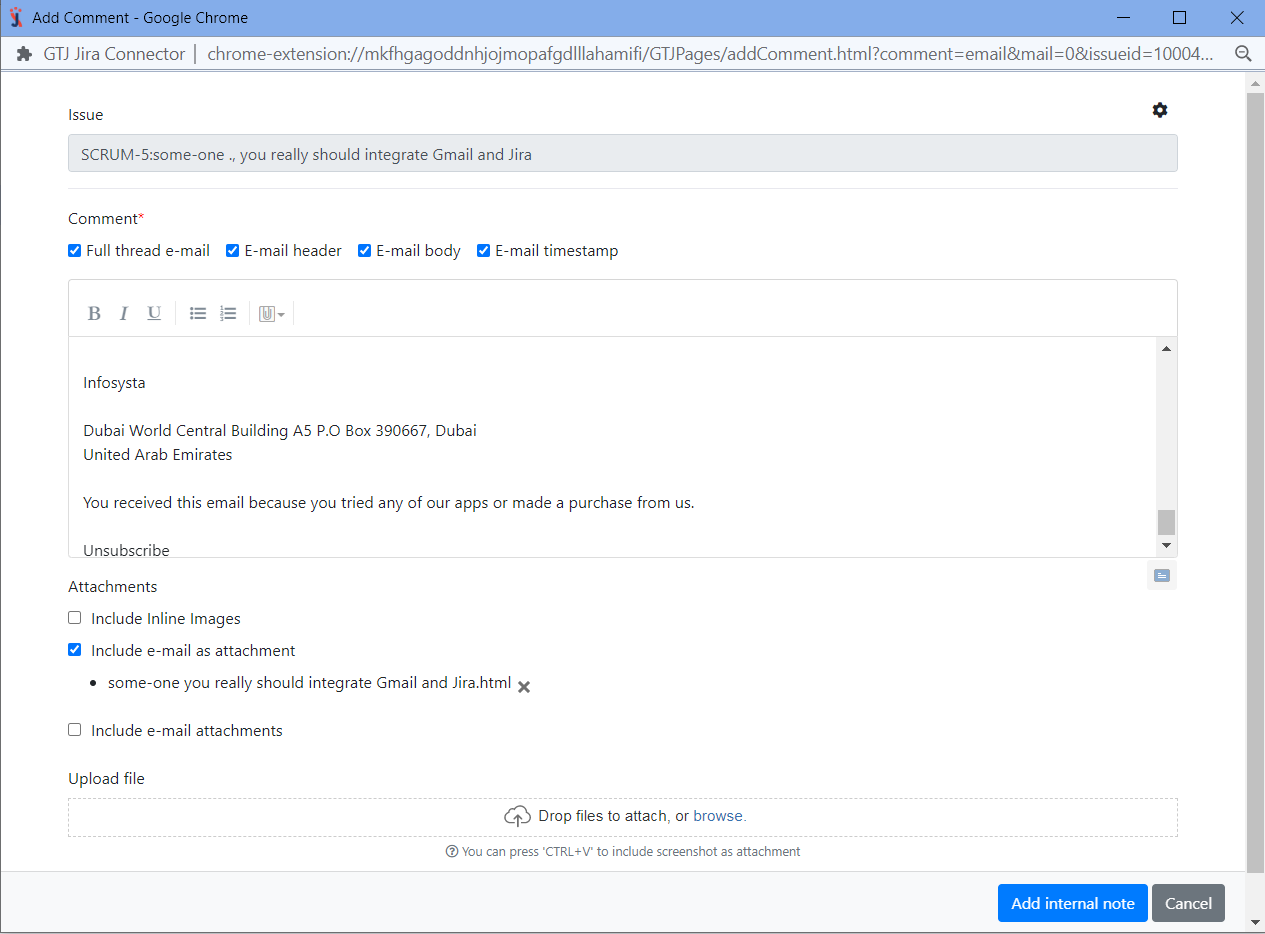
- Edit the comment, select what you want to add from the email as a comment (Full thread e-mail, e-mail header, e-mail body, e-mail timestamp)
- Select the checkbox you want regarding attachments
- You can also upload other attachments
- Once done click on 'Add internal note' button
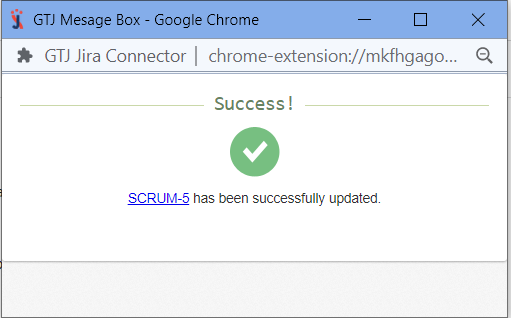
- You have added a comment, and attachments successfully!
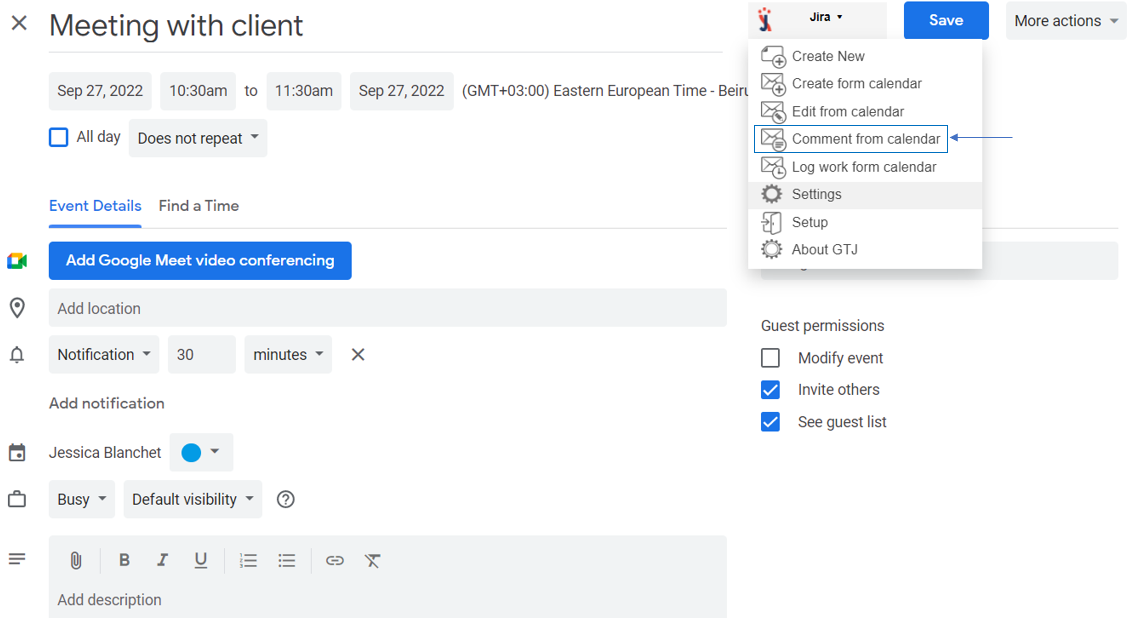
- Go to your Google Calendar, select an event and click to edit it

- Open GTJ Chrome Extension → select 'Comment from Calendar'
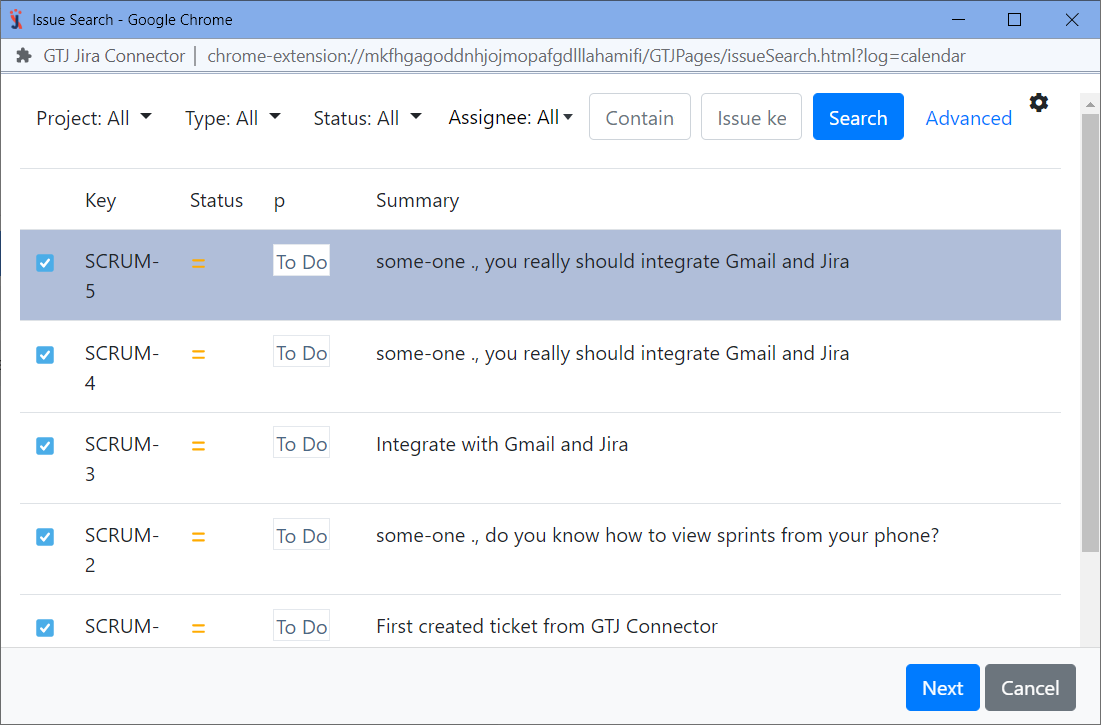
Search, and select your issue, then click next
If you didn't found your desired issue in the table, you can follow this link and check how to search for an issue
- Edit the comment,
- Upload attachments
- Once done click on 'Add internal note' button
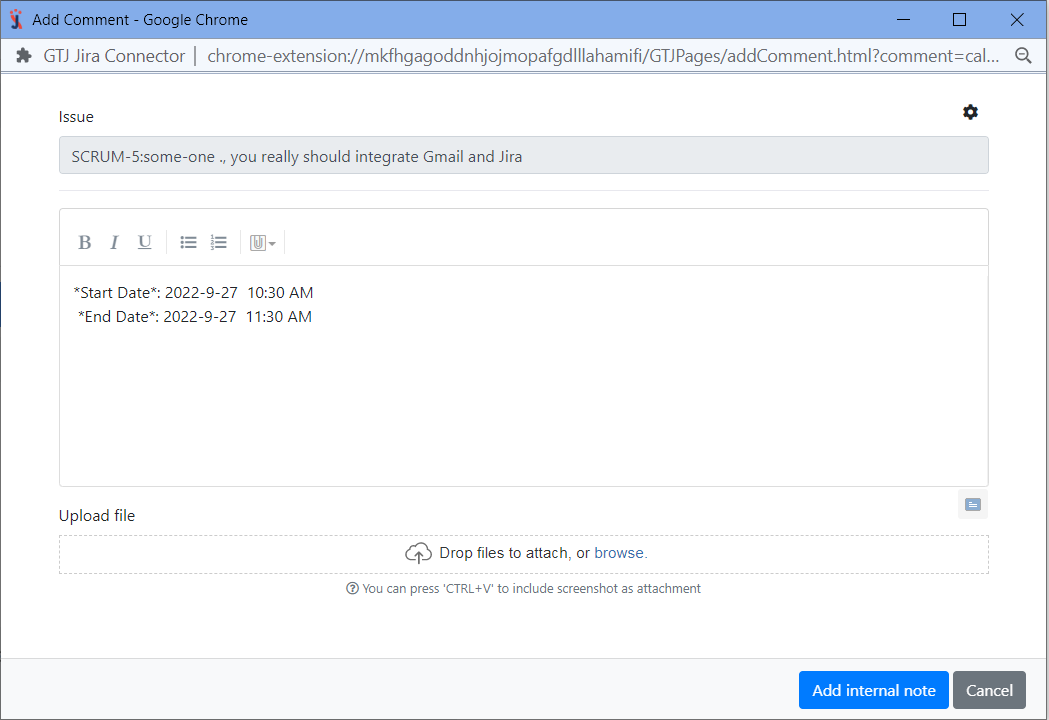
- You have added a comment, and attachments successfully!
Following the above steps you'll be able to add comments to Jira issue successfully, and ready to explore more features!