Feature Overview
This guide will show you how to create a new component directly from the Create screen.
Follow these steps
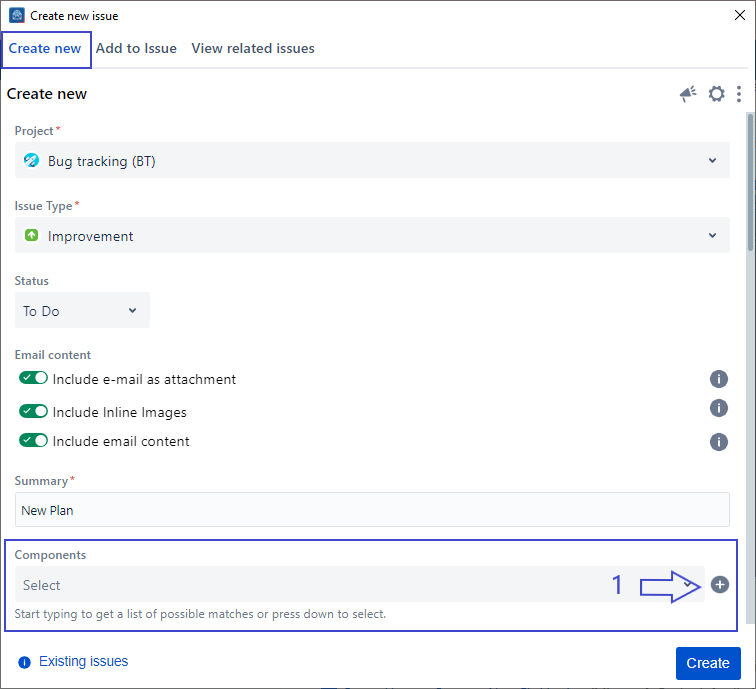
1. Scroll to the Component field from the Create screen
2. Click on the '+' button
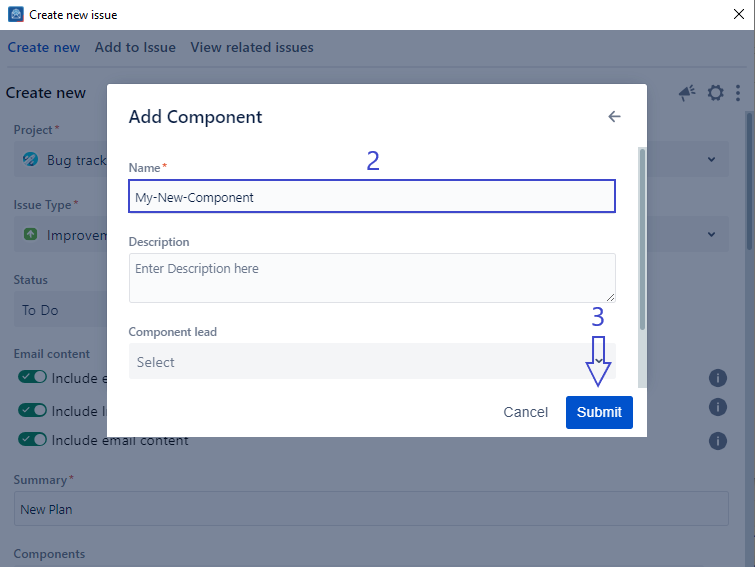
3. Fill in the form in the Add Component screen
4. Click on Submit
You need to have the right Jira permissions to be able to create a new component.
If you can't find the field you are looking for, you might need to show/hide it from the Configure field option. Learn more here.
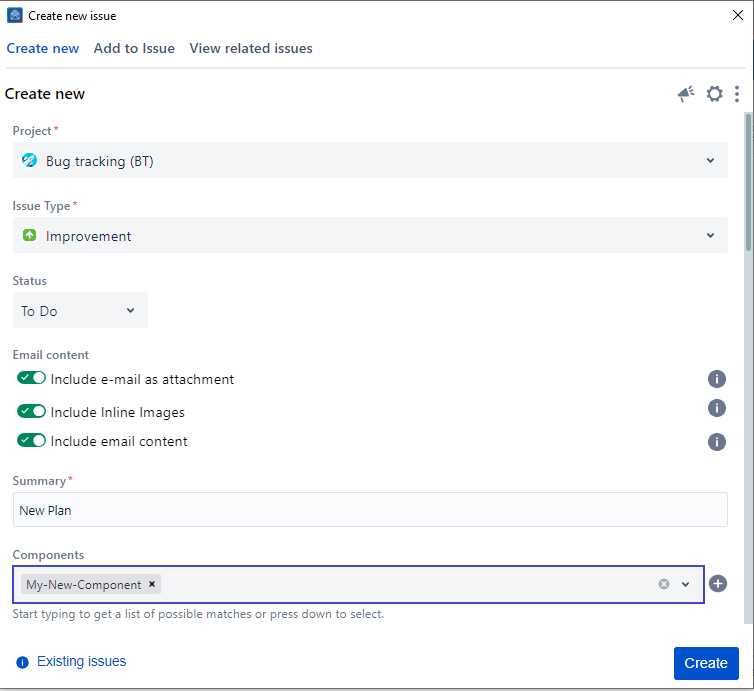
Once you click on submit, your component will be created and selected in the Create screen as shown below:
Related Content
-
Core - How to Show/Hide Fields (Microsoft Outlook for Jira)
-
Core - How to Create a New Fix Version (Microsoft Outlook for Jira)
-
Core - How to Link Issues from the Create Screen (Microsoft Outlook for Jira)
-
Core - How to Create a Subtask (Microsoft Outlook for Jira)
-
Core - How to Log Work from the Create Screen (Microsoft Outlook for Jira)
-
Core - How to Create New Jira Issues from Microsoft Outlook for Jira (Microsoft Outlook for Jira)
-
Core - How to Create a New Customer in a Service Desk Project (Microsoft Outlook for Jira)
-
Core - How to Preview Attachments (Microsoft Outlook for Jira)
-
Core - How to Rename Attachments (Microsoft Outlook for Jira)
-
Core - How to Mention User in description (Microsoft Outlook for Jira)
-
Core - How to View Screen Tabs (Microsoft Outlook for Jira)
-
Core - How to Enable Tempo API to Log Work (Microsoft Outlook for Jira)