Overview
Learn how to seamlessly add Calendar details to your Jira tickets, whether creating a new ticket or adding a comment.
Quick Steps
Step # | Action |
|---|---|
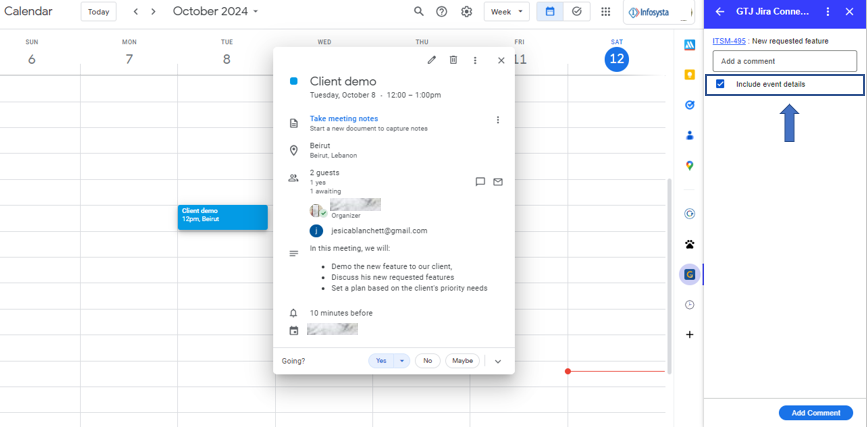
| 1 | Go to your Calendar and select an event, by clicking on it or editing it |
| 2 | Go to the GTJ add-on |
| 3 | Select Create new Issue, or Add Issue Comment |
| 6 | Check the checkboxes |
| 7 | Click on add comment |
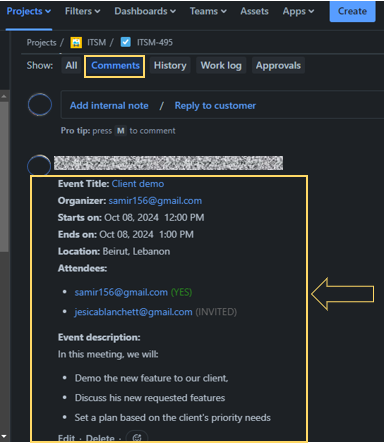
| 8 | Go to the created ticket, and check the event data added |
Detailed Steps:
- Click on 'Add Issue Comment' for example
- Check the checkboxes
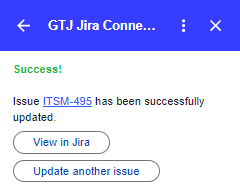
- Click on add comment
- Go to the created ticket, by clicking on 'View in Jira' button
- And check the event data added