Overview
Learn how to link email to Jira tickets.
Quick Steps
| Step # | Action |
|---|---|
| 1 | Go to your Gmail account, select an email |
| 2 | Open the GTJ Jira Connector add-on |
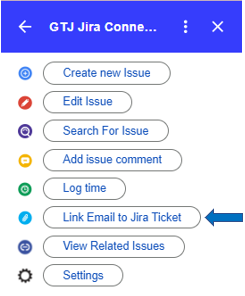
| 3 | Click on Link Email to Jira Ticket |
| 4 | Search for issues and select the one you want |
| 5 | And you're done, the email is linked to the selected Jira ticket |
- Select Link Email to Jira Ticket
- Select an issue from the list of the recent issues, or Search for an issue, & select one

- After Selecting your desired issue, you'll be successfully linked email to the Jira ticket